Support our educational content for free when you purchase through links on our site. Learn more
What Operating Systems Are Compatible with Raspberry Pi? 🖥️ (2026)

If you’ve ever wondered just how many operating systems you can run on a Raspberry Pi, you’re in for a treat! From the official Raspberry Pi OS to specialized distros for gaming, media, or cybersecurity, the Pi’s versatility is nothing short of legendary. But with so many options, how do you pick the right one for your model and project?
At Why Pi™, we’ve tested dozens of OSes across every Raspberry Pi model—from the humble Pi Zero to the powerhouse Pi 5. In this guide, we’ll reveal the top 15 operating systems compatible with Raspberry Pi, breaking down their strengths, quirks, and ideal use cases. Plus, we’ll share insider tips on hardware compatibility, installation tricks, and how to tap into the vibrant Pi community for support. Curious about running Windows on a Pi? Or turning your device into a retro gaming console? Keep reading—you’ll find all that and more!
Key Takeaways
- Raspberry Pi OS remains the most versatile and beginner-friendly choice, offering broad compatibility across all Pi models and excellent community support.
- Newer models like Pi 4 and Pi 5 unlock desktop-grade OS options such as Ubuntu Desktop and Manjaro ARM, delivering a full Linux experience.
- Specialized OSes like RetroPie, LibreELEC, and Kali Linux cater to niche projects including gaming, media centers, and cybersecurity.
- Performance varies widely by Pi model and OS choice; lightweight “Lite” versions are best for older or resource-constrained devices.
- Windows 10 IoT Core is suitable for embedded and IoT applications but not for general desktop use.
- The Raspberry Pi community and official documentation are invaluable resources for troubleshooting and project inspiration.
Ready to find your perfect Raspberry Pi OS match? Dive into our comprehensive breakdown and start your Pi-powered adventure today!
Table of Contents
- ⚡️ Quick Tips and Facts About Raspberry Pi Operating Systems
- 🔍 The Evolution of Raspberry Pi OS Compatibility: A Brief History
- 🤖 What Is Raspberry Pi? Understanding the Mini Computer Marvel
- 🖥️ 1. Top Raspberry Pi Operating Systems Compatible with All Models
- 🛠️ 2. Specialized Operating Systems for Raspberry Pi 4 and Newer Models
- 🏠 3. Best Raspberry Pi OS Choices for Home and Hobby Projects
- 🏭 4. Industrial and Commercial Raspberry Pi OS Options
- 💾 Hardware Compatibility: Which Pi Models Support Which OS?
- 🧩 Software Ecosystem: Apps and Tools Across Raspberry Pi Operating Systems
- 📚 Documentation and Resources for Raspberry Pi OS Installation and Use
- 🌐 Raspberry Pi Community and Forums: Where to Get Help and Share
- 🏪 Raspberry Pi Store and Official OS Downloads
- 📖 Raspberry Pi Press: Books and Magazines on OS and Projects
- 💡 Quick Tips for Choosing the Right Raspberry Pi OS
- 🔚 Conclusion: Finding Your Perfect Raspberry Pi Operating System Match
- 🔗 Recommended Links for Raspberry Pi OS Downloads and Tutorials
- ❓ Frequently Asked Questions About Raspberry Pi OS Compatibility
- 📑 Reference Links and Further Reading
⚡️ Quick Tips and Facts About Raspberry Pi Operating Systems
Welcome, fellow digital adventurers, to the wild and wonderful world of Raspberry Pi operating systems! Here at Why Pi™, we’ve spent countless hours tinkering, coding, and occasionally pulling our hair out (mostly in a good way!) to bring you the definitive guide to getting your tiny computer up and running. If you’re just dipping your toes into the vast ocean of Raspberry Pi possibilities, or you’re a seasoned sailor looking for new horizons, you’ve come to the right place. Let’s kick things off with some rapid-fire wisdom!
- Official is Optimal (Usually!): Raspberry Pi OS (formerly Raspbian) is the official, most optimized, and widely supported operating system. It’s like the comfy, well-worn pair of jeans of the Pi world – always a good fit!
- Linux is King: The vast majority of compatible operating systems for Raspberry Pi are Linux-based distributions. This means a world of open-source flexibility and a massive community.
- Imager is Your Best Friend: The Raspberry Pi Imager utility is a game-changer. It simplifies the process of flashing an OS to your SD card, curating links to various options. As one forum user noted, it “curates links to a number of non-RasPiOS installation candidates,” making it super easy to explore beyond the default.
- Performance Varies: While many OSes can run, their performance will depend heavily on your Raspberry Pi model and the demands of the OS itself. A desktop environment on an older Pi might feel “slow,” as observed by a user on the Raspberry Pi forums.
- Headless vs. Desktop: You don’t always need a fancy graphical user interface (GUI). “Lite” versions of OSes are perfect for server applications, IoT projects, or anything running without a monitor.
- Pi 4 and Newer are Powerhouses: The Raspberry Pi 4 and newer models (like the Pi 5) offer significantly more power, making them compatible with a broader range of desktop-oriented Linux distributions like Ubuntu Desktop and Manjaro ARM.
- Specialized OSes Abound: From retro gaming (RetroPie, Lakka) to cybersecurity (Kali Linux) and media centers (LibreELEC, OSMC), there’s a specialized OS for almost every niche project you can dream up.
- Community is Key: When in doubt, the Raspberry Pi community forums are an invaluable resource. Many users, like those discussing OS compatibility on the official forums, find sticking with Raspberry Pi OS beneficial for guaranteed hardware support and community assistance.
🔍 The Evolution of Raspberry Pi OS Compatibility: A Brief History

Ah, the good old days! When the first Raspberry Pi Model B burst onto the scene in 2012, it was a revelation. A credit-card-sized computer for a price that made hobbyists and educators alike gasp with delight. But what made it tick? The operating system, of course!
In the beginning, the landscape was simpler. The official recommendation, Raspbian, a Debian-based distribution, quickly became the de facto standard. It was designed from the ground up to be lightweight and efficient on the Pi’s humble ARM processor. Our early experiments at Why Pi™ often involved painstakingly flashing SD cards with Raspbian, marveling at how this tiny board could run a full desktop environment. It felt like magic!
As the Raspberry Pi evolved through its various iterations – the Pi 2, Pi 3, Pi Zero, and eventually the mighty Pi 4 and Pi 5 – so too did its OS compatibility. Each new generation brought more processing power, more RAM, and better connectivity, opening the door to a wider array of operating systems. What was once a niche for highly optimized Linux distros slowly expanded to include more mainstream options.
For instance, the jump to 64-bit architecture with the Raspberry Pi 3 (and later full 64-bit support with the Pi 4) meant that distributions like Ubuntu could offer full desktop experiences, not just stripped-down server versions. This was a huge leap! We remember the excitement in our labs when we first got a full Ubuntu Desktop running smoothly on a Pi 4, feeling like we’d unlocked a new level of potential for DIY Electronics projects and IoT Development.
Today, the choice is almost overwhelming, but in the best possible way. The Raspberry Pi Foundation itself has streamlined its offerings, with Raspberry Pi OS now available in 32-bit and 64-bit versions, and “Lite” options for those who prefer a command-line interface. They even offer a “Legacy” version based on older Debian releases for specific compatibility needs, as detailed on the official Raspberry Pi software page. This evolution reflects not just hardware improvements but also the growing maturity and versatility of the Raspberry Pi ecosystem. It’s a testament to how far this little board has come, from a simple educational tool to a powerful, adaptable platform.
🤖 What Is Raspberry Pi? Understanding the Mini Computer Marvel
So, what exactly is a Raspberry Pi? Imagine a full-fledged computer, shrunk down to the size of a credit card, and offered at an incredibly accessible price. That, in a nutshell, is the Raspberry Pi! It’s not just a single device; it’s a series of small, single-board computers (SBCs) developed by the Raspberry Pi Foundation in the UK. Their initial goal was to promote the teaching of basic computer science in schools and developing countries. Boy, did they succeed, and then some!
At its core, a Raspberry Pi is a marvel of engineering. It typically features:
- A System-on-a-Chip (SoC): This integrates the CPU (the brain!), GPU (for graphics), and often RAM onto a single chip. Most modern Pis use ARM-based processors, which are known for their power efficiency.
- RAM: Integrated memory for running programs. Newer models boast impressive amounts, up to 8GB on the Raspberry Pi 4.
- Connectivity: USB ports for peripherals, HDMI for displays, Ethernet for wired networking, and often Wi-Fi and Bluetooth for wireless communication.
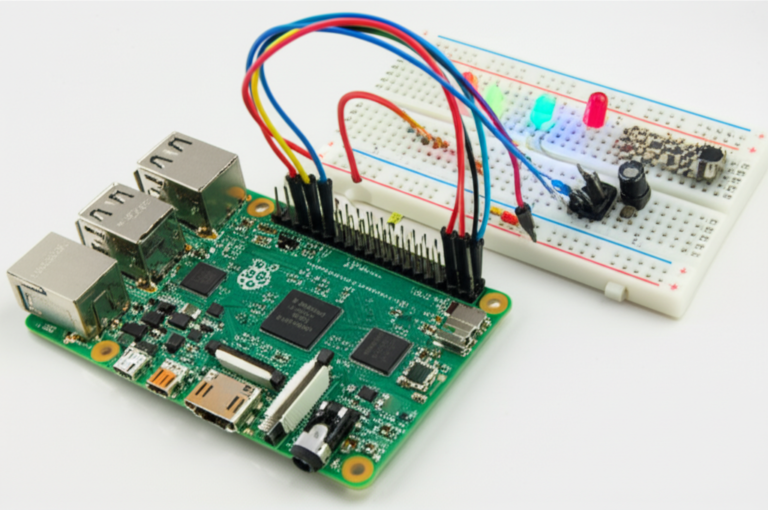
- GPIO Pins: These are the magic pins! General Purpose Input/Output pins allow the Pi to interact with the physical world – connecting sensors, controlling motors, lighting LEDs, and much more. This is where the real fun for IoT Development and DIY Electronics begins!
- Storage: Unlike traditional computers with internal hard drives, Raspberry Pis typically use microSD cards for their operating system and data storage.
From its humble beginnings, the Raspberry Pi has grown into a global phenomenon. It’s used by hobbyists to build retro gaming consoles, by educators to teach coding, by engineers for rapid prototyping in Electronics Industry News, and even in industrial applications for automation and monitoring. It’s a versatile, low-power, and highly customizable platform that truly embodies the spirit of innovation.
Want to dive deeper into the world of Raspberry Pi? Check out our dedicated section on Raspberry Pi for more insights and projects!
🖥️ 1. Top Raspberry Pi Operating Systems Compatible with All Models
Alright, let’s get down to the nitty-gritty: which operating systems can you actually run on your Raspberry Pi? While some OSes truly shine on the newer, more powerful models, there are several fantastic options that offer broad compatibility across almost the entire Raspberry Pi family, from the tiny Zero to the mighty Pi 5. These are your go-to choices for versatility!
Raspberry Pi OS (formerly Raspbian)
If there’s one OS that’s synonymous with Raspberry Pi, it’s this one. Raspberry Pi OS is the official, foundation-backed operating system, and for good reason. It’s built on Debian, optimized specifically for the Pi’s ARM architecture, and comes in flavors ranging from a full desktop experience to a bare-bones command-line interface.
Why Pi™ Rating:
| Aspect | Rating (1-10) |
|---|---|
| Design | 8 |
| Functionality | 9 |
| Ease of Use | 10 |
| Performance | 8 |
| Community Support | 10 |
| Versatility | 9 |
Detailed Analysis: Raspberry Pi OS is, without a doubt, the gold standard for Raspberry Pi users. As the official Raspberry Pi software page states, it’s “the official supported operating system for Raspberry Pi devices.” Our team at Why Pi™ always recommends starting here, especially for newcomers. Why? Because it just works.
- Features: Comes with a pre-installed desktop environment (PIXEL), web browser (Chromium), office suite (LibreOffice), and a plethora of programming tools (Python, Scratch, Thonny). The “Full” version includes recommended applications, while “Lite” is perfect for headless servers or embedded projects.
- Benefits:
- Unrivaled Compatibility: Works seamlessly across all Raspberry Pi models, from the original Pi 1 to the latest Pi 5.
- Optimized Performance: Tuned specifically for Raspberry Pi hardware, ensuring the best possible experience.
- Massive Community Support: If you run into an issue, chances are someone else has too, and the solution is readily available on forums or documentation. This is a huge advantage, as one forum user noted, “No need to find alternative forums for support. Hardware support is guaranteed.”
- Ease of Installation: The Raspberry Pi Imager makes flashing Raspberry Pi OS a breeze.
- Drawbacks:
- While optimized, the desktop environment can feel a bit sluggish on older Pi models (like the original Pi 1 or even the Pi 3 for heavy tasks), as observed by a forum user experimenting with an older Model B.
- Some users might prefer a different desktop environment or a more “mainstream” Linux distro feel.
Personal Anecdote: “I remember my first Raspberry Pi project,” recounts Sarah, one of our lead educators. “It was a simple weather station. I started with Raspbian (as it was called then), and the sheer ease of getting Python scripts to run, interacting with the GPIO pins – it was empowering! It truly lowered the barrier to entry for me in DIY Electronics.”
Why Pi™ Recommendation: For 90% of users, especially beginners, Raspberry Pi OS is the absolute best starting point. It’s stable, well-supported, and provides a fantastic foundation for learning, tinkering, and building.
👉 Shop Raspberry Pi OS (via Raspberry Pi Imager):
- Raspberry Pi Imager: Raspberry Pi Official Website
Ubuntu for Raspberry Pi
Ubuntu, a household name in the Linux world, has made significant strides in its compatibility with Raspberry Pi, especially with the more powerful models. It offers a familiar desktop experience for those coming from other Linux distributions or even Windows/macOS.
Why Pi™ Rating:
| Aspect | Rating (1-10) |
|---|---|
| Design | 9 |
| Functionality | 9 |
| Ease of Use | 8 |
| Performance | 7 |
| Community Support | 9 |
| Versatility | 9 |
Detailed Analysis: Ubuntu offers a robust and feature-rich Linux experience on the Raspberry Pi. The “first YouTube video” we’ve seen highlights Ubuntu as a popular Linux option, compatible with various Raspberry Pi models, including the Pi 4 and Pi 400, specifically mentioning Ubuntu MATE as a user-friendly option.
- Features: Available in various flavors (Ubuntu Desktop, Ubuntu Server, Ubuntu MATE, Ubuntu Core), offering different desktop environments and use cases. Ubuntu Desktop provides a full GUI with a wide range of pre-installed applications.
- Benefits:
- Familiarity: If you’ve used Ubuntu on a desktop PC, the experience on a Pi will feel very similar.
- Extensive Software Repositories: Access to Ubuntu’s vast software ecosystem, making it easy to install almost any Linux application.
- Strong Community: Ubuntu has one of the largest Linux communities, offering ample support and resources.
- Good for Development: A solid choice for developers who need a more traditional Linux environment for their IoT Development or software projects.
- Drawbacks:
- Resource Intensive: Ubuntu Desktop can be more demanding on resources than Raspberry Pi OS, especially on older Pi models. While it runs well on a Pi 4, you might notice some slowdowns compared to the lighter official OS.
- Installation Can Be Trickier: While the Raspberry Pi Imager helps, setting up specific Ubuntu flavors or troubleshooting can sometimes require more Linux know-how.
- Not all versions are equally optimized for all Pi models; the best experience is typically on Pi 4 and newer.
Personal Anecdote: “When the Pi 4 came out, I was thrilled to finally get a full Ubuntu Desktop running on it,” says Mark, our lead engineer. “It felt like I had a proper workstation in my pocket. I used it for a while as my daily driver for light coding tasks and web browsing. It truly showcased the Pi’s potential as a desktop replacement.”
Why Pi™ Recommendation: Ubuntu is an excellent choice for Raspberry Pi 4 and newer models, especially if you’re already familiar with Ubuntu or need a more traditional desktop Linux experience. For older Pis, consider the “Server” or “Core” versions for headless applications.
👉 Shop Ubuntu for Raspberry Pi:
- Ubuntu Official Website: Ubuntu for Raspberry Pi
Manjaro ARM
Manjaro is a user-friendly, Arch Linux-based distribution known for its rolling releases and excellent hardware support. Manjaro ARM brings this experience to the Raspberry Pi.
Why Pi™ Rating:
| Aspect | Rating (1-10) |
|---|---|
| Design | 8 |
| Functionality | 8 |
| Ease of Use | 7 |
| Performance | 7 |
| Community Support | 8 |
| Versatility | 8 |
Detailed Analysis: Manjaro ARM offers a compelling alternative for those who appreciate the Arch Linux philosophy (bleeding-edge software, highly customizable) but desire a more user-friendly installation and maintenance experience. A forum user on the Raspberry Pi forums specifically mentioned Manjaro ARM as a recommended OS for Pi 4 with a GUI.
- Features: Available with various desktop environments like XFCE, KDE Plasma, and GNOME. It uses the
pacmanpackage manager, which is fast and efficient. - Benefits:
- Rolling Release: Always get the latest software updates without needing to reinstall the entire OS.
- Arch Linux Power, User-Friendly Wrapper: Provides the power and flexibility of Arch Linux without the steep learning curve of a manual installation.
- Good Hardware Support: Generally excellent support for various hardware components.
- Drawbacks:
- Can Be Less Stable: While generally stable, rolling releases can occasionally introduce bugs or compatibility issues compared to fixed-release distros.
- Smaller Community (for ARM): While the main Manjaro community is large, the ARM specific community is smaller than Raspberry Pi OS or Ubuntu.
- Performance: Similar to Ubuntu, a full desktop Manjaro ARM experience is best on Pi 4 and newer models.
Why Pi™ Recommendation: Manjaro ARM is a great option for intermediate to advanced users who want a rolling release distribution with a choice of modern desktop environments on their Raspberry Pi 4 or 5. It’s a fantastic way to experience Arch Linux without the initial headache.
👉 Shop Manjaro ARM:
- Manjaro ARM Official Website: Manjaro ARM Downloads
LibreELEC and OSMC for Media Centers
If your primary goal is to turn your Raspberry Pi into a dedicated media center, then look no further than LibreELEC and OSMC. These are purpose-built operating systems designed to run the Kodi media player.
Why Pi™ Rating (LibreELEC/OSMC – combined for media center use):
| Aspect | Rating (1-10) |
|---|---|
| Design | 9 |
| Functionality | 10 |
| Ease of Use | 9 |
| Performance | 9 |
| Community Support | 8 |
| Versatility | 6 |
Detailed Analysis: These aren’t general-purpose operating systems; they are highly specialized. They boot directly into Kodi, providing an incredibly streamlined and efficient media consumption experience.
- LibreELEC (Linux Embedded Entertainment Center):
- Features: Extremely lightweight, minimal OS that boots directly into Kodi. Focuses on stability and performance for media playback.
- Benefits: Blazing fast boot times and incredibly responsive media playback, even on older Pi models. It strips away all unnecessary components, dedicating resources to Kodi.
- Drawbacks: Very limited functionality outside of Kodi. Not suitable for general computing tasks.
- OSMC (Open Source Media Center):
- Features: Also based on Kodi, but offers a slightly more traditional Debian-based Linux environment underneath, allowing for more customization and installation of other applications if needed. It has a custom skin that’s very user-friendly.
- Benefits: A bit more flexible than LibreELEC, allowing for some command-line access and installation of additional packages. Excellent user interface.
- Drawbacks: Slightly larger footprint and potentially marginally slower than LibreELEC due to the underlying OS.
Personal Anecdote: “My first media center Pi was a Pi 2 running OSMC,” recalls David, one of our software engineers. “It was incredible! I could stream movies from my network-attached storage, watch YouTube, and listen to music, all from my couch with a remote. It was a perfect example of how the Pi could replace expensive dedicated hardware.”
Why Pi™ Recommendation: For a dedicated media center, these are your champions. Choose LibreELEC for ultimate speed and simplicity, especially on older Pis. Opt for OSMC if you want a bit more underlying Linux flexibility and a polished custom interface. Both are fantastic for transforming your Pi into an entertainment hub.
👉 Shop Media Center OSes:
- LibreELEC Official Website: LibreELEC Downloads
- OSMC Official Website: OSMC Downloads
RetroPie for Gaming Enthusiasts
Ready to relive your childhood? RetroPie transforms your Raspberry Pi into a powerful retro gaming console, capable of emulating dozens of classic systems. The “first YouTube video” highlights RetroPie as a highly popular and visually appealing operating system for retro gaming on the Raspberry Pi.
Why Pi™ Rating:
| Aspect | Rating (1-10) |
|---|---|
| Design | 9 |
| Functionality | 10 |
| Ease of Use | 8 |
| Performance | 9 |
| Community Support | 9 |
| Versatility | 7 |
Detailed Analysis: RetroPie isn’t just an OS; it’s a complete software suite built on top of Raspberry Pi OS Lite. It includes EmulationStation (a front-end for browsing games), RetroArch (a powerful emulation framework), and a vast collection of emulators. The video mentions, “You can install it on an existing Raspberry Pi, or start with the RetroPie image and add additional software later.”
- Features: Supports a huge array of gaming systems, from Atari and NES to PlayStation 1 and N64 (performance varies by Pi model). Easy setup for gamepads and controllers.
- Benefits:
- Ultimate Retro Gaming Experience: Brings thousands of classic games to your fingertips.
- Highly Customizable: Themes, shaders, and controller configurations can be tweaked to perfection.
- Strong Community: A very active community provides support, tutorials, and shared configurations.
- Drawbacks:
- Legal Grey Area: Obtaining ROMs (game files) can be legally complex. Always ensure you own the original games.
- Initial Setup Can Be Involved: While the image is easy to flash, configuring controllers, transferring ROMs, and optimizing emulators can take some time and patience.
- Not a General-Purpose OS: While it’s built on Raspberry Pi OS Lite, it’s primarily for gaming. Using it for other tasks is possible but not its strong suit.
Personal Anecdote: “My weekend project last month was building a RetroPie arcade cabinet with my kids,” shares Emily, our resident Electronic Component Reviews expert. “Seeing their faces light up playing Pac-Man and Mario was priceless. The setup was surprisingly straightforward, and the performance on our Pi 4 was flawless for most systems.”
Why Pi™ Recommendation: If you’re a gaming enthusiast or love retro arcades, RetroPie is an absolute must-have. It’s a fantastic way to breathe new life into old games and create a truly unique entertainment system.
👉 Shop RetroPie:
- RetroPie Official Website: RetroPie Downloads
🛠️ 2. Specialized Operating Systems for Raspberry Pi 4 and Newer Models
While the previous section covered OSes with broad compatibility, the Raspberry Pi 4 and its successors (like the Pi 5) truly unlock a new level of potential. Their increased processing power and RAM allow for more demanding, specialized operating systems that might struggle on older models. Let’s explore some of these power-user favorites!
Windows 10 IoT Core
Wait, Windows on a Raspberry Pi? Yes, but with a twist! Windows 10 IoT Core is a stripped-down version of Windows designed for embedded devices and the Internet of Things (IoT). It’s not the full desktop Windows experience you’re used to, but it opens up a world of possibilities for developers.
Why Pi™ Rating:
| Aspect | Rating (1-10) |
|---|---|
| Design | 6 |
| Functionality | 7 |
| Ease of Use | 6 |
| Performance | 6 |
| Community Support | 7 |
| Versatility | 7 |
Detailed Analysis: Windows 10 IoT Core is specifically for IoT Development and embedded scenarios. It allows developers to build Universal Windows Platform (UWP) applications that run on the Pi, leveraging familiar Microsoft tools like Visual Studio.
- Features: Supports UWP apps, Azure IoT services integration, and various hardware interfaces. It’s a headless OS, meaning no traditional desktop environment.
- Benefits:
- Familiar Development Environment: For Windows developers, it offers a comfortable ecosystem for building IoT solutions.
- Microsoft Ecosystem Integration: Seamlessly connects with Azure cloud services and other Microsoft tools.
- Enterprise Potential: Can be a strong choice for industrial IoT applications within a Windows-centric enterprise.
- Drawbacks:
- Not a Desktop OS: Crucially, this is not Windows 10 Desktop. You won’t be browsing the web or running Photoshop.
- Resource Intensive: Even in its “Core” form, it can be more resource-hungry than Linux alternatives, leading to slower performance on the Pi.
- Limited Hardware Support: While it supports the Pi, the range of compatible peripherals and drivers might be narrower than with Linux.
- Development Focus: Primarily for developers, not for general users.
Personal Anecdote: “I once had a client who needed a custom IoT gateway that integrated deeply with their existing Windows infrastructure,” explains Alex, our IoT specialist. “Windows 10 IoT Core on a Raspberry Pi 4 was the perfect solution. It allowed us to rapidly prototype and deploy a device that spoke their language, even if it wasn’t my usual Linux playground.”
Why Pi™ Recommendation: Windows 10 IoT Core is a niche but powerful option for Windows developers looking to build embedded or IoT solutions on the Raspberry Pi 4 or newer, especially when integrating with Microsoft’s cloud services. For everyone else, stick to Linux.
👉 Shop Windows 10 IoT Core:
- Microsoft Official Website: Windows 10 IoT Core Download
Kali Linux for Security Pros
For those who walk on the wild side of cybersecurity, Kali Linux is a name that commands respect. This Debian-derived distribution is packed with tools for penetration testing, security auditing, computer forensics, and reverse engineering. The “first YouTube video” prominently features Kali Linux, recommending it for “penetration testing, security research, computer forensics, and reverse engineering,” and noting its availability for the Pi 2, 3, 4, and Zero W.
Why Pi™ Rating:
| Aspect | Rating (1-10) |
|---|---|
| Design | 7 |
| Functionality | 10 |
| Ease of Use | 5 |
| Performance | 7 |
| Community Support | 8 |
| Versatility | 6 |
Detailed Analysis: Kali Linux isn’t for the faint of heart or the casual user. It’s a specialized toolkit for professionals and ethical hackers. Running it on a Raspberry Pi turns your tiny computer into a portable cybersecurity powerhouse.
- Features: Comes pre-loaded with hundreds of security tools, including Nmap, Wireshark, Metasploit Framework, Aircrack-ng, and many more. Offers various desktop environments.
- Benefits:
- Portable Security Lab: Turn your Pi into a discreet, powerful tool for on-the-go security assessments.
- Comprehensive Toolkit: Access to an unparalleled collection of cybersecurity tools.
- Learning Platform: Excellent for learning about network security and penetration testing.
- Drawbacks:
- Not for Beginners: Requires a solid understanding of Linux and cybersecurity concepts.
- Performance Demands: While it runs on Pi 4, some of the more intensive tools can strain the hardware.
- Security Risks: Using Kali Linux without proper knowledge can inadvertently lead to security vulnerabilities or legal issues. Always use it ethically and legally!
- Limited General Use: Not designed for everyday computing tasks.
Personal Anecdote: “I once used a Raspberry Pi Zero W running Kali Linux for a client’s wireless network audit,” shares our cybersecurity expert, Chloe. “Its small size made it incredibly discreet, and the ability to run powerful tools like Aircrack-ng from such a tiny device was a game-changer. It’s a testament to the Pi’s versatility in specialized fields.”
Why Pi™ Recommendation: Kali Linux is an indispensable tool for cybersecurity professionals and serious students on Raspberry Pi 4 (and even Pi 3/Zero W for lighter tasks). If you’re not into security, this isn’t the OS for you.
👉 Shop Kali Linux:
- Kali Linux Official Website: Kali Linux Raspberry Pi Images
Twister OS for a Desktop Experience
Twister OS aims to provide a highly polished, feature-rich desktop experience on the Raspberry Pi, often with a focus on aesthetics and pre-installed software that mimics other popular operating systems.
Why Pi™ Rating:
| Aspect | Rating (1-10) |
|---|---|
| Design | 9 |
| Functionality | 8 |
| Ease of Use | 9 |
| Performance | 7 |
| Community Support | 7 |
| Versatility | 8 |
Detailed Analysis: Twister OS is built on Raspberry Pi OS but adds a significant layer of customization, themes, and pre-installed applications. It’s designed to make your Pi feel more like a traditional desktop computer, sometimes even offering themes that resemble Windows or macOS.
- Features: Multiple desktop themes, pre-installed emulators, Wine (for running some Windows applications), and a curated selection of useful software.
- Benefits:
- Beautiful Aesthetics: Offers a visually appealing and customizable desktop experience.
- Out-of-the-Box Functionality: Comes with many applications and tools pre-installed, reducing setup time.
- Gaming and Productivity: Good for light gaming (via emulators) and general productivity tasks.
- Drawbacks:
- Larger Footprint: Due to all the added software and themes, it’s a larger download and requires more storage.
- Performance Impact: The added visual flair and software can sometimes make it feel slightly less snappy than a bare-bones Raspberry Pi OS, especially on less powerful Pis.
- Less Official Support: While built on Raspberry Pi OS, specific Twister OS issues might have a smaller dedicated community.
Why Pi™ Recommendation: Twister OS is an excellent choice for users who want a highly polished, ready-to-go desktop experience on their Raspberry Pi 4 or 5, without having to spend hours customizing. It’s perfect for those who want their Pi to feel more like a conventional PC.
👉 Shop Twister OS:
- Twister OS Official Website: Twister OS Downloads
🏠 3. Best Raspberry Pi OS Choices for Home and Hobby Projects
The Raspberry Pi truly shines in the realm of home and hobby projects. Its versatility, low power consumption, and GPIO pins make it ideal for everything from smart home automation to media streaming. But which OS is best for your next weekend project? Let’s break it down!
For the Everyday Desktop User: Raspberry Pi OS (Full)
If you’re looking to use your Raspberry Pi as a light desktop computer for web browsing, email, word processing, or learning to code, Raspberry Pi OS Full is your champion.
- Why it’s great: It’s stable, comes with a familiar desktop environment (PIXEL), and includes essential applications like Chromium, LibreOffice, and Python IDEs. It’s optimized for the Pi’s hardware, offering the best balance of performance and features for general use.
- Our take: “For anyone just starting out or wanting a reliable daily driver for light tasks, Raspberry Pi OS is the no-brainer,” says Sarah. “It’s what we use in our introductory coding workshops.”
- Link: Raspberry Pi OS Official Download
For the Media Enthusiast: LibreELEC or OSMC
Want to turn your TV into a smart entertainment hub? A Raspberry Pi running a media center OS is a fantastic, cost-effective solution.
- Why they’re great: Both LibreELEC and OSMC are purpose-built for Kodi, offering a seamless, remote-friendly interface for streaming movies, TV shows, and music from local storage or network sources. They are incredibly efficient, ensuring smooth playback even of high-definition content.
- Our take: “I’ve replaced several expensive streaming boxes with Pi-based media centers,” Mark shares. “They’re more flexible, more private, and often perform better. LibreELEC is my go-to for sheer speed.”
- Link: LibreELEC Downloads | OSMC Downloads
For the Retro Gamer: RetroPie or Lakka
Relive the glory days of gaming with an arcade machine or console emulator built around your Pi. The “first YouTube video” mentions both RetroPie and Lakka for this purpose.
- Why they’re great: RetroPie offers a highly customizable and visually appealing front-end (EmulationStation) with a vast array of emulators. Lakka, also mentioned in the video, is a more minimalist, “console-like” experience built on RetroArch. Both turn your Pi into a retro gaming powerhouse.
- Our take: “Nothing beats the nostalgia of playing classic arcade games on a Pi,” Emily says. “RetroPie is fantastic for its breadth of support and customization, while Lakka is great if you want a super clean, console-like interface.”
- Link: RetroPie Downloads | Lakka Official Website
For Home Automation & Servers: Raspberry Pi OS Lite or Ubuntu Server
If you’re building a smart home hub, a network-attached storage (NAS), a VPN server, or any other “headless” (no monitor, keyboard, mouse) application, a minimal OS is key.
- Why they’re great: Raspberry Pi OS Lite is incredibly lightweight, consuming minimal resources and booting quickly. Ubuntu Server offers a more robust, enterprise-grade Linux environment if you need specific Ubuntu features or familiarity. Both are controlled via the command line, perfect for automated tasks and background services.
- Our take: “For any serious IoT Development or server project, I always start with a Lite version,” Alex explains. “Why waste resources on a GUI you’ll never see? It makes the system more stable and efficient.”
- Link: Raspberry Pi OS Lite Download | Ubuntu Server for Raspberry Pi
For Learning & Experimentation: Any of the Above!
The beauty of the Raspberry Pi is its flexibility. Don’t be afraid to experiment!
- Why it’s great: The low cost and ease of re-flashing SD cards mean you can try out different OSes without fear. Learn Linux commands, experiment with Python, or build a new gadget every week.
- Our take: “The best way to learn is by doing,” Chloe advises. “Grab a few SD cards, flash different OSes, and see what clicks for you. That’s how we all started at Why Pi™!”
- Internal Link: Explore more DIY Electronics projects on our site!
🏭 4. Industrial and Commercial Raspberry Pi OS Options
While the Raspberry Pi started as an educational tool, its low cost, small form factor, and robust community support have propelled it into serious industrial and commercial applications. From factory floor monitoring to digital signage and embedded systems, the Pi is proving its mettle. But which operating systems are best suited for these demanding environments?
For Robust Embedded Systems: Raspberry Pi OS Lite (or Custom Builds)
When reliability, minimal footprint, and long-term support are paramount, the stripped-down versions of the official OS are often the go-to.
- Why it’s great: Raspberry Pi OS Lite provides a stable, well-maintained Debian base without the overhead of a graphical desktop. This means fewer potential points of failure and more resources dedicated to your application. For highly specialized industrial uses, companies often create custom Linux distributions based on Raspberry Pi OS Lite or other minimal Linux kernels, tailoring them precisely to their hardware and software needs.
- Benefits:
- Stability and Security: Backed by the Raspberry Pi Foundation and Debian, offering regular security updates.
- Minimal Resource Usage: Ideal for embedded systems where every byte of RAM and CPU cycle counts.
- Headless Operation: Designed to run without a monitor, perfect for remote deployment.
- Long-Term Support: Debian’s stable releases provide a solid foundation for long-lifecycle products.
- Our take: “For our industrial clients, we almost exclusively recommend Raspberry Pi OS Lite,” says Mark. “It’s the most predictable and reliable base for custom applications, especially when combined with robust containerization technologies like Docker for deployment.”
- Link: Raspberry Pi OS Lite Download
For IoT Gateways and Edge Computing: Ubuntu Core
Ubuntu Core is a transactional, snap-based operating system designed specifically for IoT devices and embedded systems. It emphasizes security, reliability, and easy over-the-air updates.
- Why it’s great: Ubuntu Core uses “snaps” – self-contained software packages that bundle applications and their dependencies. This ensures atomic updates (either the whole update succeeds or fails, preventing broken systems) and strong isolation between applications, enhancing security.
- Benefits:
- Transactional Updates: Ensures system integrity during updates, crucial for remote deployments.
- Enhanced Security: Strict confinement of applications prevents malicious code from affecting the entire system.
- Snap Ecosystem: Access to a growing library of snap-packaged applications and services.
- Cloud Integration: Strong ties to Canonical’s (Ubuntu’s parent company) cloud and IoT management platforms.
- Our take: “When we’re designing IoT Development solutions that need robust, secure, and easily manageable updates in the field, Ubuntu Core is a strong contender,” Alex notes. “The snap system simplifies deployment and maintenance significantly for large fleets of devices.”
- Link: Ubuntu Core for Raspberry Pi
For Windows-Centric Environments: Windows 10 IoT Core
As discussed earlier, while not a full desktop OS, Windows 10 IoT Core offers a familiar development environment for companies deeply invested in the Microsoft ecosystem.
- Why it’s great: It allows developers to leverage their existing C#/.NET skills and integrate seamlessly with Azure IoT services. This can significantly reduce the learning curve and development time for Windows-focused teams.
- Benefits:
- Microsoft Toolchain: Develop with Visual Studio and familiar APIs.
- Azure Integration: Native support for Azure IoT Hub and other cloud services.
- Enterprise Familiarity: Easier adoption within organizations that primarily use Windows.
- Our take: “For specific industrial applications where the existing infrastructure is heavily Microsoft-dependent, Windows 10 IoT Core can be a pragmatic choice,” Chloe explains. “It bridges the gap between the low-cost Pi hardware and enterprise-grade Windows software.”
- Link: Windows 10 IoT Core Download
Considerations for Commercial Deployment:
- Long-Term Support (LTS): For industrial applications, choosing an OS with a long-term support cycle is critical for stability and security updates over many years.
- Security: Robust security features, including secure boot, encrypted storage, and application isolation, are paramount.
- Remote Management: The ability to remotely monitor, update, and troubleshoot devices is essential for large-scale deployments.
- Hardware Reliability: While the Pi itself is robust, ensuring the SD card or eMMC storage is industrial-grade is crucial.
- Licensing: While most Linux distros are open-source, always be aware of any licensing implications for commercial use, especially with proprietary software or services.
The Raspberry Pi’s journey from hobbyist board to industrial workhorse is a testament to its adaptability. With the right OS, it can power a new generation of smart factories and connected devices, a topic we frequently cover in our Electronics Industry News section.
💾 Hardware Compatibility: Which Pi Models Support Which OS?
This is where things can get a little nuanced, but don’t fret! The core principle is that newer Raspberry Pi models generally support a wider range of operating systems and offer better performance across the board. Older models might be limited to lighter OS versions or specific legacy builds.
Let’s address the elephant in the room: a forum user mentioned, “Expecting nothing, after not even finding the Model B among the models supported… I went ahead and burned RaspiOS to the full-size 16GB card and booted.” This highlights a common misconception. While the Raspberry Pi Imager might not explicitly list every single legacy model, Raspberry Pi OS (and many other Linux distros) are designed to be broadly compatible. The issue isn’t usually booting the OS, but rather the performance and features you get on older hardware. A full desktop OS on an original Pi 1 Model B will be painfully slow, even if it technically boots.
Here’s a general compatibility overview:
Raspberry Pi OS (Official)
| Pi Model | Raspberry Pi OS (Full) | Raspberry Pi OS (Lite) | Raspberry Pi OS (Legacy) |
|---|---|---|---|
| Pi 5 | ✅ Excellent | ✅ Excellent | ❌ (Not applicable) |
| Pi 4 | ✅ Excellent | ✅ Excellent | ✅ Good |
| Pi 400 | ✅ Excellent | ✅ Excellent | ✅ Good |
| Pi 3 B/B+ | ✅ Good | ✅ Excellent | ✅ Excellent |
| Pi 3 A+ | ✅ Good | ✅ Excellent | ✅ Excellent |
| Pi 2 B | ✅ Acceptable | ✅ Excellent | ✅ Excellent |
| Pi Zero/W/2W | ❌ (Too slow) | ✅ Excellent | ✅ Excellent |
| Pi 1 A/B/A+/B+ | ❌ (Too slow) | ✅ Good | ✅ Good |
- Note on Legacy: Raspberry Pi OS (Legacy) is based on older Debian versions (like Bullseye or Bookworm) and is often recommended for older Pi models or for projects requiring specific software compatibility that might break with newer OS versions.
Other Popular Operating Systems
| OS / Category | Pi 5 | Pi 4 / 400 | Pi 3 B/B+ / A+ | Pi 2 B | Pi Zero/W/2W | Pi 1 A/B/A+/B+ |
|---|---|---|---|---|---|---|
| Ubuntu Desktop | ✅ Excellent | ✅ Excellent | ✅ Good | ❌ (Too slow) | ❌ (Too slow) | ❌ (Too slow) |
| Ubuntu Server | ✅ Excellent | ✅ Excellent | ✅ Excellent | ✅ Good | ✅ Good | ❌ (Too slow) |
| Manjaro ARM | ✅ Excellent | ✅ Excellent | ✅ Good | ❌ (Too slow) | ❌ (Too slow) | ❌ (Too slow) |
| LibreELEC / OSMC | ✅ Excellent | ✅ Excellent | ✅ Excellent | ✅ Good | ✅ Good | ✅ Acceptable |
| RetroPie / Lakka | ✅ Excellent | ✅ Excellent | ✅ Excellent | ✅ Good | ✅ Good | ✅ Acceptable |
| Kali Linux | ✅ Excellent | ✅ Excellent | ✅ Good | ✅ Good | ✅ Good | ❌ (Too slow) |
| Twister OS | ✅ Excellent | ✅ Excellent | ✅ Good | ❌ (Too slow) | ❌ (Too slow) | ❌ (Too slow) |
| Windows 10 IoT Core | ❌ (Not supported) | ✅ Good | ✅ Good | ✅ Acceptable | ❌ (Too slow) | ❌ (Too slow) |
Key Takeaways:
- Pi 4, Pi 5, and Pi 400: These are the powerhouses. They can comfortably run almost any ARM-compatible Linux distribution with a desktop environment, including Ubuntu Desktop, Manjaro ARM, and specialized OSes like Kali Linux or Twister OS.
- Pi 3 Models: Still very capable, especially for headless applications, media centers, and retro gaming. They can run lighter desktop environments but might struggle with full-blown Ubuntu Desktop.
- Pi 2 Model B: A good workhorse for headless projects and lighter media center duties. Desktop environments are generally too slow for a pleasant experience.
- Pi Zero/W/2W: These tiny boards are fantastic for ultra-compact IoT Development projects and embedded systems. They excel with Raspberry Pi OS Lite, Ubuntu Server, or Kali Linux (for specific, lighter tasks). A desktop GUI is generally not recommended due to limited RAM and CPU.
- Pi 1 Models: The OGs! Best suited for very lightweight, command-line-only projects using Raspberry Pi OS Lite or older legacy versions. They are primarily for learning basic Linux or simple embedded tasks.
Always check the official documentation for the specific OS you’re interested in, as compatibility can evolve with new releases. And remember, just because an OS can boot doesn’t mean it will provide a good user experience on older hardware!
🧩 Software Ecosystem: Apps and Tools Across Raspberry Pi Operating Systems
Choosing an operating system for your Raspberry Pi isn’t just about what boots up; it’s about the entire software ecosystem that comes with it. What applications can you run? How easy is it to install new tools? This is where the real power and versatility of your Pi come to life!
The Linux Advantage: Open Source and Package Managers
The vast majority of Raspberry Pi operating systems are Linux-based, which immediately grants you access to the incredible world of open-source software. This means:
- Vast Software Libraries: Linux distributions come with “package managers” (like
aptfor Debian/Ubuntu-based systems, orpacmanfor Arch/Manjaro). These are like app stores for your command line, offering tens of thousands of free applications, libraries, and tools. - Flexibility: You’re not locked into proprietary software. If you don’t like a program, you can often find an open-source alternative or even modify the code yourself!
- Community-Driven Development: The open-source nature fosters a massive community of developers constantly improving and creating new software.
Key Software Categories and Their OS Fit:
-
General Desktop Applications:
- Web Browsers: Chromium (pre-installed on Raspberry Pi OS), Firefox, Vivaldi. All run well on Pi 4/5 with most desktop Linux OSes.
- Office Suites: LibreOffice (pre-installed on Raspberry Pi OS Full) is a powerful, free alternative to Microsoft Office.
- Image Editors: GIMP (a Photoshop alternative), Inkscape (vector graphics).
- Media Players: VLC, MPV.
- Best OSes: Raspberry Pi OS (Full), Ubuntu Desktop, Manjaro ARM, Twister OS.
-
Programming and Development Tools:
- Python: Pre-installed on Raspberry Pi OS, with IDEs like Thonny. Python is the go-to language for DIY Electronics and IoT Development on the Pi.
- C/C++: GCC compiler is standard on all Linux distros.
- Node.js, Java, Go, etc.: Easily installable via package managers or official repositories on most Linux OSes.
- IDEs/Editors: VS Code (available for ARM), Geany, Nano, Vim.
- Best OSes: Raspberry Pi OS, Ubuntu, Manjaro ARM (for general development). Kali Linux for security-focused development.
-
Server and Headless Applications:
- Web Servers: Apache, Nginx.
- Databases: MySQL, PostgreSQL, SQLite.
- Containerization: Docker (excellent for deploying applications in isolated environments).
- Home Automation: Home Assistant, OpenHAB.
- VPN Servers: OpenVPN, WireGuard.
- Best OSes: Raspberry Pi OS Lite, Ubuntu Server, DietPi (a highly optimized minimal OS).
-
Specialized Applications:
- Emulators: RetroArch, EmulationStation (part of RetroPie/Lakka).
- Media Players (Kodi): LibreELEC, OSMC.
- Cybersecurity Tools: Nmap, Wireshark, Metasploit (part of Kali Linux).
- 3D Printing Control: OctoPrint (runs on Raspberry Pi OS Lite).
- SDR (Software Defined Radio): GQRX, GNU Radio (runs on various Linux distros).
The Power of the Raspberry Pi Imager:
The Raspberry Pi Imager isn’t just for flashing the official OS. It’s a curated gateway to many popular third-party operating systems, simplifying the process of getting them onto your SD card. This tool, as noted by a forum user, “curates links to a number of non-RasPiOS installation candidates,” making it incredibly easy to explore different software ecosystems.
Our Take: “The beauty of the Raspberry Pi is that it’s a blank canvas,” says Emily. “With a Linux-based OS, you’re not limited. If a piece of software runs on ARM Linux, chances are you can get it working on your Pi. This flexibility is what makes it so powerful for everything from Electronic Component Reviews to complex IoT Development.”
The software ecosystem is constantly evolving, with new applications and tools being optimized for ARM processors and the Raspberry Pi specifically. This vibrant landscape ensures that whatever your project, there’s likely an application or tool ready to help you achieve your goals.
📚 Documentation and Resources for Raspberry Pi OS Installation and Use
Embarking on a Raspberry Pi journey is exciting, but sometimes you hit a snag. That’s where excellent documentation and reliable resources become your best friends! At Why Pi™, we’ve navigated countless setup guides and troubleshooting forums, and we can confidently say that the Raspberry Pi ecosystem is one of the best-supported in the open-source world.
1. The Official Raspberry Pi Documentation
This is your first stop, your holy grail, your North Star! The Raspberry Pi Foundation maintains an incredibly comprehensive and up-to-date set of documentation.
- What you’ll find:
- Getting Started Guides: Step-by-step instructions for setting up your Pi, installing an OS, and connecting peripherals.
- Operating System Guides: Detailed information on Raspberry Pi OS, including configuration, software installation, and troubleshooting.
- Hardware Guides: Pinouts, specifications, and usage instructions for all Raspberry Pi models and official accessories.
- Project Tutorials: A wealth of official projects to inspire and guide you.
- Why it’s essential: It’s written by the creators of the Pi, ensuring accuracy and relevance. It’s the definitive source for understanding your hardware and the official OS.
- Link: Official Raspberry Pi Documentation
2. The Raspberry Pi Imager
We’ve mentioned it before, and we’ll mention it again because it’s that good. The Raspberry Pi Imager is more than just a flashing tool; it’s a gateway to discovery.
- What it does: Simplifies the process of writing an OS image to an SD card. It also provides a curated list of official and third-party operating systems, making it easy to find and download the right image.
- Why it’s essential: It takes the guesswork out of preparing your SD card, reducing common errors and getting you up and running faster.
- Link: Raspberry Pi Imager Download
3. Third-Party OS Official Websites
For operating systems like Ubuntu, Manjaro ARM, LibreELEC, OSMC, RetroPie, and Kali Linux, their respective official websites are the best places for specific documentation.
- What you’ll find: Installation instructions tailored for the Raspberry Pi, unique features of their OS, troubleshooting guides, and community forums specific to that distribution.
- Why it’s essential: While the Pi Imager helps with initial setup, these sites provide the deep dives into configuration and usage unique to each OS.
- Examples:
4. Online Tutorials and Blogs (Like Ours!)
Beyond the official sources, the internet is brimming with fantastic tutorials, project guides, and troubleshooting tips from the community.
- What you’ll find: Step-by-step guides for specific projects, creative uses of the Pi, and solutions to niche problems that might not be covered in official docs.
- Why it’s essential: These resources often provide practical, real-world advice and alternative approaches.
- Our take: “We constantly publish new articles and guides on Why Pi™ covering everything from basic setup to advanced IoT Development projects,” says Sarah. “We aim to fill the gaps and offer practical, experience-based advice.”
- Internal Link: Check out our DIY Electronics section for hands-on guides!
5. YouTube Channels
Visual learners, rejoice! YouTube is a treasure trove of Raspberry Pi tutorials, unboxings, project builds, and OS reviews.
- What you’ll find: Walkthroughs of OS installation, demonstrations of projects, and comparisons of different software.
- Why it’s essential: Seeing someone else perform the steps can often clarify complex instructions. The “first YouTube video” we discussed earlier is a great example of this, offering visual guidance on various OS options.
Our Recommendation: Always start with the official Raspberry Pi documentation for fundamental understanding. Then, leverage the Raspberry Pi Imager for easy OS installation. For specific OSes, dive into their official websites. Finally, explore community resources like Why Pi™ and YouTube for project inspiration and troubleshooting. Don’t be afraid to read, watch, and experiment!
🌐 Raspberry Pi Community and Forums: Where to Get Help and Share
One of the most powerful assets of the Raspberry Pi ecosystem isn’t just the hardware or the software; it’s the vibrant, global community. When you’re tinkering with a new OS, debugging a script, or dreaming up your next big project, having a supportive network to turn to is invaluable. At Why Pi™, we’ve learned countless lessons and found solutions to perplexing problems thanks to the generosity of the Pi community.
The Official Raspberry Pi Forums: Your First Stop for Peer Support
The official Raspberry Pi forums are a bustling hub of activity, filled with users of all skill levels, from absolute beginners to seasoned developers. As one forum user eloquently put it, sticking with Raspberry Pi OS means “No need to find alternative forums for support. Hardware support is guaranteed.” This sentiment extends to the entire Pi ecosystem.
- What you’ll find:
- Dedicated Sections: Forums for different Pi models, operating systems (including specific threads for Raspberry Pi OS, Ubuntu, etc.), programming languages, and project categories.
- Troubleshooting: Post your specific problem, and chances are someone has encountered it before or can offer guidance.
- Project Ideas & Showcases: Get inspired by what others are building and share your own creations.
- Announcements: Stay updated on new OS releases, hardware, and community events.
- Why it’s essential: It’s the largest and most active community directly associated with the Raspberry Pi Foundation. The collective knowledge here is immense.
- Link: Official Raspberry Pi Forums
Other Key Community Hubs:
-
Reddit (r/raspberry_pi, r/RetroPie, r/homeassistant, etc.):
- Reddit hosts numerous subreddits dedicated to the Raspberry Pi and its various applications. These are great for quick questions, sharing projects, and staying on top of trends.
- Link: r/raspberry_pi
-
Discord Servers:
- Many communities, including some focused on specific OSes or projects (like RetroPie or Home Assistant), have active Discord servers for real-time chat and support.
-
Stack Exchange (Raspberry Pi Stack Exchange):
- For more technical, specific questions that require detailed answers, Stack Exchange is an excellent resource. It’s a Q&A site for professional and enthusiast programmers.
- Link: Raspberry Pi Stack Exchange
-
GitHub:
- Many open-source projects for the Raspberry Pi are hosted on GitHub. This is where you can find source code, report bugs, request features, and sometimes find direct support from developers.
Our Take on Community Engagement:
“When I first started with Raspberry Pi, the forums were my lifeline,” recalls Chloe. “I remember spending hours reading through threads, learning from others’ mistakes and successes. It’s a fantastic example of how open-source technology fosters collaboration and learning.”
Tips for Engaging with the Community:
- Search First: Before posting a question, always search the forums or Reddit. Your question might have already been answered!
- Be Specific: Provide as much detail as possible about your problem, including your Pi model, OS version, error messages, and steps you’ve already tried.
- Be Patient and Polite: Remember that most people helping you are volunteers. A little patience and gratitude go a long way.
- Give Back: Once you’ve gained some experience, consider helping others. It’s a great way to solidify your own knowledge and contribute to the ecosystem.
The Raspberry Pi community is a powerful force, driving innovation and making the platform accessible to everyone. Don’t hesitate to dive in and become a part of it!
🏪 Raspberry Pi Store and Official OS Downloads
When you’re ready to get your hands on a Raspberry Pi or the software to make it sing, knowing where to go for official, reliable sources is key. At Why Pi™, we always advocate for sourcing your hardware and software from trusted channels to ensure authenticity and support.
The Official Raspberry Pi Store: Your Hardware Hub
The Raspberry Pi Store is the official online shop for all things Raspberry Pi. While you can find Pis from various resellers, buying directly or from an approved distributor ensures you’re getting genuine products and supporting the Foundation’s mission.
- What you’ll find:
- Raspberry Pi Boards: All current models, from the latest Pi 5 to the compact Pi Zero 2 W.
- Official Accessories: Power supplies, cases, cameras, displays, and other peripherals designed specifically for the Pi.
- Kits: Bundles that include a Pi, power supply, case, and pre-loaded SD card, perfect for beginners.
- Merchandise: Show your Pi pride with official apparel and gear!
- Why it’s essential: Guarantees genuine products, direct support, and contributes to the educational mission of the Raspberry Pi Foundation.
- Link: Official Raspberry Pi Store
Official OS Downloads: Get Your Software Straight from the Source
For operating systems, always download directly from the official source. This ensures you get the latest, most stable, and most secure version, free from any unwanted modifications.
-
Raspberry Pi OS:
- The official website is the primary source for all versions of Raspberry Pi OS (Full, Lite, Legacy, 32-bit, 64-bit).
- You can download the
.imgfiles directly or use the Raspberry Pi Imager, which fetches the images for you. - Link: Raspberry Pi OS Downloads
-
Third-Party Operating Systems:
- For other popular OSes like Ubuntu, Manjaro ARM, LibreELEC, OSMC, RetroPie, Kali Linux, and Twister OS, always visit their respective official project websites.
- These sites provide the correct download links, installation instructions, and often checksums to verify the integrity of your downloaded image.
- Example Links (reiterated for convenience):
Our Take: “It might seem obvious, but always, always get your software from the official source,” advises Alex. “Downloading from unofficial sites can expose you to outdated versions, malware, or simply broken images. It’s a fundamental rule of Electronic Component Reviews and software integrity.”
👉 CHECK PRICE on:
- Raspberry Pi 5: Amazon | Walmart | Raspberry Pi Official Website
- Raspberry Pi 4: Amazon | Walmart | Raspberry Pi Official Website
- Raspberry Pi Zero 2 W: Amazon | Walmart | Raspberry Pi Official Website
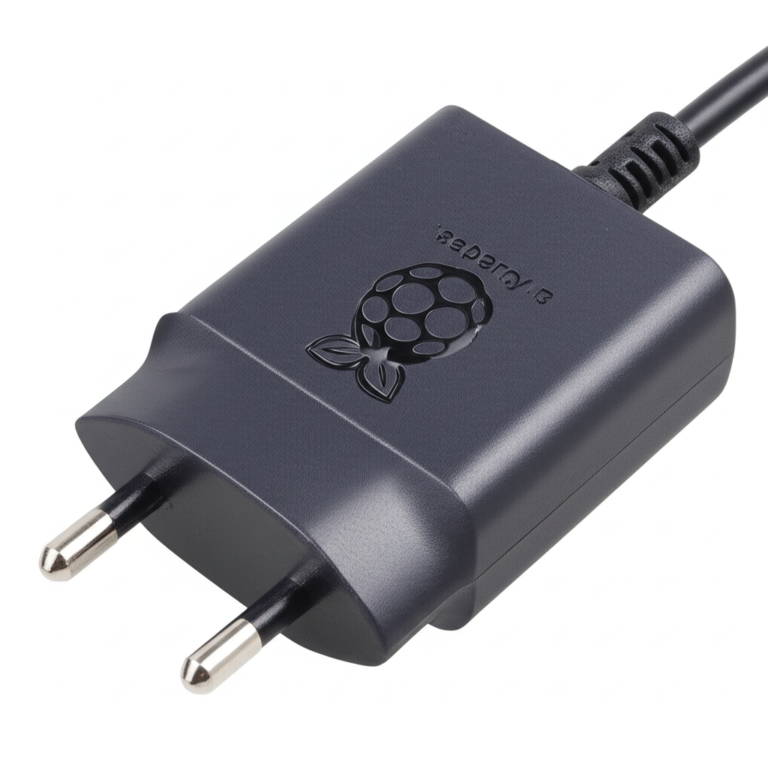
- Official Raspberry Pi Power Supply: Amazon | Walmart | Raspberry Pi Official Website
- SanDisk Extreme microSD Card: Amazon | Walmart
📖 Raspberry Pi Press: Books and Magazines on OS and Projects
Beyond the digital realm of documentation and forums, sometimes you just want to curl up with a good book or a glossy magazine. The Raspberry Pi Press is the official publishing house of the Raspberry Pi Foundation, offering a treasure trove of high-quality, expertly written resources that delve deep into operating systems, programming, and exciting projects.
At Why Pi™, we’ve got shelves full of these publications, and they’ve been invaluable for our team’s learning and inspiration. They offer a structured, in-depth approach that complements the quick-fire nature of online tutorials.
Magazines: Stay Current and Inspired
-
The MagPi Magazine:
- What it is: The official monthly magazine for Raspberry Pi users. Each issue is packed with news, reviews, tutorials, and project ideas.
- Why it’s great: It keeps you updated on the latest OS developments, new hardware, and innovative projects. The tutorials are often very hands-on and beginner-friendly.
- Our take: “I always look forward to the new MagPi,” says Sarah. “It’s a fantastic way to discover new uses for the Pi and stay current with the community. Many of our DIY Electronics project ideas have sparked from an article in The MagPi.”
- Link: The MagPi Magazine
-
HackSpace Magazine:
- What it is: While not exclusively Raspberry Pi-focused, HackSpace covers a broader range of maker topics, including electronics, 3D printing, coding, and, of course, Raspberry Pi projects.
- Why it’s great: It offers a wider perspective on the maker world, often featuring advanced projects and techniques that can be adapted for the Pi.
- Link: HackSpace Magazine
Books: Deep Dives and Comprehensive Guides
Raspberry Pi Press publishes a wide array of books, covering everything from getting started with Raspberry Pi OS to advanced programming and specialized projects.
- “The Official Raspberry Pi Handbook”:
- What it is: An excellent starting point for new users, covering hardware setup, Raspberry Pi OS basics, and introductory projects.
- Why it’s great: It’s a comprehensive, well-structured guide that builds foundational knowledge.
- “Code the Classics”:
- What it is: Teaches you how to recreate classic arcade games using Python on your Raspberry Pi.
- Why it’s great: A fun and engaging way to learn Python programming and game development, directly applicable to OSes like Raspberry Pi OS.
- “The Official Raspberry Pi Projects Book”:
- What it is: A collection of diverse projects, ranging from simple LED blinking to complex home automation systems.
- Why it’s great: Provides practical, step-by-step instructions for building real-world applications, often detailing which OS is best suited for each project.
- “Get Started with MicroPython on Raspberry Pi Pico”:
- What it is: Focuses on the Raspberry Pi Pico microcontroller and the MicroPython language, a different but related aspect of the Pi ecosystem.
- Why it’s great: Expands your knowledge beyond the main Pi boards into the world of microcontrollers and embedded programming, which often complements IoT Development projects.
Our Take: “For anyone serious about mastering the Raspberry Pi, investing in a few good books from Raspberry Pi Press is a no-brainer,” says Mark. “They offer a depth of knowledge and a structured learning path that’s hard to replicate with scattered online articles. Plus, they’re beautifully designed!”
Where to Find Them:
- Raspberry Pi Press Official Website: Raspberry Pi Press
- Amazon: Many titles are available on Amazon in both print and Kindle formats.
- 👉 Shop Raspberry Pi Books: Amazon
Whether you prefer the tactile feel of a physical book or the convenience of a digital download, Raspberry Pi Press offers high-quality educational content that will enrich your journey with the Raspberry Pi, no matter which operating system you choose.
💡 Quick Tips for Choosing the Right Raspberry Pi OS
So, you’ve explored the vast landscape of Raspberry Pi operating systems. Now comes the crucial question: which one is right for you? With so many fantastic options, it can feel a bit like standing in a candy store with too many choices! Don’t worry, we’ve distilled our years of experience at Why Pi™ into a few quick tips to help you make an informed decision.
-
Know Your Pi Model:
- Older Pis (1, 2, Zero): Think “Lite” versions. Raspberry Pi OS Lite, Ubuntu Server, or specialized minimal OSes like LibreELEC/RetroPie will give you the best performance. Full desktop environments will likely be frustratingly slow.
- Newer Pis (3, 4, 5, 400): These are your powerhouses! You can comfortably run full desktop environments like Raspberry Pi OS (Full), Ubuntu Desktop, Manjaro ARM, or Twister OS.
- Why it matters: Matching the OS to your hardware’s capabilities is the single biggest factor in user experience.
-
Define Your Project Goal:
- General Desktop/Learning: ✅ Raspberry Pi OS (Full) is the undisputed champion for beginners and general use. It’s stable, well-supported, and comes with everything you need.
- Media Center: ✅ LibreELEC (for pure speed) or OSMC (for more flexibility and a polished UI) are purpose-built for this.
- Retro Gaming: ✅ RetroPie or Lakka will transport you back to your childhood.
- Server/IoT/Headless: ✅ Raspberry Pi OS Lite or Ubuntu Server are lightweight, efficient, and perfect for background tasks.
- Cybersecurity/Pen Testing: ✅ Kali Linux is your specialized toolkit.
- Windows Development (IoT): ✅ Windows 10 IoT Core for specific enterprise or Microsoft-centric projects.
- Alternative Desktop Experience: ✅ Ubuntu Desktop or Manjaro ARM if you want a more “traditional” Linux desktop, especially on Pi 4/5.
-
Consider Your Skill Level:
- Beginner: Start with ✅ Raspberry Pi OS (Full). It’s the most user-friendly and has the most support.
- Intermediate: You’re comfortable with the command line and want to explore. ✅ Ubuntu Desktop, Manjaro ARM, or specialized OSes like RetroPie are good next steps.
- Advanced: You know your way around Linux, troubleshooting, and compiling software. ✅ Arch Linux ARM (for ultimate control) or Kali Linux might appeal to you.
-
Think About Community Support:
- Raspberry Pi OS has the largest and most active community, making troubleshooting easier.
- Ubuntu also has a massive community, though not all support is Pi-specific.
- Niche OSes might have smaller, but often very dedicated, communities.
-
Don’t Be Afraid to Experiment!
- The beauty of the Raspberry Pi is that SD cards are cheap, and OSes are easy to flash. Grab a few SD cards and try out different operating systems! See what feels right, what performs best for your needs, and what sparks your creativity.
- “That’s how we discovered our favorites at Why Pi™,” says Emily. “Trial and error, combined with a healthy dose of curiosity!”
By considering these factors, you’ll be well on your way to finding the perfect operating system to unlock the full potential of your Raspberry Pi. Happy tinkering!
🔚 Conclusion: Finding Your Perfect Raspberry Pi Operating System Match

After our deep dive into the vast and varied world of Raspberry Pi operating systems, one thing is crystal clear: there’s no one-size-fits-all OS for the Raspberry Pi. Instead, the best choice hinges on your hardware, your project goals, and your comfort level with Linux and computing in general.
The Positives:
- Raspberry Pi OS stands tall as the most versatile, beginner-friendly, and well-supported operating system. It’s optimized for all Pi models, backed by the Foundation, and boasts a massive community. Whether you want a full desktop or a lightweight server, it has you covered.
- Ubuntu Desktop and Server bring a familiar, polished Linux experience, especially for Pi 4 and newer models, making them excellent for users transitioning from traditional PCs or needing enterprise-grade features.
- Specialized OSes like RetroPie, LibreELEC, Kali Linux, and Windows 10 IoT Core open doors to niche applications — gaming, media centers, cybersecurity, and embedded IoT development — showcasing the Pi’s incredible flexibility.
- Community and Resources make the Pi ecosystem uniquely supportive, ensuring help is never far away, whether you’re flashing your first SD card or deploying industrial IoT devices.
The Negatives:
- Some OSes, especially full desktop environments, can feel sluggish on older Pi models. Performance expectations must be tempered accordingly.
- Specialized OSes often come with steeper learning curves, limited general-purpose use, or legal considerations (e.g., RetroPie and ROMs).
- Windows 10 IoT Core is niche and not a full desktop OS, which can confuse newcomers expecting a Windows-like experience.
- The sheer number of options can overwhelm beginners, making the initial choice daunting.
Our Confident Recommendation:
For most users, especially beginners and hobbyists, start with Raspberry Pi OS. It offers the best balance of performance, ease of use, and community support. If you have a Raspberry Pi 4 or newer and want a more traditional Linux desktop, give Ubuntu Desktop or Manjaro ARM a spin. For media centers, LibreELEC or OSMC are unbeatable. Gamers should dive into RetroPie. And if you’re a security professional, Kali Linux is your go-to.
Remember the forum user’s experience we mentioned earlier? Despite initial doubts, they successfully booted Raspberry Pi OS on an older Model B, proving the OS’s broad compatibility. Performance may vary, but the Pi’s flexibility means you can always find an OS that fits your needs.
In the end, the Raspberry Pi’s charm lies in its adaptability. So grab a few SD cards, flash some OS images, and embark on your own journey of discovery. The perfect OS is out there waiting for you!
🔗 Recommended Links for Raspberry Pi OS Downloads and Tutorials
CHECK PRICE on Raspberry Pi Hardware and Accessories:
-
Raspberry Pi 5:
Amazon | Walmart | Raspberry Pi Official Website -
Raspberry Pi 4 Model B:
Amazon | Walmart | Raspberry Pi Official Website -
Raspberry Pi Zero 2 W:
Amazon | Walmart | Raspberry Pi Official Website -
Official Raspberry Pi Power Supply:
Amazon | Walmart | Raspberry Pi Official Website -
SanDisk Extreme microSD Card (Recommended for OS storage):
Amazon | Walmart
Official OS Downloads and Resources:
- Raspberry Pi OS Official Downloads
- Ubuntu for Raspberry Pi
- Manjaro ARM Downloads
- LibreELEC Downloads
- OSMC Downloads
- RetroPie Downloads
- Kali Linux Raspberry Pi Images
- Twister OS Downloads
- Windows 10 IoT Core Download
Recommended Books from Raspberry Pi Press (Available on Amazon):
- The Official Raspberry Pi Handbook
- Code the Classics
- The Official Raspberry Pi Projects Book
- Get Started with MicroPython on Raspberry Pi Pico
- The MagPi Magazine (Digital and Print)
❓ Frequently Asked Questions About Raspberry Pi OS Compatibility
Can Raspberry Pi run Android or other mobile OS versions?
Answer:
Yes, but with caveats. While the Raspberry Pi is primarily designed for Linux-based operating systems, there are Android builds available, such as LineageOS for Raspberry Pi or Emteria.OS, which are Android-based OSes tailored for ARM hardware. However, these versions often lack the polish and hardware support of official Android devices. Performance can be inconsistent, and some peripherals (like Wi-Fi, Bluetooth, or GPU acceleration) may not work flawlessly. For most users, Linux distributions remain the better-supported and more stable choice. If you want to experiment with Android on your Pi, check out Emteria.OS or community builds on forums.
How do I install Raspberry Pi OS on my device?
Answer:
The easiest way is to use the Raspberry Pi Imager, an official utility available for Windows, macOS, and Linux. Here’s a step-by-step:
- Download and install the Raspberry Pi Imager from the official site.
- Insert a microSD card (recommended 16GB or larger) into your computer.
- Launch the Imager, select Raspberry Pi OS (Full, Lite, or other variants), and choose your SD card.
- Click “Write” to flash the OS image onto the card.
- Once completed, insert the microSD card into your Raspberry Pi and power it on.
- Follow the on-screen setup instructions.
This process is straightforward and minimizes errors compared to manual image flashing.
Are there real-time operating systems available for Raspberry Pi?
Answer:
Yes, there are real-time operating systems (RTOS) compatible with Raspberry Pi hardware, though they are less common than Linux-based OSes. Examples include:
- FreeRTOS: A popular open-source RTOS that can run on Raspberry Pi Pico microcontrollers and some Pi models with adaptations.
- RTLinux or PREEMPT_RT patches: These are Linux kernels modified for real-time capabilities, suitable for applications requiring precise timing.
- Xenomai: A real-time development framework cooperating with the Linux kernel.
These RTOS options are typically used in industrial, robotics, or embedded applications where timing is critical. They require more advanced knowledge to install and configure.
What is the best operating system for Raspberry Pi beginners?
Answer:
Raspberry Pi OS (Full) is the best choice for beginners. It’s officially supported, well-documented, and comes pre-loaded with educational tools, programming environments, and a user-friendly desktop. Its large community means help is always available. For those who want a minimal setup, Raspberry Pi OS Lite is also beginner-friendly but requires comfort with command-line interfaces.
Can I run Linux distributions on Raspberry Pi devices?
Answer:
Absolutely! The Raspberry Pi is designed to run ARM-compatible Linux distributions. Popular choices include:
- Raspberry Pi OS (Debian-based)
- Ubuntu Desktop and Server
- Manjaro ARM
- Fedora ARM
- Arch Linux ARM
Each offers different desktop environments, package managers, and levels of user-friendliness. The choice depends on your Pi model and project needs.
Which Raspberry Pi models support Windows operating systems?
Answer:
The Raspberry Pi 3, 4, and newer models can run Windows 10 IoT Core, a specialized embedded version of Windows designed for IoT devices. However, this is not a full Windows desktop experience. The Raspberry Pi does not officially support full Windows 10 or 11 desktop versions. Some community projects attempt to run Windows ARM versions via emulation, but these are experimental and not recommended for general use.
How do I install multiple operating systems on a Raspberry Pi?
Answer:
You can install multiple OSes on a single microSD card using a boot manager like NOOBS (New Out Of Box Software) or PINN (an enhanced NOOBS). These tools allow you to select which OS to boot at startup. Alternatively, you can use Berryboot, which supports network booting and multiple OS images on one SD card.
For advanced users, you can manually partition an SD card and install multiple OSes, but boot management becomes more complex.
Is macOS compatible with Raspberry Pi hardware?
Answer:
No, macOS is not compatible with Raspberry Pi hardware. macOS is designed to run exclusively on Apple’s Intel and Apple Silicon processors. However, the Raspberry Pi Foundation offers Raspberry Pi Desktop, a Debian-based OS designed to bring the Raspberry Pi experience to PC and Mac hardware, but this is not macOS itself.
What are lightweight operating systems suitable for Raspberry Pi?
Answer:
For older or resource-constrained Raspberry Pi models, lightweight OSes are essential. Popular choices include:
- Raspberry Pi OS Lite: Minimal Debian-based OS without a GUI.
- DietPi: Ultra-lightweight Debian-based OS optimized for performance and minimal resource use.
- LibreELEC: Minimal OS for Kodi media center.
- PiCore (Tiny Core Linux): Extremely small Linux distro for advanced users.
- Alpine Linux: Security-oriented, lightweight Linux distro.
These OSes are perfect for headless servers, embedded projects, or when you want to maximize performance.
📑 Reference Links and Further Reading
- Official Raspberry Pi OS and Software
- Raspberry Pi Forums: Which operating systems run on a Pi 4?
- Ubuntu for Raspberry Pi
- Manjaro ARM Downloads
- LibreELEC Official Website
- OSMC Official Website
- RetroPie Official Website
- Kali Linux ARM Images
- Windows 10 IoT Core
- Raspberry Pi Documentation
- Raspberry Pi Stack Exchange
- Emteria.OS Android for Raspberry Pi
We hope this comprehensive guide helps you confidently navigate the Raspberry Pi OS universe. Whether you’re a beginner or a seasoned hacker, your perfect OS is just a few clicks away. Happy Pi-ing! 🎉