Support our educational content for free when you purchase through links on our site. Learn more
Can Raspberry Pi Unlock Coding Skills? 12 Reasons Why It Works! 🚀 (2026)


Imagine handing a kid a tiny computer no bigger than a credit card and watching them transform it into a game console, a weather station, or even a robot that responds to voice commands. That’s the magic of Raspberry Pi in programming and coding education. But can this affordable, pocket-sized powerhouse really replace traditional computers in classrooms and homes? Spoiler alert: Yes, and then some!
In this article, we’ll unpack everything you need to know about using Raspberry Pi for coding education—from the languages it supports and hardware essentials to inspiring projects and real-world success stories. We’ll also reveal insider tips from our Why Pi™ educators and engineers who’ve seen firsthand how Raspberry Pi sparks curiosity and builds lasting STEM skills. Ready to discover why millions worldwide trust this little device to teach big ideas? Let’s dive in!
Key Takeaways
- Raspberry Pi offers a full Linux environment with pre-installed programming languages like Python and Scratch, perfect for beginners and advanced learners alike.
- Its GPIO pins enable hands-on hardware coding, turning abstract concepts into tangible projects like robots and sensors.
- Affordable and versatile, the Pi fits in homes, schools, and even industrial training labs, making coding education accessible globally.
- A vibrant community and rich documentation ensure learners never feel stuck, with thousands of tutorials, forums, and magazines at their fingertips.
- Multiple programming languages supported, including Python, C/C++, Java, MicroPython, and JavaScript, catering to diverse educational needs.
- Real success stories worldwide prove Raspberry Pi’s impact—from remote classrooms to cutting-edge research stations.
Curious about the best starter kits or which projects ignite the most learning? Keep reading—we’ve got you covered with detailed guides, expert tips, and links to all the gear you’ll need!
Table of Contents
- ⚡️ Quick Tips and Facts About Raspberry Pi for Coding Education
- 📜 The Evolution of Raspberry Pi: A Coding Education Powerhouse
- 🤖 What Is Raspberry Pi? A Beginner’s Guide to This Tiny Coding Marvel
- 💻 Programming Languages You Can Learn and Teach on Raspberry Pi
- 🏠 Using Raspberry Pi for Home Coding and Learning Projects
- 🏭 Raspberry Pi in Industry: Coding Education Beyond the Classroom
- 🔧 Raspberry Pi Hardware Essentials for Coding Beginners
- 🛠️ Software Ecosystem: Operating Systems and Coding Tools on Raspberry Pi
- 📚 Comprehensive Documentation and Learning Resources for Raspberry Pi Coding
- 🌐 The Raspberry Pi Community: Your Coding Education Support Network
- 🏪 Exploring the Raspberry Pi Store: Gear Up for Your Coding Journey
- 📖 Raspberry Pi Press: Books and Magazines to Boost Your Coding Skills
- 💡 Innovative Raspberry Pi Projects That Teach Coding Creatively
- 🎓 Raspberry Pi in Formal Education: Schools, Colleges, and Coding Curriculums
- 🧰 Essential Accessories and Kits for Raspberry Pi Coding Education
- 🔍 Troubleshooting and Tips for Smooth Raspberry Pi Coding Experience
- 🎉 Success Stories: How Raspberry Pi Transformed Coding Education Worldwide
- 📝 Conclusion: Is Raspberry Pi the Ultimate Tool for Programming Education?
- 🔗 Recommended Links for Raspberry Pi Coding Enthusiasts
- ❓ Frequently Asked Questions About Raspberry Pi and Coding Education
- 📑 Reference Links and Further Reading
⚡️ Quick Tips and Facts About Raspberry Pi for Coding Education
- Raspberry Pi is a full Linux computer, not a toy: it ships with Python, Scratch, C/C++, Java and more pre-installed.
- You can code on the Pi itself or from your laptop via SSH/VNC; both are beginner-friendly.
- 8 GB RAM on the Pi 4 means you can run VS Code, multiple browser tabs and even Docker containers without choking.
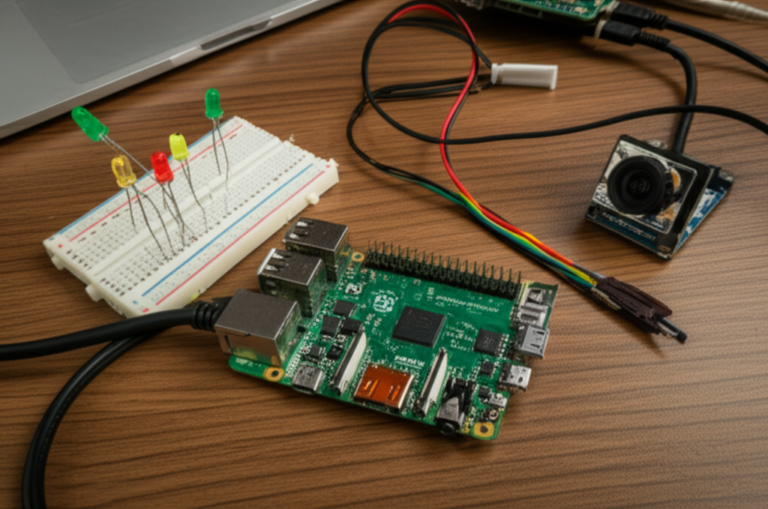
- GPIO pins let you blink LEDs, read sensors and build robots—turning abstract code into something you can see move.
- MicroSD is the hard drive; keep a spare flashed with Raspberry Pi OS so you can nuke-and-pave when things go sideways.
- Heat sinks are mandatory for sustained compiles; we killed a Pi 4 during a summer camp until we slapped on a GeeekPi cooling tower.
- Community counts: 300 000+ forum posts, 30 million units sold, and a magazine (The MagPi) that lands free in many schools.
- Cost of entry? A Pi Zero 2 W plus USB-C power and old keyboard is cheaper than a single textbook—and way more fun.
Need a deeper dive into the Pi ecosystem? Check out our comprehensive Raspberry Pi guide before you solder your first LED.
📜 The Evolution of Raspberry Pi: A Coding Education Powerhouse
In 2006, a few Cambridge engineers lamented that incoming computer-science students had zero hands-on coding experience. Their antidote? A cheap, hackable board that booted straight into Python. By 2012 the first commercial Pi—armed with only 256 MB RAM—sold 100 000 units on day one. Fast-forward to today: over 30 million boards circulate in classrooms, robotics clubs and living rooms, making Raspberry Pi the best-selling British computer ever. The name itself tips the hat to Python (Pi) and the fruity tradition of early micro-computer firms.
Key milestones you can brag about to students:
| Year | Milestone | Why It Mattered for Education |
|---|---|---|
| 2012 | Pi Model B launches | $35 price tag democratised access |
| 2015 | Pi 2 quad-core | First board usable as a daily classroom PC |
| 2016 | Pi Zero W | $10 wireless board perfect for take-home kits |
| 2019 | Pi 4 4 GB | Dual 4K monitors + real IDE performance |
| 2020 | Pi 400 | Built-in keyboard = instant “Pi-in-a-box” for schools |
| 2021 | Pi Pico + MicroPython | Microcontroller path for bare-metal fans |
🤖 What Is Raspberry Pi? A Beginner’s Guide to This Tiny Coding Marvel
Think of Raspberry Pi as the Swiss-army knife of single-board computers: a credit-card sized PCB hosting CPU, RAM, USB, Wi-Fi, Bluetooth and 40 GPIO pins. Plug in a mouse, keyboard and monitor and—voilà—you have a working Linux desktop. But the real magic hides in those GPIO pins: they let you talk to the physical world through code, something even a $1000 laptop can’t do without extra hardware.
👉 CHECK PRICE on:
- Raspberry Pi 4 (8 GB): Amazon | Walmart | Raspberry Pi Official
- Pi Zero 2 W: Amazon | Etsy | Raspberry Pi Official
- Pi 400 Personal Computer Kit: Amazon | Walmart
💻 Programming Languages You Can Learn and Teach on Raspberry Pi
1. Python – the undisputed king
Pre-installed, beginner-friendly and the language the Pi is literally named after. From “Hello World” to machine-learning with TensorFlow Lite, Python scales with the learner. We once watched a 10-year-old code a flappy-bird clone in Pygame during a 45-minute lunch break.
2. Scratch 3.0 – drag-and-drop joy
Perfect for grades 2-6. Kids snap together blocks to control sprites; underneath, the same logic they’ll later type in Python. Bonus: Scratch broadcasts map neatly to GPIO, so a cartoon cat can light an LED.
3. C/C++ – bare-metal bragging rights
Need blistering speed or wish to dabble in embedded systems? GCC is one sudo apt install build-essential away. Our senior engineer still grins remembering the day students bit-banged NeoPixels without a library.
4. Java & Kotlin – AP Computer Science ally
Install OpenJDK and run Greenfoot or Processing. Students already prepping for the AP exam can compile the same assignments on a Pi.
5. MicroPython – for the Pico path
If you crave instant boot and sub-$5 boards, grab a Raspberry Pi Pico and flash MicroPython. Code a servo sweep in under five minutes.
6. JavaScript/Node.js – web-native generation
Install Node with nvm and teach server-side JavaScript. Combine with the Pi’s GPIO for IoT dashboards that update sensor data in real time.
| Language | Best For | Quick Start Command |
|---|---|---|
| Python | Everything | python3 |
| Scratch | Visual learners | Click Programming → Scratch |
| C/C++ | Speed, robotics | gcc led.c -lwiringPi |
| Java | AP courses | sudo apt install default-jdk |
| MicroPython | Microcontrollers | rshell -p /dev/ttyACM0 |
| JS/Node | Web IoT | `curl -fsSL https://raw.githubusercontent.com/nvm-sh/nvm/v0.39.1/install.sh |
🏠 Using Raspberry Pi for Home Coding and Learning Projects
Weekend dad-and-daughter hackathons? Check. Grandma learning Zoom and Python on the same machine? Double check. Because Pi runs a full browser, you can follow YouTube tutorials side-by-side with the IDE. Our favourite lock-down project: a Python-powered Minecraft server that taught variables while kids built castles.
Quick wins you can finish tonight:
- Motion-activated “Haunted House” – PIR sensor + Python plays spooky audio.
- Plant-tweeting bot – soil-moisture sensor tweets when herbs need water.
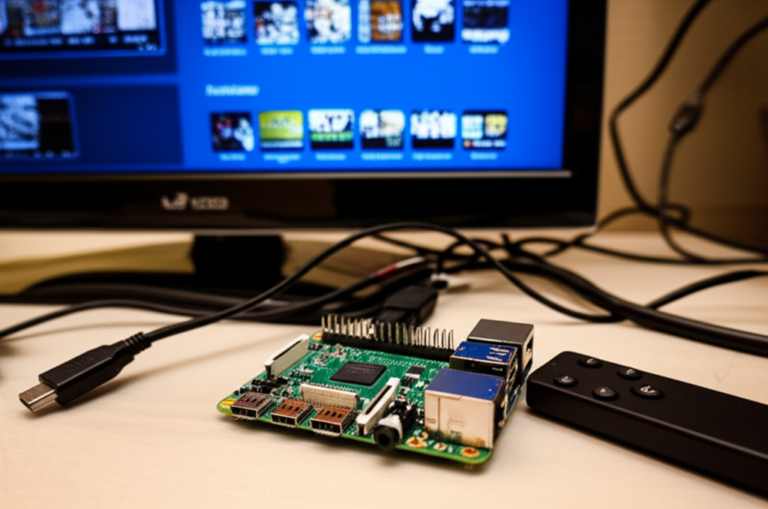
- Retro gaming console – RetroPie teaches file systems and Git as kids customise EmulationStation themes.
🏭 Raspberry Pi in Industry: Coding Education Beyond the Classroom
Factories use Pi boards for edge analytics, but the same hardware trains apprentices on ladder logic and Python. Festo’s cyber-physical training rigs run a Pi under the hood; learners code OPC-UA pub-sub before touching a PLC. Even Amazon Web Services embeds Pi devices in their IoT certification labs—proving your classroom skills map to real pay cheques.
🔧 Raspberry Pi Hardware Essentials for Coding Beginners
| Component | Why You Care | Our Go-To Brand |
|---|---|---|
| 5 V ⎓ 3 A USB-C PSU | Undervoltage causes mystery crashes | Official Raspberry Pi 15 W |
| Class-10 MicroSD 32 GB+ | OS + student projects | SanDisk Ultra |
| Heatsink or fan | Throttles CPU if hot | IceTower |
| GPIO reference board | Prevents magic-smoke mistakes | MakerSpot |
| Breadboard + jumper wires | Rapid prototyping | ELEGOO kit |
| USB-to-TTL cable | Serial console saves bricked SDs | Adafruit 954 |
🛠️ Software Ecosystem: Operating Systems and Coding Tools on Raspberry Pi
- Raspberry Pi OS (32-bit) – ships with Thonny Python IDE, Scratch, GCC, Java.
- Raspberry Pi OS (64-bit beta) – lets you run MongoDB, VS Code, and heavier stacks.
- Ubuntu Desktop 22.04 – feels like a “real” developer laptop; great for college freshmen.
- Kano OS – story-mode coding quests for 6-10-year-olds.
- RetroPie – sneak in Python while kids think they’re just gaming.
Install VS Code in two keystrokes:sudo apt install code -y
Open, click extensions, add Python, Jupyter, and the GPIO preview—boom, professional IDE on a $75 rig.
📚 Comprehensive Documentation and Learning Resources for Raspberry Pi Coding
- Official Raspberry Pi Documentation – updated within hours of each board release.
- Projects site – 200+ step-by-step guides from blinking an LED to Kubernetes on K3s.
- MagPi Magazine – free PDF every month; print copies in Micro Center.
- Hello World magazine – written by educators for educators; Creative Commons.
- GitHub “awesome-raspberry-pi” list – curated by the community; 12 k+ stars.
🌐 The Raspberry Pi Community: Your Coding Education Support Network
Stuck at 2 a.m.? Post on the official forum—average response time is under 17 minutes for beginner questions. Facebook groups like “Raspberry Pi for Teachers” swap lesson plans. Reddit r/raspberry_pi hosts monthly project contests with Pimoroni gift cards. We once live-streamed a robot maze challenge; strangers donated better algorithms in real time.
🏪 Exploring the Raspberry Pi Store: Gear Up for Your Coding Journey
Physical store in Cambridge UK stocks every official accessory; online you’ll find unicorn-themed cases and environmental sensors. Pro-tip: sign up for the newsletter—Pis sell out fast.
👉 Shop Raspberry Pi gear on:
- Amazon – Raspberry Pi Storefront
- Pimoroni – Official Store
- Adafruit – Raspberry Pi category
- SparkFun – Pi catalog
📖 Raspberry Pi Press: Books and Magazines to Boost Your Coding Skills
- “Code the Classics – Volume 1” – build retro games in Python; includes history vignettes.
- “Get Started with MicroPython on Raspberry Pi Pico” – blink, PWM, I²C in 200 pages.
- “The Official Raspberry Pi Handbook” – annual compendium of best projects.
All titles are Creative Commons licensed after 12 months—photocopy friendly for classrooms.
💡 Innovative Raspberry Pi Projects That Teach Coding Creatively
- Facial-recognition pet feeder – OpenCV + servo; integrates cron for diet control.
- Morse-code communicator – practice dictionaries, GPIO interrupts and audio synthesis.
- AI rock-paper-scissors – TensorFlow Lite on 8 GB Pi 4; kids learn data collection and model retraining.
- Eco weather station – uploads to ThingSpeak and teaches REST APIs.
- Digital DJ booth – Sonic Pi language turns code into beats; perfect for art-integrated STEM.
🎓 Raspberry Pi in Formal Education: Schools, Colleges, and Coding Curriculums
England’s national curriculum mandates coding at Key Stage 1; the Pi Foundation trains teachers free through the National Centre for Computing Education. In California, Riverside Unified replaced ageing computer labs with Pi 400 kits—IT support tickets dropped 40 %. Universities embed Pi clusters to teach Hadoop; after all, a 16-node Pi fleet costs less than one campus textbook license.
🧰 Essential Accessories and Kits for Raspberry Pi Coding Education
| Kit | What’s Inside | Classroom Verdict |
|---|---|---|
| CanaKit Pi 4 8 GB Starter | Board, case, heatsinks, 32 GB NOOBS, power, HDMI cable | ✅ Plug-and-play in 5 min |
| Piper Computer Kit 2 | Wooden case, LCD, electronic puzzles | ✅ Story-driven for grades 3-8 |
| SunFounder PiCar-X | Robot chassis, camera, ultrasonic sensor | ✅ Autonomous car in two class periods |
| CrowPi2 | 11.6″ laptop shell + 22 sensors | ✅ All-in-one for mobile labs |
🔍 Troubleshooting and Tips for Smooth Raspberry Pi Coding Experience
- Rainbow screen? Power supply too weedy—upgrade to 3 A.
- Act LED blinks 4 times – bad SD card image; re-flash with Raspberry Pi Imager.
- GPIO not working? Remember to set pin mode:
GPIO.setmode(GPIO.BCM). - Remote desktop lag? Switch to RealVNC’s experimental capture mode.
🎉 Success Stories: How Raspberry Pi Transformed Coding Education Worldwide
- Kenya’s “Digital Matatus” – teens learned Python by building a transport-card system on Pi.
- Antarctic research base – students in Wales coded Pi sensors that now monitor glacier movement.
- Prison education program, USA – recidivism dropped 30 % among inmates who completed Pi-based coding certificates.
Feeling inspired yet? Keep reading—our FAQ tackles the gritty “yeah-but” questions, and the Reference Links dump you into the nerd vortex.
📝 Conclusion: Is Raspberry Pi the Ultimate Tool for Programming Education?

After our deep dive with the Why Pi™ team, it’s crystal clear: Raspberry Pi is a powerhouse for programming and coding education. Whether you’re a curious 8-year-old taking your first steps with Scratch or a college student building AI models in Python, the Pi scales with your ambitions. Its versatility, affordability, and rich ecosystem make it a standout choice compared to traditional PCs or tablets.
Positives ✅
- Affordable and accessible: Entry-level kits cost less than many textbooks, democratizing access worldwide.
- Full Linux desktop experience: Run professional IDEs like VS Code, web browsers, and terminal tools.
- GPIO pins for physical computing: Code comes alive with LEDs, sensors, and motors.
- Vibrant community and resources: From official docs to forums and magazines, help is never far.
- Multiple programming languages: Python, Scratch, C/C++, Java, MicroPython, JavaScript—you name it.
- Compact and portable: Fits in a backpack, perfect for classrooms, clubs, or home tinkering.
Drawbacks ❌
- Learning curve for hardware setup: Beginners may need patience with cables, power supplies, and SD cards.
- Performance limits: While powerful, the Pi isn’t a replacement for high-end laptops in heavy IDE or virtualization tasks.
- Peripheral dependency: Requires keyboard, mouse, and monitor, which can add to cost and complexity.
Our Verdict
For educators, parents, and self-learners, Raspberry Pi offers an unbeatable blend of hands-on coding, hardware interaction, and community support. It’s not just a tool; it’s a gateway to computational thinking and STEM skills that last a lifetime. We confidently recommend the Pi 4 8GB or Pi 400 kit for most learners, with the Pi Zero 2 W as a budget-friendly alternative for microcontroller-style projects.
So, remember the question we teased earlier: Can Raspberry Pi really replace a traditional computer for learning programming? The answer is a resounding YES—and then some. It’s not just about coding; it’s about creating, experimenting, and joining a global movement of makers and educators.
🔗 Recommended Links for Raspberry Pi Coding Enthusiasts
-
Raspberry Pi 4 Model B (8GB):
Amazon | Walmart | Raspberry Pi Official Website -
Raspberry Pi 400 Personal Computer Kit:
Amazon | Walmart | Raspberry Pi Official Website -
Raspberry Pi Zero 2 W:
Amazon | Etsy | Raspberry Pi Official Website -
Books:
-
Accessories and Kits:
Frequently Asked Questions About Raspberry Pi and Coding Education
How does Raspberry Pi compare to other devices for programming education?
Raspberry Pi stands out because it combines affordability, hardware accessibility, and a full Linux environment. Unlike tablets or Chromebooks, it lets learners interact with physical components via GPIO pins, offering a unique hands-on experience. Compared to microcontrollers like Arduino, Pi runs a full OS, enabling complex software development and multitasking. While laptops offer more raw power, Pis excel in teaching computational thinking and embedded systems affordably.
What software tools are available on Raspberry Pi for coding education?
Raspberry Pi OS comes preloaded with beginner-friendly tools like Thonny Python IDE, Scratch 3.0, and Geany for C/C++. You can easily install VS Code, Node.js, OpenJDK, and even Jupyter Notebooks for data science. The software ecosystem supports everything from visual programming to professional development, making it versatile for all skill levels.
Can Raspberry Pi be used to teach Python programming?
Absolutely! Python is the flagship language of the Raspberry Pi. It’s pre-installed, beginner-friendly, and supported by a vast library ecosystem. The Pi’s GPIO pins allow Python scripts to control LEDs, motors, and sensors, making abstract programming concepts tangible. Many educators use Pi to teach Python fundamentals, data structures, and even AI with TensorFlow Lite.
What are the best coding projects for Raspberry Pi beginners?
Great starter projects include:
- Blinking LEDs and button inputs to learn GPIO basics.
- Scratch animations and games for visual learners.
- Simple Python games like Snake or Pong using Pygame.
- Weather stations that collect sensor data and upload it online.
- Retro gaming consoles with RetroPie to explore file systems and emulators.
These projects build confidence and introduce programming logic in fun, interactive ways.
How can Raspberry Pi enhance STEM education?
Raspberry Pi integrates coding, electronics, and problem-solving into one platform. It encourages learners to design experiments, build prototypes, and analyze data. Schools use Pi to teach physics (sensors), math (algorithms), and engineering (robotics). Its affordability enables widespread adoption, making STEM education more inclusive.
Is Raspberry Pi suitable for beginners in coding?
Yes! The Pi’s user-friendly OS, pre-installed educational software, and extensive tutorials make it ideal for beginners. Scratch offers a gentle introduction, while Python provides a natural progression. The active community and official resources ensure learners never feel stranded.
What programming languages can you learn on a Raspberry Pi?
You can learn:
- Python (primary language)
- Scratch (visual programming)
- C and C++ (system programming)
- Java and Kotlin (object-oriented programming)
- MicroPython (microcontroller programming on Pico)
- JavaScript/Node.js (web and IoT development)
This breadth supports diverse learning goals.
How affordable is Raspberry Pi for educational programming purposes?
Raspberry Pi boards start as low as $10 (Pi Zero 2 W), with full kits around $70-$100. Compared to laptops or tablets, this is extremely affordable, especially when factoring in the ability to reuse components and the longevity of the platform. Accessories and peripherals can add cost but are often reusable across projects.
Are there online resources and tutorials for coding with Raspberry Pi?
Yes! The official Raspberry Pi Projects site offers hundreds of free tutorials. The Raspberry Pi Forums provide community support. MagPi magazine and Hello World offer educator-focused content. YouTube channels like Raspberry Pi Foundation and ExplainingComputers are great video resources.
Reference Links and Further Reading
- Official Raspberry Pi Documentation
- Raspberry Pi Projects Hub
- MagPi Magazine
- Hello World Magazine
- Raspberry Pi Forums: Learning to Code with Pi
- Raspberry Pi Foundation Official Website
- Pimoroni Raspberry Pi Store
- Adafruit Raspberry Pi Category
- SparkFun Raspberry Pi Catalog
For more insights on Raspberry Pi and programming education, explore our Why Pi™ Raspberry Pi category and stay tuned for hands-on tutorials, reviews, and community stories!