Support our educational content for free when you purchase through links on our site. Learn more
Raspberry Pi Amazon: 12 Best Picks for 2026 🍓

The best Raspberry Pi Amazon purchase is usually a complete, compatible kit, not the cheapest board-only listing. For most new projects, we recommend the Raspberry Pi 5 with active cooling, a reliable USB-C power supply, and trusted storage; Raspberry Pi 4 remains an excellent choice for media centers, learning, and budget-conscious builds.
Amazon makes Raspberry Pi hardware wonderfully convenient—and occasionally confusing. One listing may show a board, case, fan, HDMI cables, microSD card, and power adapter, while the fine print quietly removes half the ensemble. We’ve seen this exact setup turn a five-minute unboxing into an evening of diagnosing undervoltage warnings.
The good news? A little detective work prevents most headaches. Verify the exact model, RAM capacity, seller, included accessories, power requirements, cooling solution, and return policy before ordering. That checklist matters more than a glittering star rating or a product title packed with the word “official.”
Key Takeaways
- Best overall: Raspberry Pi 5, paired with proper active cooling, storage, and power.
- Best all-purpose value: Raspberry Pi 4 Model B, especially for Kodi, LibreELEC, coding, and home servers.
- Best beginner setup: Raspberry Pi 400 or a reputable Raspberry Pi 4 starter kit.
- Best compact option: Raspberry Pi Zero 2 W for wireless, low-power projects.
- Best electronics controller: Raspberry Pico 2, which runs MicroPython or C/C++ firmware rather than Raspberry Pi OS.
- Check every Amazon listing carefully: Confirm the exact board, seller, power supply, microSD card, case compatibility, cooling, and return terms.
- Avoid common traps: “Raspberry Pi compatible” does not always mean the package contains an official Raspberry Pi board.
- For media centers: Raspberry Pi 4 and Raspberry Pi 5 work well with LibreELEC, Kodi, and compatible Bluetooth remotes.
👉 Shop Raspberry Pi options:
- Raspberry Pi 5: Amazon | Raspberry Pi Official
- Raspberry Pi 4 Model B: Amazon | Raspberry Pi Official
- Raspberry Pi Zero 2 W: Amazon | Raspberry Pi Official
- Raspberry Pi starter kits: Amazon
- Raspberry Pi cases and cooling: Amazon
- Raspberry Pi power supplies: Amazon
Table of Contents
-
The Short Answer: Is Amazon a Good Place to Buy a Raspberry Pi?
-
1. Raspberry Pi 5: Best for Performance and Desktop Computing
-
3. Raspberry Pi 400: Best Raspberry Pi Computer for Beginners
-
5. Raspberry Pi Zero W: Best Low-Power Raspberry Pi Project Board
-
6. Raspberry Pi 3 Model B+: Best Budget-Friendly Legacy Board
-
7. Raspberry Pico 2: Best Microcontroller for Electronics Projects
-
8. Raspberry Pi 5 Starter Kit: Best Complete Raspberry Pi Bundle
-
9. Raspberry Pi 4 Starter Kit: Best Plug-and-Play Raspberry Pi Package
-
10. Raspberry Pi Case and Cooling Kit: Best Essential Accessory Upgrade
-
11. Raspberry Pi Power Supply: Best Accessory for Stable Performance
-
12. Raspberry Pi Camera and Display Kits: Best for Creative Builds
-
🔍 Raspberry Pi Amazon Buying Guide: What to Check Before Ordering
-
Board Specifications: CPU, RAM, Storage, Ports, and Wireless Connectivity
-
Operating System Compatibility and Raspberry Pi Imager Support
-
Compare Product Photos With Official Raspberry Pi Specifications
-
🛡️ Amazon Security Verification and Safe Raspberry Pi Shopping
-
How to Verify a Seller Without Falling for Suspicious Listings
-
What to Do When Amazon Requests Account or Payment Verification
-
Avoiding Phishing Messages, Fake Support Pages, and Review Manipulation
-
Checking Returns, Warranty Coverage, and Customer Protection
-
Why Raspberry Pi Forum or Website Verification Pages May Apear
-
📦 Raspberry Pi Starter Kits on Amazon: What Should Be Included?
-
Amazon Fire TV Remote Compatibility With LibreELEC on Raspberry Pi
-
🔐 Raspberry Pi Security: Updates, Passwords, and Network Protection
-
Know When a Used or Renewed Raspberry Pi Is Worth Considering
-
🌱 Raspberry Pi Sustainability, Repairs, and Long-Term Support
-
Can Raspberry Pi Run Windows, Linux, Kodi, or Retro Gaming Software?
Quick Tips and Facts About Raspberry Pi on Amazon
Our Raspberry Pi guide starts with the question most shoppers ask: should you buy the board alone, or choose a complete Amazon kit? The answer depends less on the colorful product box and more on power delivery, cooling, storage, and seller reliability.
The Fast Buying Verdict ⚡️
- Best performance: Raspberry Pi 5, ideally with active cooling and a suitable USB-C power supply.
- Best value for many projects: Raspberry Pi 4 Model B, especially for media centers, learning, and home servers.
- Best compact board: Raspberry Pi Zero 2 W.
- Best beginner bundle: A kit containing the correct board, power adapter, case, cooling, microSD card, and HDMI cable.
- Best electronics-learning board: Raspberry Pico 2, but remember: it is a microcontroller, not a miniature desktop computer.
- Bigest warning: A listing that says “Raspberry Pi compatible” may not contain an official Raspberry Pi board.
The official Raspberry Pi product documentation should always outrank a marketplace listing when specifications disagree.
What You Can Buy: Boards, Kits, Accessories, and Bundles
Amazon typically presents Raspberry Pi products in four forms:
| Product type | Usually includes | Best for | Main risk |
|---|---|---|---|
| Board only | Raspberry Pi board | Experienced makers with existing parts | You may forget power, storage, or cooling |
| Starter kit | Board, case, power supply, microSD card, cables | First-time buyers | Low-quality filler accessories |
| Accessory bundle | Case, fan, heatsinks, cables, storage | Upgrading an existing Pi | Compatibility with the exact model |
| Project kit | Board or Pico plus sensors and instructions | Robotics, coding, and electronics | Vague project documentation |
Our advice: treat the Amazon product title as an introduction, not a specification sheet. Open the “About this item” section, expand the technical details, inspect the seller, and compare the contents against Raspberry Pi’s official documentation.
Raspberry Pi Models Commonly Sold on Amazon
| Model | Operating system | Wireless | Typical strengths | Typical limitations |
|---|---|---|---|---|
| Raspberry Pi 5 | Raspberry Pi OS and compatible Linux distributions | Wi-Fi and Bluetooth | Desktop use, development, servers, demanding projects | Needs better cooling and power than older models |
| Raspberry Pi 4 Model B | Raspberry Pi OS, LibreELEC, Kodi, and more | Wi-Fi and Bluetooth | General-purpose computing, media, networking | Older and slower than Pi 5 |
| Raspberry Pi 400 | Raspberry Pi OS | Wi-Fi and Bluetooth | Keyboard-computer learning setup | Fixed keyboard format and fewer portable-build options |
| Raspberry Pi Zero 2 W | Raspberry Pi OS Lite and project-focused Linux | Wi-Fi and Bluetooth | Compact IoT, cameras, automation | Fewer ports and less processing power |
| Raspberry Pi Zero W | Lightweight Linux | Wi-Fi and Bluetooth | Simple, low-power projects | Noticeably slower than Zero 2 W |
| Raspberry Pico 2 | MicroPython, C/C++ firmware | Depends on variant | Sensors, motors, real-time control | Does not run Raspberry Pi OS |
| Raspberry Pi 3 Model B+ | Raspberry Pi OS and older distributions | Wi-Fi and Bluetooth | Low-cost legacy projects | Limited performance and future headroom |
The Raspberry Pico 2 documentation makes the distinction clear: Pico belongs to the microcontroller family, while Raspberry Pi computers run a full operating system from storage.
The Short Answer: Is Amazon a Good Place to Buy a Raspberry Pi?
Yes, with conditions. Amazon can be convenient for bundled accessories, fast fulfillment, and straightforward returns. It can also make it dangerously easy to buy an incomplete kit with a bargain-bin power adapter.
We use a simple rule:
✅ Buy from a recognizable electronics retailer or established Raspberry Pi reseller.
✅ Check that the listing identifies the exact model and RAM capacity.
✅ Confirm the power supply and cooling solution.
✅ Use return protection if the board arrives damaged or differs from the listing.
❌ Do not assume “starter kit” means everything is high quality.
A useful comparison is the Raspberry Pi Approved Reseller list, which can help verify the normal retail ecosystem before you commit to a marketplace listing.
Raspberry Pi History and the Amazon Marketplace

Raspberry Pi began as an education-focused computer project and grew into a maker platform used for coding, automation, media, networking, robotics, and industrial applications. The Raspberry Pi Foundation explains the organization’s educational mission, while Raspberry Pi Ltd. develops and sells the hardware.
Amazon changed how people encounter the platform. Instead of starting with a bare board and a parts list, shoppers now see colorful packages promising a “complete experience.” Sometimes that is genuinely useful. Sometimes it is a board wearing a party hat made of mediocre accessories.
From Raspberry Pi Zero to Raspberry Pi 5
The product family now spans several categories:
- Single-board computers: Raspberry Pi 4, Raspberry Pi 5, Raspberry Pi Zero 2 W.
- Keyboard computers: Raspberry Pi 400.
- Microcontrollers: Raspberry Pico and Pico 2.
- Compute modules: Designed for embedded and industrial integration.
- Accessories: Cameras, displays, power supplies, cases, cooling products, and HATs.
Raspberry Pi 5 introduced a substantially faster processor and new hardware capabilities compared with earlier boards. Its official specifications are available through the Raspberry Pi 5 product page.
Why Raspberry Pi Availability Changes So Often
Availability can fluctuate because demand comes from several groups at once:
- Schools and coding programs
- Hobbyists and home-lab builders
- Industrial customers
- Retail consumers
- Large project deployments
- Resellers responding to shortages
During periods of constrained supply, Amazon listings may include:
- Older board revisions
- Imported stock
- Bundles assembled by third parties
- Inflated marketplace offers
- “Compatible” boards that are not official Raspberry Pi products
That is why the lowest visible price is not necessarily the lowest total cost. A weak power adapter, corrupted microSD card, or poorly ventilated case can turn a supposedly complete kit into a troubleshooting project before your actual project begins.
Official Raspberry Pi Retailers Versus Marketplace Sellers
Amazon is a marketplace as well as a retailer. The product page may show “sold by” one company and “fulfilled by” another. Those details matter.
| Check | Why it matters |
|---|---|
| Manufacturer | Confirms whether the board is made by Raspberry Pi |
| Seller name | Indicates who is responsible for the listing |
| Fulfillment method | Affects shipping and return handling |
| Warranty wording | May differ between board and accessories |
| Customer reviews | Reveal recurring issues, but not every review is equally reliable |
| Product identifier | Helps distinguish Pi 4, Pi 5, Zero, and Pico models |
The Raspberry Pi warranty information is more authoritative than a vague listing claim such as “one-year manufacturing warranty.” A forum topic about an Amazon purchase reportedly mentioned a one-year warranty, but the unavailable discussion does not establish the seller, model, or exact warranty terms. Trust the written warranty attached to your actual purchase, not a title fragment or forum summary.
The 12 Best Raspberry Pi Options to Consider on Amazon
The products below represent different use cases rather than one universal winner. A Pi used as a file server has different needs from one installed inside a weather station, arcade cabinet, or classroom robot.
Rating Method
We score products from 1 to 10 across practical categories. These are suitability ratings, not laboratory benchmarks.
| Category | What we evaluate |
|---|---|
| Design | Board layout, enclosure options, ports, and physical practicality |
| Functionality | Computing ability and project versatility |
| Beginner friendliness | Setup complexity and accessory availability |
| Connectivity | USB, HDMI, Wi-Fi, Bluetooth, GPIO, and storage options |
| Value | Usefulness relative to the complete system you must build |
| Long-term potential | Software support, project headroom, and upgrade options |
1. Raspberry Pi 5: Best for Performance and Desktop Computing
| Aspect | Rating |
|---|---|
| Design | 9/10 |
| Functionality | 10/10 |
| Beginner friendliness | 8/10 |
| Connectivity | 9/10 |
| Value | 8/10 |
| Long-term potential | 10/10 |
| Overall | 9/10 |
Product: Raspberry Pi 5 on Amazon | Raspberry Pi 5 official site
Raspberry Pi 5 is the strongest general-purpose choice for demanding projects. It is suited to:
- Desktop Linux use
- Software development
- Home automation servers
- Containerized services
- Network tools
- Higher-resolution media tasks
- Camera and computer-vision experiments
The trade-off is that performance brings heat and power requirements. We recommend active cooling, especially for sustained workloads. The official Raspberry Pi 5 getting-started documentation is worth bookmarking before you assemble the system.
Why We Recommend It
✅ Strongest current mainstream Raspberry Pi computer
✅ Better headroom for multitasking and servers
✅ Modern connectivity and storage expansion
✅ Excellent foundation for long-running projects
Where It Falls Short
❌ A board-only purchase is not a complete computer
❌ Passive heatsinks may be inadequate for heavy use
❌ Older cases and power supplies may not be compatible
❌ Some beginner tutorials still assume Raspberry Pi 4 hardware
Our verdict: choose Pi 5 when you want one board to grow with your skills. If you only need a lightweight sensor node, its extra power may be unnecessary.
2. Raspberry Pi 4 Model B: Best All-Purpose Raspberry Pi
| Aspect | Rating |
|---|---|
| Design | 9/10 |
| Functionality | 9/10 |
| Beginner friendliness | 9/10 |
| Connectivity | 9/10 |
| Value | 9/10 |
| Long-term potential | 8/10 |
| Overall | 9/10 |
Product: Raspberry Pi 4 Model B on Amazon | Raspberry Pi 4 official site
Raspberry Pi 4 remains a remarkably capable board. It can run Raspberry Pi OS, LibreELEC, Kodi, Docker services, coding environments, and countless educational projects.
It is especially attractive when:
- You already own Pi 4 accessories
- Your software documentation targets Pi 4
- You want dual-display support
- You are building a media center
- You do not need Pi 5-level performance
The board uses USB-C power and micro-HDMI output, so check that the bundle includes suitable cables. A full-size HDMI cable cannot connect directly without the proper adapter.
Raspberry Pi 4 Strengths
✅ Mature software ecosystem
✅ Broad case and accessory compatibility
✅ Good choice for Kodi and LibreELEC
✅ Strong community documentation
✅ Less demanding than Pi 5 for cooling
Raspberry Pi 4 Weaknesses
❌ Slower than Pi 5 for demanding workloads
❌ Older listings may contain outdated storage images
❌ Some kits include generic power adapters
❌ Used boards require careful inspection
3. Raspberry Pi 400: Best Raspberry Pi Computer for Beginners
| Aspect | Rating |
|---|---|
| Design | 9/10 |
| Functionality | 8/10 |
| Beginner friendliness | 10/10 |
| Connectivity | 8/10 |
| Value | 8/10 |
| Long-term potential | 8/10 |
| Overall | 9/10 |
Product: Raspberry Pi 400 on Amazon | Raspberry Pi 400 official site
Raspberry Pi 400 places the computer inside a keyboard. That simple physical design solves a classic beginner problem: where does the board go?
A typical kit may include:
- Keyboard computer
- Mouse
- Official power supply
- micro-HDMI cable
- microSD card
- Beginner guide
It is ideal for learning Linux, Python, Scratch, word processing, and basic desktop computing. It is less convenient for projects requiring a bare board, custom enclosure, or compact installation.
4. Raspberry Pi Zero 2 W: Best Compact Wireless Board
| Aspect | Rating |
|---|---|
| Design | 9/10 |
| Functionality | 8/10 |
| Beginner friendliness | 7/10 |
| Connectivity | 7/10 |
| Value | 9/10 |
| Long-term potential | 8/10 |
| Overall | 8/10 |
Product: Raspberry Pi Zero 2 W on Amazon | Raspberry Pi Zero 2 W official site
Zero 2 W is compact, wireless, and flexible. It works well for:
- Small camera projects
- Environmental monitoring
- Lightweight web interfaces
- LED displays
- Portable builds
- Home automation endpoints
The board’s small size is its superpower and its inconvenience. You may need micro-USB adapters, a mini-HDMI adapter, a header, and a case designed specifically for Zero hardware.
5. Raspberry Pi Zero W: Best Low-Power Raspberry Pi Project Board
| Aspect | Rating |
|---|---|
| Design | 9/10 |
| Functionality | 6/10 |
| Beginner friendliness | 7/10 |
| Connectivity | 7/10 |
| Value | 8/10 |
| Long-term potential | 6/10 |
| Overall | 7/10 |
Product: Raspberry Pi Zero W on Amazon | Raspberry Pi Zero W official documentation
Zero W still suits lightweight tasks, but Zero 2 W is usually the more capable choice where both are available. Choose the older model for simple automation, low-complexity scripts, or an existing project that already depends on its hardware profile.
6. Raspberry Pi 3 Model B+: Best Budget-Friendly Legacy Board
| Aspect | Rating |
|---|---|
| Design | 8/10 |
| Functionality | 7/10 |
| Beginner friendliness | 8/10 |
| Connectivity | 8/10 |
| Value | 7/10 |
| Long-term potential | 6/10 |
| Overall | 7/10 |
Product: Raspberry Pi 3 Model B+ on Amazon | Raspberry Pi legacy documentation
Pi 3 B+ can be a sensible choice for older projects and lightweight services, but it is not our first recommendation for a new general-purpose computer. Check software compatibility and storage expectations before purchasing.
7. Raspberry Pico 2: Best Microcontroller for Electronics Projects
| Aspect | Rating |
|---|---|
| Design | 9/10 |
| Functionality | 9/10 |
| Beginner friendliness | 8/10 |
| Connectivity | 7/10 |
| Value | 10/10 |
| Long-term potential | 9/10 |
| Overall | 9/10 |
Product: Raspberry Pico 2 on Amazon | Pico 2 official site
Pico 2 is brilliant for direct hardware control:
- Reading buttons and sensors
- Driving LEDs
- Controlling servos
- Measuring timing-sensitive signals
- Running MicroPython or C/C++ firmware
It does not boot Raspberry Pi OS and does not function like a Pi 4 or Pi 5. This is the model people accidentally buy when searching “cheap Raspberry Pi,” so read the product category carefully.
For practical electronics guidance, our DIY Electronics category is a useful companion.
8. Raspberry Pi 5 Starter Kit: Best Complete Raspberry Pi Bundle
| Aspect | Rating |
|---|---|
| Design | 8/10 |
| Functionality | 9/10 |
| Beginner friendliness | 9/10 |
| Connectivity | 9/10 |
| Value | 8/10 |
| Long-term potential | 10/10 |
| Overall | 9/10 |
Product: Raspberry Pi 5 starter kits on Amazon
A good Pi 5 kit should include:
- Correct Pi 5 board
- Official or reputable USB-C power supply
- Active cooling
- Compatible case
- MicroSD card or another boot-storage solution
- Appropriate HDMI cable
- Clear instructions
Be cautious with kits that promise a lot of accessories while saying little about the power adapter. Ten tiny heatsinks do not compensate for an unsuitable supply.
9. Raspberry Pi 4 Starter Kit: Best Plug-and-Play Raspberry Pi Package
| Aspect | Rating |
|---|---|
| Design | 8/10 |
| Functionality | 9/10 |
| Beginner friendliness | 10/10 |
| Connectivity | 9/10 |
| Value | 9/10 |
| Long-term potential | 8/10 |
| Overall | 9/10 |
Product: Raspberry Pi 4 starter kits on Amazon
A Pi 4 kit is often the smoothest entry point because the hardware is mature and accessories are plentiful. Check whether the supplied microSD card contains Raspberry Pi OS, NOBS, or nothing at all. Older kits may include software images that are no longer the best setup path.
10. Raspberry Pi Case and Cooling Kit: Best Essential Accessory Upgrade
| Aspect | Rating |
|---|---|
| Design | 8/10 |
| Functionality | 9/10 |
| Beginner friendliness | 9/10 |
| Compatibility | 7/10 |
| Value | 8/10 |
| Long-term potential | 8/10 |
| Overall | 8/10 |
Products: Raspberry Pi cases on Amazon | Raspberry Pi official accessories
A case should:
- Match the exact board model
- Leave GPIO pins accessible when needed
- Provide ventilation
- Secure the board without stressing connectors
- Support the intended fan or cooler
For Pi 5, active cooling is particularly important under sustained loads. For Pi 4 and Zero boards, cooling needs vary with workload and enclosure design.
11. Raspberry Pi Power Supply: Best Accessory for Stable Performance
| Aspect | Rating |
|---|---|
| Design | 9/10 |
| Functionality | 10/10 |
| Beginner friendliness | 10/10 |
| Compatibility | 7/10 |
| Value | 9/10 |
| Long-term potential | 9/10 |
| Overall | 9/10 |
Products: Raspberry Pi power supplies on Amazon | Raspberry Pi power documentation
Power problems can masquerade as software bugs. Symptoms include:
- Random reboots
- USB devices disconnecting
- Storage corruption
- Undervoltage warnings
- Failure under CPU or GPU load
Use a supply designed for the model rather than an arbitrary phone charger. Raspberry Pi’s documentation explains model-specific power requirements and connector expectations.
12. Raspberry Pi Camera and Display Kits: Best for Creative Builds
| Aspect | Rating |
|---|---|
| Design | 8/10 |
| Functionality | 9/10 |
| Beginner friendliness | 8/10 |
| Compatibility | 8/10 |
| Value | 8/10 |
| Long-term potential | 9/10 |
| Overall | 8/10 |
Products: Raspberry Pi cameras on Amazon | Raspberry Pi camera documentation
Official camera modules and display products are useful for:
- Time-lapse photography
- Wildlife monitoring
- Robotics
- Computer vision
- Portable dashboards
- Weather and satellite projects
Check connector compatibility and software support. A camera designed for a previous generation may require a cable or configuration change.
Raspberry Pi Amazon Buying Guide: What to Check Before Ordering
Board Specifications: CPU, RAM, Storage, Ports, and Wireless Connectivity
Start with the project, then choose the board. Not the other way around.
| Requirement | What to look for |
|---|---|
| Desktop browsing | Pi 4 or Pi 5 with adequate RAM and cooling |
| Home server | Pi 4 or Pi 5, reliable storage, stable power |
| Sensor node | Pico 2, Zero 2 W, or another low-power option |
| Media center | Pi 4 or Pi 5, correct HDMI and remote setup |
| Camera project | CSI camera connector and suitable enclosure |
| Robotics | GPIO access, motor-control hardware, and separate motor power |
| Portable build | Zero 2 W or Pico 2, depending on operating system needs |
The Raspberry Pi hardware documentation should be your specification reference. Amazon titles frequently compress important distinctions into a few confusing words.
Raspberry Pi 4 Versus Raspberry Pi 5
| Feature | Raspberry Pi 4 | Raspberry Pi 5 |
|---|---|---|
| General performance | Strong | Stronger |
| Cooling demand | Moderate | Higher under sustained loads |
| Power expectations | USB-C supply | More demanding USB-C supply |
| Existing accessory compatibility | Very broad | Requires some newer accessories |
| Beginner setup | Straightforward | Straightforward with the correct kit |
| Best use | Mature, versatile projects | Performance-sensitive projects |
Choose Pi 4 when compatibility, cost control, and established tutorials matter most.
Choose Pi 5 when you want more performance, modern expansion, or a longer runway for demanding software.
Raspberry Pi Zero Versus Full-Size Raspberry Pi Boards
Zero boards are small and efficient, but they sacrifice:
- Full-size ports
- Easy desktop setup
- Expansion convenience
- Processing headroom
- Plug-and-play accessories
Full-size boards are physically larger but generally easier for beginners. We often recommend starting with Pi 4 or Pi 5 unless the project specifically requires a tiny footprint.
RAM Capacity: 2GB, 4GB, 8GB, or More?
More RAM helps with multitasking, browsers, development tools, containers, and heavier services. It does not automatically make every project faster.
| Use case | Sensible direction |
|---|---|
| Headless sensor or network utility | Lower RAM may be sufficient |
| Coding and light desktop use | Mid-range RAM |
| Browsing, development, and multitasking | More RAM is helpful |
| Containers and multiple services | More RAM can provide useful headroom |
| Pico projects | RAM is selected as part of the microcontroller platform |
Active Cooling, Thermal Management, and Fan Noise
A case is not automatically a cooler. Airflow needs an intake path, an exhaust path, or a cooler that transfers heat away from the processor.
Cooling checklist:
- Confirm the cooler is designed for your exact model.
- Check whether it contacts the processor correctly.
- Ensure the case does not block the fan.
- Keep cables away from fan blades.
- Monitor temperature during realistic workloads.
- Listen for fan noise if the device will sit beside a television or bed.
For more component-focused guidance, see our Electronic Component Reviews.
MicroSD Cards, NVMe SSDs, and Raspberry Pi Boot Storage
The storage device holds your operating system, applications, logs, and project data. A weak or counterfeit microSD card can produce baffling errors.
Look for:
- A reputable brand such as SanDisk, Samsung, or Kingston
- Appropriate capacity
- Genuine retailer provenance
- High-endurance specifications for write-heavy projects
- A backup strategy
For Pi 5, NVMe storage can be attractive for speed and durability, but it requires a compatible expansion board or HAT and suitable configuration.
Power Supply Requirements and USB-C Compatibility
Do not judge a power adapter solely by its connector. USB-C describes the physical connector, not guaranteed performance.
Check:
- Output capability
- Cable quality
- Model compatibility
- Protection features
- Whether the adapter is certified or from a reputable manufacturer
A power adapter with an inline switch may look convenient. In the first video’s featured unboxing, the presenter praised the integrated switch as something that “should be standard on all USB cables.” We agree that it is convenient, but a switch is not a substitute for correct electrical specifications.
Operating System Compatibility and Raspberry Pi Imager Support
Raspberry Pi Imager is the preferred official tool for writing supported operating systems to storage. It can configure network access, user credentials, and other settings before first boot.
Common options include:
- Raspberry Pi OS
- Ubuntu
- LibreELEC
- Other specialist Linux distributions
- Lightweight operating systems for server or kiosk projects
Always verify that the operating system supports your board generation and intended accessories.
How to Spot a Genuine Raspberry Pi Listing on Amazon
Check the Exact Model Number and Board Revision
A genuine listing should identify a precise model, such as:
- Raspberry Pi 5
- Raspberry Pi 4 Model B
- Raspberry Pi Zero 2 W
- Raspberry Pico 2
Be wary of titles that use phrases such as:
- “Raspberry Pi compatible”
- “Raspberry Pi-style”
- “For Pi projects”
- “Quad-core mini computer” without naming Raspberry Pi
Those may describe accessories or third-party boards rather than official hardware.
Read the Included-Items List Carefully
A product photo may show a keyboard, mouse, display, power adapter, case, and microSD card. The written contents may include only the board.
Use this checklist:
- Board model
- RAM capacity
- Power supply model
- Case model
- Cooling system
- Storage card
- HDMI cable or adapter
- GPIO header status
- Camera/display cable
- Operating system status
Identify Authorized Sellers and Manufacturer Information
Look for clear manufacturer details and a seller with a track record in electronics. Amazon customer reviews can help identify recurring issues, but they cannot independently confirm authenticity.
Review-reading technique:
- Filter for recent reviews.
- Search within reviews for “power,” “fake,” “missing,” “overheating,” and “SD card.”
- Look at one-star and three-star reviews, not only five-star praise.
- Check whether reviews refer to the same model.
- Ignore comments that clearly describe a different product.
Compare Product Photos With Official Raspberry Pi Specifications
Compare the listing with photos and specifications on the official Raspberry Pi product pages. Check port placement, board color, connector arrangement, and silkscreen markings.
A small visual mismatch is not always proof of fraud because board revisions can differ, but multiple inconsistencies deserve caution.
Watch for Misleading “Raspberry Pi Compatible” Listings
A compatible case or HAT can be legitimate. A “compatible mini PC” is not necessarily a Raspberry Pi.
✅ “Case compatible with Raspberry Pi 4 Model B”
✅ “GPIO sensor kit for Raspberry Pi”
❌ “Raspberry Pi 5 style board” presented as official hardware
❌ “Raspberry Pi kit” where the board is never clearly identified
How to Handle Counterfeit, Used, or Incomplete Hardware
If the package arrives damaged or incomplete:
- Photograph the package before opening if damage is visible.
- Photograph the board, serial markings, and included accessories.
- Compare the order details with the delivered product.
- Contact the seller through Amazon.
- Use the platform’s return or refund process if appropriate.
- Do not power a visibly damaged board.
Amazon Security Verification and Safe Raspberry Pi Shopping
How to Verify a Seller Without Falling for Suspicious Listings
The Raspberry Pi Forums page summarized in the research material displayed “Performing security verification” and stated that a security service was checking whether the visitor was a bot. That message is about website access, not evidence that a Raspberry Pi product or seller is fraudulent.
When a site displays verification:
- Confirm the domain is correct.
- Avoid entering credentials into a copied or suspicious page.
- Do not download unknown browser extensions.
- Try the official site later.
- Use direct bookmarks rather than links in unexpected messages.
What to Do When Amazon Requests Account or Payment Verification
Legitimate services may request information for account or payment verification, but phishing messages often imitate them.
✅ Open Amazon by typing the address yourself or using the official app.
✅ Check orders and account alerts inside your account.
✅ Verify the sender domain carefully.
❌ Do not send card details by email.
❌ Do not call phone numbers supplied by suspicious messages.
❌ Do not install remote-access software for “support.”
Avoiding Phishing Messages, Fake Support Pages, and Review Manipulation
A good rule is simple: if the message creates panic, slow down. Fake warnings often use urgency to prevent careful checking.
For a Raspberry Pi listing, suspicious signals include:
- Reviews that repeat identical wording
- Reviews discussing a different model
- Seller messages asking for off-platform payment
- External warranty forms requesting excessive personal information
- Links that do not lead to Amazon or the manufacturer’s official domain
Checking Returns, Warranty Coverage, and Customer Protection
Warranty coverage may apply differently to:
- The official board
- A third-party case
- A power supply
- A microSD card
- A preassembled kit
Read the warranty before opening or modifying hardware. The Raspberry Pi legal and warranty pages are better references than a generic “manufacturer warranty” badge.
Why Raspberry Pi Forum or Website Verification Pages May Apear
Bot protection can be triggered by:
- Automated traffic
- Browser privacy settings
- Geographic or network reputation
- Rate limits
- Security-service rules
- Temporary site configuration
The competing forum summary could not be accessed beyond the verification screen, so it provides no usable evidence about an Amazon product, price, specification, or recommendation. That is a valuable research lesson: an inaccessible page should not be treated as proof of anything except that access was restricted at that moment.
Raspberry Pi Starter Kits on Amazon: What Should Be Included?
Essential Components for a Working Raspberry Pi
For a full-size Raspberry Pi computer, the minimum practical setup usually includes:
- Raspberry Pi board
- Correct power supply
- Boot storage
- Operating system
- Display connection or headless network setup
- Input device, unless using SSH or remote access
- Cooling appropriate to the workload
A kit missing any of these may still be useful, but it is not necessarily plug-and-play.
Useful Extras Versus Filler Accessories
| Useful extra | Why it helps | Potential filler |
|---|---|---|
| Proper case | Protects board and improves mounting | Decorative stickers |
| Active cooler | Helps sustained workloads | Undersized fan with no airflow |
| Quality microSD card | Reduces storage failures | Unbranded card with vague specs |
| Two HDMI cables for Pi 4 | Supports dual-display setups | Cable too short for intended location |
| Screwdriver | Helps assembly | Fragile tool included only for appearance |
| GPIO breakout | Makes protyping easier | Duplicate jumper-wire packs |
The first video’s Pi 4 starter kit included a board, USB-C supply with switch, two micro-HDMI cables, case with tripod mount, fan, heatsinks, screwdriver, card reader, SanDisk Ultra microSD card preloaded with NOBS, and a quick-start guide. The presenter praised the case as “high-quality plastic” and liked receiving two HDMI cables for the board’s dual display outputs.
That is a sensible bundle pattern, although older preloaded software should be checked against current Raspberry Pi Imager workflows.
Starter Kit Compatibility Checklist
Before ordering, verify:
- The case matches Pi 4 or Pi 5, not merely “Raspberry Pi.”
- The power supply matches the board.
- The fan connects correctly.
- The microSD card is included and genuine.
- The HDMI cable uses the correct connector.
- GPIO access remains possible.
- The kit does not block camera or display connectors.
- The operating system instructions are current.
When Buying Components Separately Makes More Sense
Buy separately when:
- You already own a suitable keyboard and display.
- You need a specialized case.
- You want an NVMe drive instead of microSD storage.
- You require industrial-grade power.
- You are building a camera, robotics, or outdoor system.
- You want to avoid low-quality accessories.
A carefully selected parts list often costs less in frustration than a “100-piece” bundle containing 94 pieces you will never use.
Best Raspberry Pi Accessories Available on Amazon
Cases, Official Cooling Solutions, and Heatsinks
Case selection depends on the project.
- Desktop use: enclosed case with quiet cooling
- GPIO projects: open-top or accessible case
- Camera projects: compact case with cable clearance
- Outdoor projects: weather-resistant enclosure
- Robotics: lightweight mounting solution
Search: Raspberry Pi cases and cooling on Amazon
Official USB-C Power Adapters and Power HATs
Choose a reputable adapter designed for your exact board. For battery-powered builds, consider a power-management board or HAT designed for Raspberry Pi rather than improvising with an unknown boost converter.
Search: Raspberry Pi USB-C power supplies on Amazon
Reliable MicroSD Cards and USB Storage
SanDisk, Samsung, and Kingston are familiar options, but product authenticity still matters. Buy from a trustworthy source and test important storage.
Search: Raspberry Pi microSD cards on Amazon
NVMe HATs, SSDs, and Storage Expansion
NVMe storage can improve responsiveness and resilience for some server and desktop tasks. You need:
- Compatible HAT or expansion board
- Suitable SSD
- Correct boot configuration
- Adequate cooling
- A case that accommodates the stack
Search: Raspberry Pi NVMe HATs on Amazon
HDMI Cables, Micro-HDMI Adapters, and Display Accessories
Pi 4 and Pi 5 use micro-HDMI connectors. Confirm whether your monitor cable is:
- Micro-HDMI to HDMI
- Micro-HDMI to micro-HDMI
- An adapter plus a standard HDMI cable
Do not confuse micro-HDMI with mini-HDMI. They are different connectors.
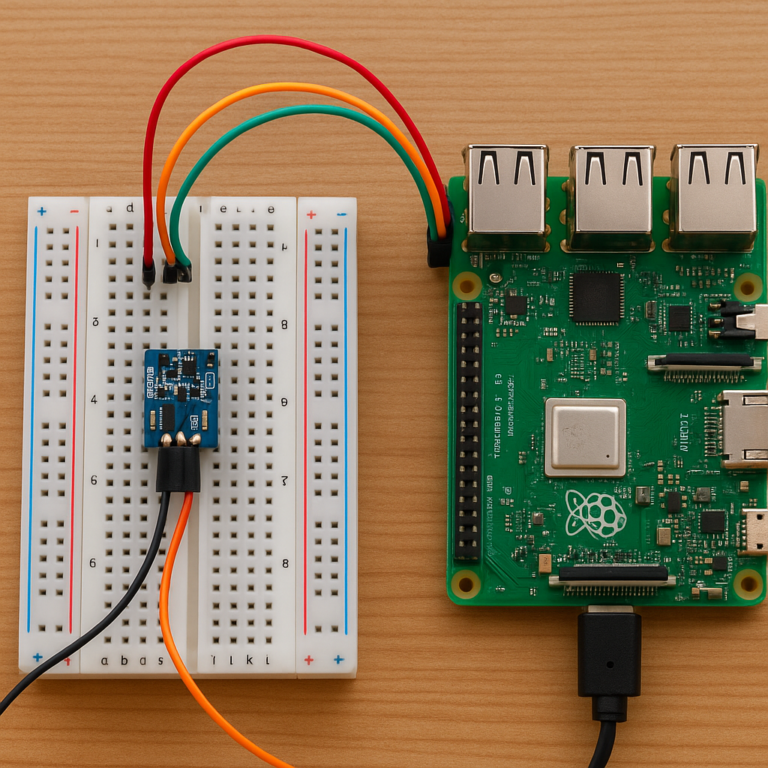
GPIO Breadboards, Jumper Wires, and Sensor Kits
For GPIO work, buy components with clear documentation. A good kit should identify:
- Voltage requirements
- Pinout
- Logic levels
- Example code
- Sensor limitations
- Motor-driver requirements
Never connect a motor directly to a GPIO pin. Use a suitable driver and separate power path.
Raspberry Pi Cameras, Touchscreens, and Robotics Parts
Match the accessory to:
- Board generation
- Connector type
- Operating system support
- Physical mounting needs
- Power demand
- Environmental conditions
Search: Raspberry Pi camera modules on Amazon | Raspberry Pi displays on Amazon
What Can You Do With a Raspberry Pi Bought on Amazon?
Raspberry Pi Desktop and Linux Learning
Raspberry Pi OS provides a friendly route into:
- Linux commands
- Python programming
- File management
- Networking
- Web development
- Basic system administration
Start with a small project: create a Python script that reads a button, records a timestamp, or displays a message. Small wins beat a 37-step tutorial that begins with “first, recompile the kernel.”
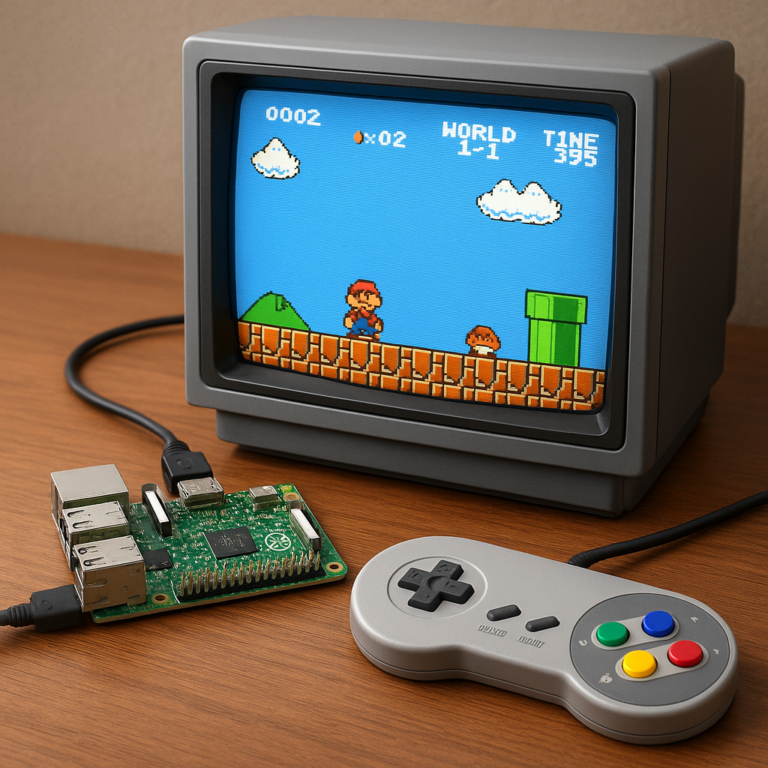
Retro Gaming With RetroPie, Batocera, and Recalbox
A Raspberry Pi can run retro-gaming operating systems and emulators, but compatibility varies by console and board. Use legally obtained game files and firmware.
Potential platforms include:
- RetroPie
- Batocera
- Recalbox
Check each project’s official compatibility documentation before assuming a particular console will run smoothly.
Home Media Centers With Kodi and LibreELEC
LibreELEC provides a lightweight Kodi-based media-center operating system. Pi 4 and Pi 5 are common choices for living-room builds.
You will need:
- Compatible microSD card or storage
- HDMI cable
- Network connection
- Remote or controller
- Cooling appropriate to the board
- Legal media sources
Home Assistant and Smart Home Automation
Home Assistant can run on Raspberry Pi hardware and connect smart-home devices. Use reliable storage and backups because a home-automation server is a poor place for a failing microSD card.
Pi-hole Network-Wide Ad Blocking
Pi-hole can provide network-level DNS filtering. It is a good low-resource project for a Pi Zero 2 W or larger board, provided your network configuration and backups are handled properly.
Personal Servers, NAS Storage, and Web Hosting
Raspberry Pi can host:
- File shares
- Git services
- Home dashboards
- Small websites
- MQTT brokers
- VPN endpoints
- Monitoring tools
For multiple services, Pi 5 with SSD storage is more comfortable than an older board with a heavily used microSD card.
Programming, Python, Scratch, and Electronics Education
The education ecosystem remains one of Raspberry Pi’s strongest advantages. The Raspberry Pi learning resources include coding, electronics, physical computing, and project-based lessons.
Robotics, Cameras, Time-Lapse Photography, and IoT Projects
Raspberry Pi boards work well when you need a Linux computer near physical hardware. Pico 2 is often better when you need instant startup, low power, and predictable real-time control.
This is where the line between “computer” and “controller” becomes useful:
| Need | Better fit |
|---|---|
| Web interface and camera streaming | Raspberry Pi computer |
| Precise sensor timing | Pico 2 |
| Linux packages and Python libraries | Pi 4, Pi 5, or Zero 2 W |
| Battery-powered button device | Pico 2 or Zero 2 W |
| Robotics with vision | Pi 5 plus a motor controller |
Raspberry Pi for Retro Gaming and LibreELEC Media Centers
Which Raspberry Pi Is Best for Emulation?
For a media center or classic console emulation, Pi 4 is a mature option. Pi 5 provides more performance but may need better cooling and a newer setup.
Choose based on:
- Target console generation
- Resolution
- Controller support
- Storage
- Cooling
- Operating system compatibility
Amazon Fire TV Remote Compatibility With LibreELEC on Raspberry Pi
The LibreELEC forum discussion about using an Amazon Fire TV remote with Raspberry Pi 4 provides a useful real-world perspective.
The original poster considered the Amazon Fire TV remote “the best remote control on the market,” but pairing was initially difficult. The working procedure described in the discussion was:
- Open LibreELEC Settings.
- Go to Bluetooth and scan for devices.
- Hold the Fire TV remote’s Home button until its LED flashes orange.
- Select the Bluetooth device named “AR.”
- In Kodi, open Game add-ons → Controller profiles.
- Install TV remote.
- Restart Kodi.
The Context Menu button may not work automatically. The forum recommends Kodi’s Keymap Editor:
- Open Kodi’s add-ons.
- Find Program add-ons.
- Install Keymap Editor.
- Choose Edit.
- Select Global → Navigation → Context menu.
- Choose Edit key.
- Press the desired remote button.
Compatibility varies by remote generation and setup. Some contributors reported success with second-generation Fire TV remotes, Insignia Fire TV remotes, and Raspberry Pi 5. HDMI-CEC may also allow a television remote to control Kodi, but soundbars and older equipment can complicate that arrangement.
Controllers, Cooling, Storage, and HDMI Setup
For a reliable media build:
- Use a reputable microSD card or SSD.
- Keep the board cool.
- Connect the Pi directly to the display when HDMI-CEC is important.
- Test Bluetooth range before hiding the board in a cabinet.
- Keep a keyboard available for initial setup.
- Map missing remote buttons with Kodi tools.
Legal ROMs, Firmware, and Copyright Considerations
Emulation software is not the same as permission to download copyrighted games. Use game files and firmware you legally own and are permitted to use. Consult the documentation for Kodi, LibreELEC, and your jurisdiction’s copyright rules.
Setting Up a Raspberry Pi Purchased From Amazon
Unboxing and Inspecting the Hardware
Before powering on:
- Confirm the board model.
- Inspect the USB, HDMI, GPIO, and camera connectors.
- Check for bent pins or damaged components.
- Verify the power adapter label.
- Confirm the storage card capacity and brand.
- Compare accessories with the listing.
- Photograph anything missing or damaged.
Do not force a connector. Raspberry Pi ports are durable enough for normal use, not for wrestling matches.
Installing Raspberry Pi OS With Raspberry Pi Imager
- Download Raspberry Pi Imager.
- Insert the microSD card into your computer.
- Select the Raspberry Pi model if prompted.
- Choose Raspberry Pi OS.
- Select the storage device carefully.
- Configure hostname, username, password, Wi-Fi, and locale if needed.
- Write the image.
- Safely eject the card.
- Insert it into the Raspberry Pi.
- Connect display, keyboard, network, and power.
- Complete first-boot updates.
Connecting Wi-Fi, Bluetooth, Keyboard, Mouse, and Display
For a desktop setup:
- Connect the display before power-up.
- Use the correct micro-HDMI port and cable.
- Connect keyboard and mouse.
- Join Wi-Fi during setup.
- Pair Bluetooth devices after the operating system loads.
For a headless setup, preconfigure networking and SSH in Raspberry Pi Imager, then connect remotely.
Updating Firmware and Installing Essential Software
After first boot:
sudo apt update
sudo apt full-upgrade
sudo reboot
``

Install only what you need. Every unnecessary service increases maintenance and, sometimes, security exposure.

### Enabling SSH and Remote Access Safely

Use Raspberry Pi configuration tools or the desktop interface to enable SSH. Then:

- Change default credentials.
- Prefer SSH keys.
- Avoid exposing SSH directly to the public internet.
- Use a VPN or secure tunnel for remote access.
- Restrict firewall rules.

### Creating a Backup Before Your First Big Project

Before installing databases, automation platforms, or experimental drivers:

- Clone or image the storage.
- Back up configuration files.
- Export application settings.
- Test restoring a backup.

A backup you have never tested is a hopeful rumor.

---

## Raspberry Pi Security: Updates, Passwords, and Network Protection

### Change Default Credentials and Use Strong Authentication

Use a unique username and strong password. For SSH, key-based authentication is preferable. Store keys securely and avoid sharing them between unrelated systems.

### Keep Raspberry Pi OS and Packages Updated

Run updates routinely:

```bash
sudo apt update
sudo apt full-upgrade
``

Read release notes for major software changes, especially when using third-party repositories.

### Configure the Firewall and Limit Open Ports

Use a firewall such as UFW if appropriate:

```bash
sudo apt install ufw
sudo ufw allow ssh
sudo ufw enable
``

Adjust the rule for your network and SSH configuration. Do not blindly copy commands into an exposed server.

### Use SSH Keys, VPN Access, and Secure Remote Administration

A VPN such as [Tailscale](https://tailscale.com/) can simplify private access, while WireGuard offers a widely used VPN technology. Choose based on your technical needs and trust model.

### Protect Smart Home, Camera, and Server Projects

- Separate IoT devices from sensitive computers where possible.
- Use HTTPS for web interfaces that leave your local network.
- Rotate credentials after copying a project image.
- Disable services you do not use.
- Keep logs and backups.
- Avoid port-forwarding without understanding the exposure.

---

## Raspberry Pi Amazon Comparison Table

| Goal | Recommended model | Essential extras | Why |
|---|---|---|---|
| Beginner desktop | Raspberry Pi 400 or Pi 4 | Keyboard, mouse, HDMI, storage | Simple setup |
| Maximum mainstream performance | Raspberry Pi 5 | Active cooling, suitable USB-C supply | Strongest general-purpose option |
| Home media center | Pi 4 or Pi 5 | HDMI, remote, cooling, storage | Mature Kodi and LibreELEC support |
| Compact wireless project | Zero 2 W | Adapter, case, storage | Small footprint |
| Low-power electronics | Pico 2 | Breadboard, sensors, USB cable | Efficient hardware control |
| Home server | Pi 5 or Pi 4 | SSD, cooling, backup storage | Better sustained service capacity |
| Classroom coding | Pi 400 or Pi 4 | Official supply, display, keyboard | Friendly learning environment |
| Camera project | Pi Zero 2 W, Pi 4, or Pi 5 | Camera, cable, enclosure | Match processing to image workload |

### Best Raspberry Pi for Beginners

**Raspberry Pi 400** is the friendliest if you want a ready-to-use computer. **Pi 4 in a complete, reputable kit** is better if you want to learn hardware projects.

### Best Raspberry Pi for Coding and School Projects

Pi 4, Pi 5, and Pi 400 all work well. Choose based on classroom software, display availability, and whether GPIO access matters.

### Best Raspberry Pi for Home Servers

Pi 5 offers stronger performance, while Pi 4 remains practical for lighter services. Use reliable storage and a backup plan.

### Best Raspberry Pi for Retro Gaming

Pi 4 is mature and well documented. Pi 5 offers more headroom but may require more setup and cooling attention.

### Best Raspberry Pi for Low-Power Projects

Zero 2 W is the best Linux-capable compact choice. Pico 2 is often superior for microcontroller tasks and battery-conscious builds.

### Best Raspberry Pi for Advanced Makers

Pi 5 provides the most performance and expansion potential among mainstream Raspberry Pi computers.

---

## Raspberry Pi Amazon Shopping Tips That Save Headaches

### Compare the Complete Bundle, Not Just the Board

Calculate the complete system:

- Board
- Power supply
- Case
- Cooling
- Storage
- HDMI
- Keyboard and mouse
- Project-specific accessories

A board-only listing can look attractive until the missing parts form a second shopping cart.

### Read Recent Reviews for Technical Clues

Search reviews for:

- Undervoltage
- Overheating
- Missing components
- Fake storage
- Incorrect board
- Broken ports
- Incompatible case
- Seller response

### Check Delivery Condition and Packaging

Raspberry Pi boards should be protected from:

- Bent connectors
- Loose packaging
- Static exposure
- Crushed boxes
- Moisture
- Missing anti-static protection

### Avoid Incompatible Cases and Underpowered Adapters

A case designed for Pi 4 may not fit Pi 5. A charger that works for a phone may not satisfy a Raspberry Pi under load. Compatibility is a system property, not a connector shape.

### Know When a Used or Renewed Raspberry Pi Is Worth Considering

Used hardware can be worthwhile when:

✅ The seller provides clear photos and model details.
✅ Return protection is available.
✅ You can inspect connectors and board condition.
✅ The project does not require maximum performance.

Avoid used hardware when:

❌ The listing hides the exact model.
❌ Accessories are unverified.
❌ The board shows corrosion or physical damage.
❌ The seller refuses returns.

---

## Common Raspberry Pi Amazon Buying Mistakes

### Buying a Board Without a Power Supply

This is the classic “I saved money” purchase followed by “why is it rebooting?” Use a suitable supply from the start.

### Confusing Raspberry Pico With a Full Linux Computer

Pico 2 is excellent, but it does not run Raspberry Pi OS, Kodi, a desktop browser, or a normal Linux desktop. It runs firmware such as MicroPython or C/C++ programs.

### Choosing a Generic MicroSD Card or Charger

Storage and power are foundational components. Saving on either can create intermittent faults that resemble defective hardware.

### Ignoring Cooling on High-Performance Models

Pi 5 needs appropriate thermal management for demanding tasks. A tiny passive heatsink may be fine for light use but insufficient under sustained load.

### Assuming Every Kit Includes a Preinstalled Operating System

Some kits include a card; some include a card reader; some include an operating-system image; some include none of these. Read the list.

### Trusting Star Ratings Without Reading the Reviews

A four-star average may hide repeated power or compatibility problems. Look for patterns, not applause.

---

## Raspberry Pi Troubleshooting After an Amazon Purchase

### Red and Green LED Patterns

LED behavior varies by model and software state. Consult the [official Raspberry Pi documentation](https://www.raspberrypi.com/documentation/computers/raspberry-pi.html) for model-specific indicators rather than guessing from a generic chart.

### No Display or HDMI Signal

Try this sequence:

1. Confirm the display input.
2. Check the correct micro-HDMI port.
3. Test a known-good cable.
4. Reboot with the display connected.
5. Remove unnecessary USB devices.
6. Verify that the storage card boots.
7. Test another display if available.

### Boot Failure and Corupted MicroSD Cards

Reflash a known-good card using Raspberry Pi Imager. If the same failure returns:

- Test another power supply.
- Inspect the card reader.
- Check for overheating.
- Try another operating-system image.
- Examine the board for physical damage.

### Overheating, Throttling, and Random Shutdowns

Check:

- Active cooling
- Ventilation
- Power supply
- Ambient temperature
- CPU load
- USB accessory demand
- Case obstruction

### Wi-Fi, Bluetooth, and USB Connection Problems

Update software, test without hubs, try another cable, and check whether the issue follows the accessory or remains with the board.

### When to Return or Replace the Raspberry Pi

Return or seek warranty support when:

- The board arrived damaged.
- Ports do not work with known-good accessories.
- The product does not match the listing.
- The board repeatedly fails after power and storage checks.
- The seller cannot provide a reasonable resolution.

---

## Raspberry Pi Sustainability, Repairs, and Long-Term Support

### How Long a Raspberry Pi Typically Remains Useful

A Raspberry Pi can remain useful for years because projects often need less performance than a desktop workload. An older board may move from desktop duty to:

- DNS filtering
- Sensor collection
- Network monitoring
- A print server
- A lightweight automation node
- A classroom demonstrator

### Repairability, Reuse, and Upgrading Accessories

The board itself is not always economically repairable at home, but accessories are highly reusable. A good case, power supply, display, keyboard, and sensor collection can support several generations.

### Choosing Hardware for Energy-Efficient Projects

Use the smallest suitable platform:

- Pico 2 for simple control
- Zero 2 W for compact Linux
- Pi 4 for moderate computing
- Pi 5 for demanding workloads

Energy efficiency is not just about the board. Displays, USB drives, fans, and network equipment also contribute to the final system load.

---

## Our Final Raspberry Pi Amazon Recommendations

### Best Overall Raspberry Pi to Buy

**Raspberry Pi 5** is our best overall recommendation for a new, general-purpose purchase. Buy it with appropriate cooling, a reliable USB-C power supply, and dependable storage.

### Best Raspberry Pi Starter Kit

A reputable **Raspberry Pi 4 starter kit** remains the easiest all-around entry point when you want mature tutorials, broad accessory support, and straightforward setup.

### Best Raspberry Pi for a Tight Budget

Choose **Raspberry Pi Zero 2 W** for compact wireless projects, or consider a Pi 4 bundle if you need a desktop-like experience. Avoid choosing a board solely because it has the smallest product title.

### Best Raspberry Pi for Home Automation

**Raspberry Pi 5** provides useful performance headroom for Home Assistant and supporting services. **Pi 4** is still suitable for modest installations.

### Best Raspberry Pi for Gaming and Media

**Raspberry Pi 4** is a dependable LibreELEC and retro-gaming platform. **Pi 5** is better when you want extra performance and are comfortable managing cooling.

The unresolved question from the beginning now has a practical answer: **buy the Raspberry Pi system, not merely the Raspberry Pi board.** The best Amazon listing is the one that gets power, storage, cooling, compatibility, and returns right, even if its product photo has fewer accessories shouting for attention.