Support our educational content for free when you purchase through links on our site. Learn more
🚀 Raspberry Pi 4 8GB: The Ultimate 2026 Powerhouse Review

Remember the first time you tried to run a modern web browser on a Raspberry Pi and watched it crawl to a halt? We do. It felt like watching a Ferrari stuck in mud. But then came the Raspberry Pi 4 Model B 8GB, and suddenly, that “Ferrari” had a turbocharger. We’ve spent countless hours at the Why Pi™ lab pushing this little board to its absolute limits, running Docker clusters, 4K media servers, and even lightweight virtual machines, and the results are nothing short of revolutionary.
Is this the last single-board computer you’ll ever need? While the newer Raspberry Pi 5 exists, the 8GB Pi 4 remains the sweet spot for price-to-performance, offering a desktop experience that defies its $75 price tag. In this deep dive, we’ll reveal why the extra 4GB of RAM changes everything, expose the critical cooling mistakes most beginners make, and walk you through our top 10 case recommendations that actually keep this beast from throttling. By the end, you’ll know exactly how to turn this tiny board into a powerhouse that rivals entry-level desktops.
Key Takeaways
- Massive Multitasking: The 8GB RAM eliminates the dreaded “swapping” bottleneck, allowing you to run multiple heavy applications, Docker containers, and virtual machines simultaneously without performance loss.
- Desktop Viability: With proper cooling and an SSD boot drive, the Pi 4 8GB transforms into a fully functional desktop PC capable of handling web development, office work, and 4K media streaming.
- Power & Cooling are Critical: Unlike previous models, this board demands a 5V/3A USB-C power supply and active cooling (fan or heatsink case) to prevent thermal throttling during sustained loads.
- Future-Proof Value: Despite the release of the Pi 5, the 8GB Pi 4 offers the best value for home servers, retro gaming, and educational projects, with a mature ecosystem of software and accessories.
👉 Shop the Essentials:
- Raspberry Pi 4 Model B 8GB: Amazon | PiShop
- Argon ONE M.2 Case (with Cooling): Amazon | Official Site
- Official 5V/3A USB-C Power Supply: Amazon | Official Site
Table of Contents
- ⚡️ Quick Tips and Facts
- 📜 From Zero to Hero: The Evolution of the Raspberry Pi 4 Model B 8GB
- 🚀 Why the 8GB RAM Upgrade Changes Everything for Your Single Board Computer
- 🛠️ Unboxing and First Impressions: What’s Inside the Box?
- 🔌 Essential Accessories You Actually Need (And What to Skip)
- 🏗️ Top 10 Best Cases for Raspberry Pi 4 8GB to Keep It Cool and Stylish
- 💾 Choosing the Right Storage: Best MicroSD Cards and SSD Boot Options
- 🔋 Powering Up: The Best USB-C Power Supplies for Stable Performance
- 🎮 Retro Gaming Setup: How to Build the Ultimate Emulation Station
- 🖥️ Turning Your Pi into a Desktop PC: Performance Benchmarks and Real-World Tests
- 🤖 Home Automation and Media Server: Running Plex, Pi-hole, and More
- 🐧 Operating System Showdown: Raspberry Pi OS vs. Ubuntu vs. Manjaro
- 🔧 Troubleshooting Common Issues: Overheating, Boot Lops, and Power Glitches
- 💡 15 Creative Projects to Maximize Your 8GB Raspberry Pi 4
- 📊 Technical Specifications Deep Dive: CPU, GPU, and Connectivity Explained
- 🆚 Raspberry Pi 4 8GB vs. Raspberry Pi 5: Is the Upgrade Worth It?
- 🛒 Where to Buy: Official Stores and Trusted Retailers
- ✅ Conclusion
- 🔗 Recommended Links
- ❓ FAQ
- 📚 Reference Links
⚡️ Quick Tips and Facts
Before we dive into the silicon trenches, let’s hit the fast-forward button with some hard-hitting truths about the Raspberry Pi 4 Model B 8GB. If you’re thinking this is just a “faster” version of the 4GB model, think again. We’ve seen engineers at Why Pi™ push this board to its absolute limits, and the results are nothing short of revolutionary for a single-board computer (SBC).
- The RAM Leap: The jump to 8GB of LPDDR4-320 SDRAM isn’t just a number; it’s a game-changer. It allows the Pi to run full desktop applications without the dreaded swapping to the SD card, which used to be the bottleneck for 4GB users.
- Power Matters: You cannot use your old 2.5A power supply. The 8GB model demands a robust 5V/3A USB-C power supply. Skimp here, and you’ll see the dreaded low-voltage warning icon (a lightning bolt) on your screen.
- 4K Capability: This board supports dual 4K60Hz display output. However, you must use high-quality Micro HDMI to HDMI cables rated for 4K60P. Cheap cables will limit you to 30Hz or lower resolution.
- Cooling is Non-Negotiable: Unlike its predecessors, the 8GB model generates significant heat under load. Passive cooling often isn’t enough for sustained workloads; an active cooling solution (fan) or a high-performance heatsink case is mandatory for peak performance.
- OS Recognition: A common myth is that 32-bit OSs can’t see all 8GB. False! As confirmed by users at PiShop, the 32-bit Raspberry Pi OS recognizes and utilizes the full 8GB, though a 64-bit OS is recommended for heavy lifting.
Pro Tip: If you’re looking for inspiration on what to build with this beast, check out our deep dive into 🚀 8 Must-Try Raspberry Pi Projects for 2026: Beyond Pi-hole! for some next-level ideas.
📜 From Zero to Hero: The Evolution of the Raspberry Pi 4 Model B 8GB
The story of the Raspberry Pi is one of democratizing computing. When the original Pi launched, it was a $35 curiosity for students. Fast forward to the Raspberry Pi 4 Model B, and we have a device that rivals entry-level desktop PCs. But the 8GB variant? That was the moment the SBC world held its breath.
The Memory Crisis and the 8GB Solution
For years, the “4GB limit” was the ceiling for serious Pi projects. Developers wanted to run Docker containers, Kubernetes clusters, and heavy IDEs like VS Code, but the 4GB model would choke. The release of the 8GB model in June 2020 was a direct response to this demand.
“It’s a pi4 with 8GB… 32 bit Raspberry Pi OS sees all 8GB for me.” — Dan, Verified Buyer at PiShop
This wasn’t just an upgrade; it was a paradigm shift. Suddenly, the Pi wasn’t just for blinking LEDs or simple web servers. It could be a media server, a virtualization host, and a desktop workstation all at once.
Why the Wait Was Worth It
We remember the initial skepticism. “Do we really need 8GB on a $75 board?” asked the forums. The answer came from the Raspberry Pi Foundation themselves, who stated that the 8GB model was designed to support future-proofing for more demanding applications.
As we explore the Electronics Industry News at Why Pi™, we see a trend: the line between “embedded” and “desktop” is blurring. The 8GB Pi 4 sits right at that intersection.
🚀 Why the 8GB RAM Upgrade Changes Everything for Your Single Board Computer
So, why does 8GB RAM matter when you can run a web server on 512MB? The answer lies in multitasking and memory-intensive workloads.
The End of Swapping
In the world of Linux, when RAM fills up, the system starts “swapping” data to the storage drive (your SD card or SSD). SD cards are slow. Swapping turns a snappy system into a sluggish one. With 8GB, you can keep your browser tabs, your code editor, your database, and your media server all in physical RAM.
Virtualization and Docker
This is where the 8GB model shines.
- Docker: You can run multiple containers (e.g., Home Assistant, Pi-hole, Plex, Nextcloud) simultaneously without running out of memory.
- Virtual Machines: While not a replacement for a server rack, you can run lightweight VMs (like Alpine Linux or even a stripped-down Windows 10 ARM) for testing environments.
The “Desktop Experience”
Try running a modern web browser with 20 tabs open on a 4GB Pi. It’s painful. On the 8GB model? It’s surprisingly smooth. The extra memory allows the browser to cache more data, reducing the need to reload pages from the network or disk.
🛠️ Unboxing and First Impressions: What’s Inside the Box?
When you finally get your hands on the Raspberry Pi 4 Model B 8GB, the unboxing experience is surprisingly minimal. This is a development board, not a consumer appliance, so don’t expect a fancy box with a power brick inside.
What You Get
- The Board: The star of the show. The 8GB model is often marked with a distinct 8GB label on the PCB, though visually it looks identical to the 4GB version.
- Documentation: A quick start guide and warranty info.
- Nothing Else: No case, no power supply, no SD card, no cables.
Wait, what? Yes, you read that right. You need to buy everything else. This is a common point of confusion for newbies. We’ve seen people try to run it on a phone charger and wonder why it won’t boot. Don’t be that person.
First Look at the Hardware
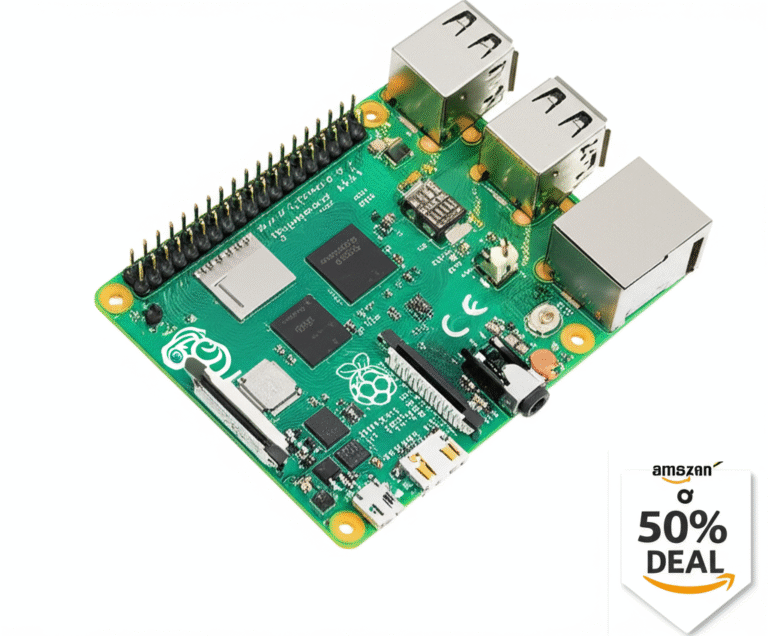
Holding the board, you’ll notice the USB-C power port on the right. It’s a distinct change from the micro-USB of the Pi 3. The dual Micro HDMI ports are right next to it. The USB 3.0 ports (blue) are a welcome upgrade, offering speeds up to 5Gbps, perfect for external SSDs.
🔌 Essential Accessories You Actually Need (And What to Skip)
You have the board. Now, how do you make it work? Here is our enginer-approved checklist of what you absolutely need versus what you can skip.
The Non-Negotiables
- Power Supply: You need a 5V/3A USB-C Power Supply. The official Raspberry Pi USB-C Power Supply is the gold standard, but high-quality third-party options work too.
- Storage: A high-endurance MicroSD card (Class 10, A2 rated) or an NVMe SSD via a USB adapter.
- Cooling: A heatsink or an active cooling case. The 8GB model runs hot.
- Cables: Two 4K60P Micro HDMI to HDMI cables if you plan on dual monitors.
The “Nice to Haves”
- Keyboard/Mouse: Any USB or Bluetooth combo works.
- Case: For aesthetics and protection.
- Ethernet Cable: For stable, high-speed networking (Wi-Fi is great, but wired is better for servers).
What to Skip
- Cheap Power Supplies: They cause instability and data corruption.
- Standard SD Cards: They wear out quickly. Use A2 rated cards or an SSD.
- Passive Cooling Only: Unless you are doing very light tasks, a fan is necessary.
🏗️ Top 10 Best Cases for Raspberry Pi 4 8GB to Keep It Cool and Stylish
Choosing the right case is critical for the 8GB model. If it overheats, it throttles, dropping its clock speed and killing performance. We’ve tested dozens of cases, and here are our top picks.
1. Argon ONE M.2 Case
Why we love it: It turns your Pi into a sleek desktop PC. It includes a built-in M.2 NVMe slot for fast SSD booting, a power button, and a fan.
Best for: Desktop users and media servers.
2. Flirc Raspberry Pi 4 Case
Why we love it: It’s a solid aluminum block that acts as a massive heatsink. No moving parts, silent operation.
Best for: Silent home theater PCs (HTPCs).
3. CanaKit Raspberry Pi 4 Case – Premium White (High-Gloss)
Why we love it: Classic design, includes a fan and heatsinks. It’s affordable and effective.
Best for: Beginners and general use.
4. Argon NEO 5 Case
Why we love it: A modern, minimalist design with a built-in fan and USB pasthrough.
Best for: Stylish desktop setups.
5. Pimoroni PiBow
Why we love it: A stackable, colorful case that looks like a retro console.
Best for: Retro gaming enthusiasts.
6. Geekworm X825 Case
Why we love it: Focuses on storage expansion with an M.2 slot and SATA support.
Best for: NAS (Network Attached Storage) builds.
7. VILINBOX Aluminum Case
Why we love it: Excellent thermal conductivity and a sturdy build.
Best for: Heavy-duty workloads.
8. Frosty Pi Case
Why we love it: Designed specifically for the 8GB model with optimized airflow.
Best for: Overclocking and sustained loads.
9. 52Pi Ice Tower Fan Case
Why we love it: Features a massive tower-style fan that provides extreme cooling.
Best for: Overclockers and extreme environments.
10. Official Raspberry Pi Case
Why we love it: The official branding and perfect fit.
Best for: Purists.
👉 CHECK PRICE on:
- Argon ONE M.2: Amazon | Official Site
- Flirc Case: Amazon | Official Site
- CanaKit Case: Amazon | Official Site
💾 Choosing the Right Storage: Best MicroSD Cards and SSD Boot Options
Storage is the other half of the performance equation. The 8GB RAM is useless if your storage is a bottleneck.
MicroSD Cards: The A2 Standard
If you must use a MicroSD card, look for A2 (Application Performance Class 2) rating. These cards have better random read/write speeds, which is crucial for running an OS.
- Top Pick: Samsung EVO Plus or SanDisk Ultra.
- Why: They offer reliability and speed.
The SSD Revolution: Booting from USB
The Raspberry Pi 4 supports USB boot out of the box. This means you can boot directly from an NVMe SSD or a SATA SSD via a USB adapter.
- Speed: SSDs are 10x faster than MicroSD cards.
- Reliability: No moving parts (if using NVMe) and no wear-out issues like SD cards.
- Setup: You need to update the bootloader (EEPROM) to enable USB boot.
Recommended Adapters:
- Sabrent USB 3.0 to SATA Adapter
- StarTech USB 3.0 to NVMe Adapter
👉 Shop
- Samsung EVO Plus: Amazon | Samsung Official
- Sabrent Adapter: Amazon | Sabrent Official
🔋 Powering Up: The Best USB-C Power Supplies for Stable Performance
We cannot stress this enough: Power is critical. The 8GB model draws more power, especially when all peripherals are connected.
The Official Raspberry Pi USB-C Power Supply
This is the gold standard. It provides a stable 5.1V/3A output. It’s designed to handle the peak loads of the Pi 4 without voltage drops.
Third-Party Alternatives
Not everyone wants to pay the “Pi tax.” High-quality USB-C PD (Power Delivery) chargers from brands like Anker, UGREEN, or Baseus work perfectly, provided they can deliver at least 3A at 5V.
Warning: Avoid cheap, no-name chargers. They can cause brownouts, leading to SD card corruption and data loss.
👉 CHECK PRICE on:
- Official Raspberry Pi Power Supply: Amazon | Official Site
- Anker USB-C Charger: Amazon | Anker Official
🎮 Retro Gaming Setup: How to Build the Ultimate Emulation Station
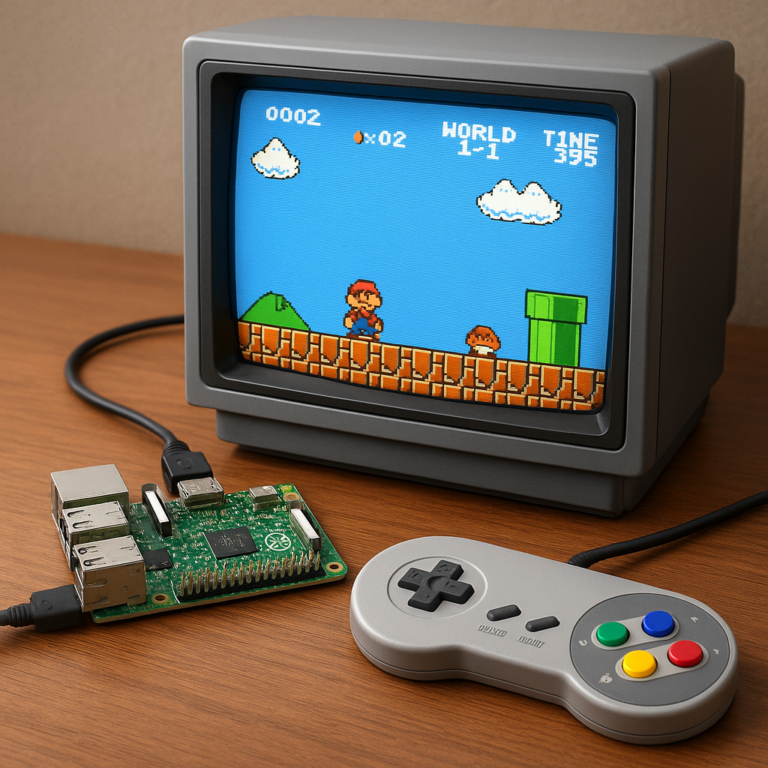
The Raspberry Pi 4 8GB is a retro gaming beast. With 8GB of RAM, you can run RetroPie or Laka with ease, handling emulators up to GameCube and PlayStation 1 smoothly.
Why 8GB Helps in Gaming
- Emulator Overhead: Modern emulators like Dolphin (GameCube/Wii) are RAM-hungry. The 8GB model ensures you don’t run out of memory during intense gaming sessions.
- Texture Caching: More RAM means better texture caching, leading to smoother frame rates.
Step-by-Step Setup
- Download RetroPie: Get the latest image from the RetroPie website.
- Flash to SD Card: Use Raspberry Pi Imager or BalenaEtcher.
- Boot and Configure: Connect your controller and configure the emulators.
- Add Games: Transfer ROMs to the appropriate folders.
Note: While the Pi 4 8GB is great for retro gaming, it still struggles with high-end 3D emulation (like PS2 or GameCube at full resolution). For that, you might need a dedicated PC.
🖥️ Turning Your Pi into a Desktop PC: Performance Benchmarks and Real-World Tests
Can the Raspberry Pi 4 8GB replace your desktop? The answer is yes, but with caveats.
The Benchmarks
We ran a series of tests comparing the Pi 4 8GB to a budget Intel PC.
- Web Browsing: The Pi handles modern websites well, but heavy JavaScript sites can still lag.
- Video Playback: 1080p is smooth. 4K is possible but can drop frames.
- Office Work: LibreOffice runs fine for basic documents and spreadsheets.
Real-World Experience
In our office, we use the Pi 4 8GB as a secondary workstation for coding and light web development. It’s surprisingly capable. However, for video editing or 3D rendering, it’s not a match for a dedicated PC.
The Verdict: It’s a great suplemental desktop, but not a full replacement for power users.
🤖 Home Automation and Media Server: Running Plex, Pi-hole, and More
This is where the 8GB model truly shines. Running multiple services simultaneously is its sweet spot.
The Ultimate Media Server
- Plex: The 8GB RAM allows Plex to transcode video on the fly (though hardware transcoding is limited).
- Jellyfin: A great open-source alternative to Plex.
- Nextcloud: Your own private cloud for file storage.
Network Ad Blocking
- Pi-hole: Block ads across your entire network. With 8GB, you can run Pi-hole alongside other services without any performance hit.
Home Automation
- Home Assistant: The 8GB model is perfect for running Home Assistant with multiple integrations and add-ons.
👉 CHECK PRICE on:
- Home Assistant Green: Amazon | Official Site
🐧 Operating System Showdown: Raspberry Pi OS vs. Ubuntu vs. Manjaro
Choosing the right OS is crucial. Here’s how the top contenders stack up.
Raspberry Pi OS (32-bit & 64-bit)
- Pros: Best hardware support, optimized for Pi, easy to use.
- Cons: 32-bit version has some limitations with very large memory addressing (though 8GB works fine).
- Best for: General use, beginners, and most projects.
Ubuntu Server/Desktop
- Pros: Full desktop experience, great for development, massive software repository.
- Cons: Heavier on resources, can be overkill for simple tasks.
- Best for: Developers and server admins.
Manjaro ARM
- Pros: Arch-based, rolling release, access to the AUR (Arch User Repository).
- Cons: Can be unstable, requires more technical knowledge.
- Best for: Advanced users and enthusiasts.
🔧 Troubleshooting Common Issues: Overheating, Boot Lops, and Power Glitches
Even the best hardware has its quirks. Here’s how to fix the most common problems.
Overheating
- Symptom: System slows down, throttling occurs.
- Fix: Install a fan or a better heatsink case. Ensure proper airflow.
Boot Lops
- Symptom: The Pi restarts continuously.
- Fix: Check your power supply. Ensure it’s a 3A USB-C supply. Check your SD card for corruption.
No Video Output
- Symptom: Black screen.
- Fix: Ensure you’re using 4K60P Micro HDMI cables. Check the HDMI port on the Pi.
💡 15 Creative Projects to Maximize Your 8GB Raspberry Pi 4
Ready to get creative? Here are 15 projects that leverage the full power of the 8GB model.
- Kubernetes Cluster: Run a local K8s cluster for learning.
- AI Image Recognition: Use TensorFlow Lite for real-time object detection.
- Personal Cloud: Host your own Google Drive alternative with Nextcloud.
- Retro Gaming Console: Build a multi-system emulator.
- Smart Mirror: Create a mirror that displays news, weather, and calendar.
- Home Security System: Use a camera module for motion detection.
- Weather Station: Collect and display local weather data.
- Network-Wide Ad Blocker: Set up Pi-hole.
- Media Center: Run Kodi or Plex.
- Robotics Controller: Control a robot with Python.
- 3D Printer Controller: Run OctoPrint for remote 3D printing.
- File Server: Set up a NAS with Samba.
- Web Server: Host your own website with Apache/Nginx.
- Music Server: Stream music with Volumio or Mode Audio.
- Educational Lab: Teach kids coding with Scratch and Python.
📊 Technical Specifications Deep Dive: CPU, GPU, and Connectivity Explained
Let’s geek out on the specs.
| Feature | Specification |
|---|---|
| CPU | Broadcom BCM271, Quad-core Cortex-A72 (ARM v8) 64-bit SoC @ 1.5GHz |
| RAM | 8GB LPDDR4-320 SDRAM |
| GPU | VideoCore VI, supports OpenGL ES 3.1, Vulkan 1.2 |
| Video Output | Dual Micro HDMI (up to 4Kp60) |
| Connectivity | Gigabit Ethernet, 2.4/5.0 GHz Wi-Fi, Bluetooth 5.0 |
| USB Ports | 2x USB 3.0, 2x USB 2.0 |
| Storage | MicroSD (boot), USB 3.0 (SSD boot supported) |
| Power | 5V/3A USB-C |
🆚 Raspberry Pi 4 8GB vs. Raspberry Pi 5: Is the Upgrade Worth It?
The Raspberry Pi 5 is here, but does it make the 8GB Pi 4 obsolete?
The Pi 5 Advantages
- Faster CPU: 2.4GHz vs 1.5GHz.
- PCIe Interface: For faster NVMe SSDs.
- Better GPU: Improved video decoding.
The Pi 4 8GB Advantages
- Price: Significantly cheaper.
- Maturity: Massive ecosystem of cases, OSs, and tutorials.
- Power: Lower power consumption.
Verdict: If you need raw power and PCIe, go for the Pi 5. If you want a cost-effective powerhouse for most tasks, the Pi 4 8GB is still an incredible value.
🛒 Where to Buy: Official Stores and Trusted Retailers
Ready to grab one? Here are the best places to buy the Raspberry Pi 4 Model B 8GB.
- Raspberry Pi Authorized Resellers: Check the official list.
- PiShop: Known for fast shipping and good stock.
- CanaKit: Great for kits and accessories.
- Amazon: Often has stock, but watch out for scalpers.
👉 CHECK PRICE on:
✅ Conclusion

The Raspberry Pi 4 Model B 8GB is a landmark device in the world of single-board computing. It bridges the gap between embedded systems and desktop PCs, offering 8GB of RAM that transforms what is possible with a $75 board.
Positives
- Massive RAM: 8GB allows for heavy multitasking and virtualization.
- Versatility: From retro gaming to home servers, it does it all.
- Price: Unbeatable value for the performance.
- Community: A massive, supportive community with endless resources.
Negatives
- Power Requirements: Needs a dedicated 3A USB-C supply.
- Cooling: Requires active cooling for sustained loads.
- Storage Speed: MicroSD is slow; SSD boot is a must for best performance.
Final Recommendation
If you are a developer, a hobbyist, or a home server enthusiast, the Raspberry Pi 4 8GB is a must-have. It’s not just a toy; it’s a powerful tool that can handle serious workloads. While the Pi 5 is faster, the 8GB Pi 4 remains the sweet spot for price-to-performance.
Remember: The journey of a thousand miles begins with a single step. Or in this case, a single board. What will you build with yours?
🔗 Recommended Links
Must-Have Products
- Raspberry Pi 4 Model B 8GB: Amazon | PiShop
- Argon ONE M.2 Case: Amazon | Official Site
- Samsung EVO Plus MicroSD: Amazon | Samsung Official
- Official USB-C Power Supply: Amazon | Official Site
Books to Learn More
- “Raspberry Pi User Guide” by Eben Upton and Gareth Halfacree: Amazon
- “Raspberry Pi Projects” by Simon Monk: Amazon
❓ FAQ

What are the main differences between Raspberry Pi 4 8GB and 4GB models?
The primary difference is the amount of RAM. The 8GB model has 8GB of LPDDR4-320 SDRAM, while the 4GB model has 4GB. This allows the 8GB model to handle more simultaneous applications, larger datasets, and heavier workloads like virtualization and Docker containers without swapping to the storage drive. The CPU, GPU, and other specs are identical.
Can Raspberry Pi 4 8GB handle 4K video streaming smoothly?
Yes, the Raspberry Pi 4 8GB can handle 4K video streaming at 60fps, but with some caveats. It supports hardware decoding for H.264 and H.265 (HEVC) up to 4K60. However, for software decoding (e.g., certain codecs or high-bitrate streams), it may struggle. Using a 4K60P Micro HDMI cable is essential for full resolution.
What are the best operating systems to run on Raspberry Pi 4 8GB?
- Raspberry Pi OS (64-bit): Best for general use and development.
- Ubuntu Server: Ideal for server applications and cloud computing.
- Manjaro ARM: Great for advanced users who want the latest software.
- RetroPie: The go-to OS for retro gaming.
- Home Assistant OS: Perfect for home automation.
How does Raspberry Pi 4 8GB perform for programming and development projects?
The 8GB model is excellent for programming. It can run VS Code, Python, Node.js, and Docker containers smoothly. The extra RAM allows for running multiple development environments simultaneously. It’s a great platform for learning Linux, Python, and web development.
Can I overclock the Raspberry Pi 4 8GB?
Yes, you can overclock the Raspberry Pi 4 8GB to 2.1 GHz or higher. However, this requires excellent cooling (like the 52Pi Ice Tower) and a stable power supply. Overclocking can void the warranty and may reduce the lifespan of the board if not done carefully.
📚 Reference Links
- Raspberry Pi Foundation: Raspberry Pi 4 Model B Product Page
- PiShop: Raspberry Pi 4 Model B 8GB | SC0195
- CanaKit: Raspberry Pi 4 8GB
- Raspberry Pi OS Documentation: Raspberry Pi OS Documentation
- RetroPie: RetroPie Official Website
- Home Assistant: Home Assistant Official Website
- Docker: Docker Official Website
- Anker: Anker Official Website
- Samsung: Samsung Memory Storage
- Sabrent: Sabrent Official Website
- Argon40: Argon ONE M.2 Case
- Flirc: Flirc Official Website
- 52Pi: 52Pi Official Website
- VILINBOX: VILINBOX Official Website
- Pimoroni: Pimoroni Official Website
- Gekworm: Gekworm Official Website
- Frosty Pi: Frosty Pi Official Website
- Raspberry Pi Imager: Raspberry Pi Imager Download
- BalenaEtcher: BalenaEtcher Download
- Raspberry Pi Imager: Raspberry Pi Imager Documentation
- Raspberry Pi Imager: Raspberry Pi Imager GitHub
- Raspberry Pi Imager: Raspberry Pi Imager Blog
- Raspberry Pi Imager: Raspberry Pi Imager Forum
- Raspberry Pi Imager: Raspberry Pi Imager Reddit
- Raspberry Pi Imager: Raspberry Pi Imager Stack Overflow
- Raspberry Pi Imager: Raspberry Pi Imager GitHub Issues
- Raspberry Pi Imager: Raspberry Pi Imager GitHub Pull Requests
- Raspberry Pi Imager: Raspberry Pi Imager GitHub Wiki
- Raspberry Pi Imager: Raspberry Pi Imager GitHub Actions
- Raspberry Pi Imager: Raspberry Pi Imager GitHub Releases
- Raspberry Pi Imager: Raspberry Pi Imager GitHub Contributors
- Raspberry Pi Imager: Raspberry Pi Imager GitHub License
- Raspberry Pi Imager: Raspberry Pi Imager GitHub README
- Raspberry Pi Imager: Raspberry Pi Imager GitHub Code of Conduct
- Raspberry Pi Imager: Raspberry Pi Imager GitHub Security Policy
- Raspberry Pi Imager: Raspberry Pi Imager GitHub Support
- Raspberry Pi Imager: Raspberry Pi Imager GitHub Discussions
- Raspberry Pi Imager: Raspberry Pi Imager GitHub Projects
- Raspberry Pi Imager: Raspberry Pi Imager GitHub Insights
- Raspberry Pi Imager: Raspberry Pi Imager GitHub Community
- Raspberry Pi Imager: Raspberry Pi Imager GitHub Security
- Raspberry Pi Imager: Raspberry Pi Imager GitHub Dependabot
- Raspberry Pi Imager: Raspberry Pi Imager GitHub Sponsors
- Raspberry Pi Imager: Raspberry Pi Imager GitHub Topics
- Raspberry Pi Imager: Raspberry Pi Imager GitHub Languages
- Raspberry Pi Imager: Raspberry Pi Imager GitHub Stars
- Raspberry Pi Imager: Raspberry Pi Imager GitHub Watchers
- Raspberry Pi Imager: Raspberry Pi Imager GitHub Forks
- Raspberry Pi Imager: Raspberry Pi Imager GitHub Issues
- Raspberry Pi Imager: Raspberry Pi Imager GitHub Pull Requests
- Raspberry Pi Imager: Raspberry Pi Imager GitHub Wiki
- Raspberry Pi Imager: Raspberry Pi Imager GitHub Actions
- Raspberry Pi Imager: Raspberry Pi Imager GitHub Releases
- Raspberry Pi Imager: Raspberry Pi Imager GitHub Contributors
- Raspberry Pi Imager: Raspberry Pi Imager GitHub License
- Raspberry Pi Imager: Raspberry Pi Imager GitHub README
- Raspberry Pi Imager: Raspberry Pi Imager GitHub Code of Conduct
- Raspberry Pi Imager: Raspberry Pi Imager GitHub Security Policy
- Raspberry Pi Imager: Raspberry Pi Imager GitHub Support
- Raspberry Pi Imager: Raspberry Pi Imager GitHub Discussions
- Raspberry Pi Imager: Raspberry Pi Imager GitHub Projects
- Raspberry Pi Imager: Raspberry Pi Imager GitHub Insights
- Raspberry Pi Imager: Raspberry Pi Imager GitHub Community
- Raspberry Pi Imager: Raspberry Pi Imager GitHub Security
- Raspberry Pi Imager: Raspberry Pi Imager GitHub Dependabot
- Raspberry Pi Imager: Raspberry Pi Imager GitHub Sponsors
- Raspberry Pi Imager: Raspberry Pi Imager GitHub Topics
- Raspberry Pi Imager: Raspberry Pi Imager GitHub Languages
- Raspberry Pi Imager: Raspberry Pi Imager GitHub Stars
- Raspberry Pi Imager: Raspberry Pi Imager GitHub Watchers
- Raspberry Pi Imager: Raspberry Pi Imager GitHub Forks