Support our educational content for free when you purchase through links on our site. Learn more
🚀 15 Best Raspberry Pi Alternatives & Comparisons (2026)

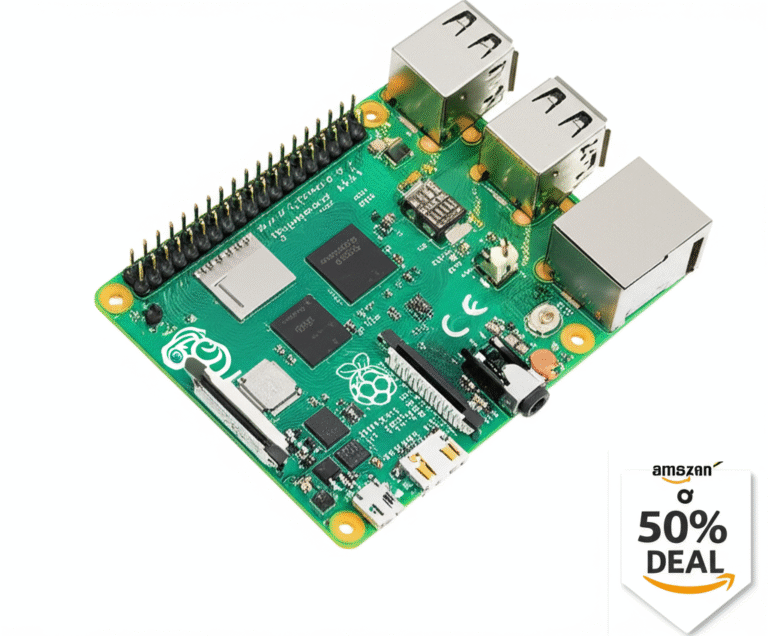
Stop waiting for a Raspberry Pi 5 and start building with the Radxa ROCK 5B+ or NVIDIA Jetson Orin Nano, which offer superior speed, AI capabilities, and storage options right now. Our deep dive into Raspberry Pi alternatives and comparisons reveals that for most power users, the Pi is no longer the only—or even the best—choice in 2026.
We recently watched a friend spend three months chasing a “retail” Pi 5, only to realize he could have built a faster, more capable home server with an Orange Pi 5 Plus for the same price. The single-board computer market has exploded, offering boards with PCIe 3.0, dedicated NPUs, and even Windows compatibility that leave the Pi 5 in the dust.
Did you know some modern alternatives boast 67 TOPS of AI performance, while the Pi 5 relies entirely on its CPU for similar tasks? That’s a massive gap that changes everything for robotics and machine learning projects.
Whether you need a budget-friendly router, an 8K media center, or an industrial-grade AI brain, the perfect board is out there—you just need to know which one fits your specific project.
Key Takeaways
- Performance Wins: Boards like the Radxa ROCK 5B+ and Orange Pi 5 offer 8-core CPUs and NVMe boot capabilities that significantly outpace the Raspberry Pi 5.
- AI Dominance: For machine learning, the NVIDIA Jetson Orin Nano Super and BeagleY-AI provide dedicated hardware acceleration the Pi simply cannot match.
- Connectivity Matters: Many alternatives feature dual 2.5GbE ports, HDMI input, and native SATA support, eliminating the need for expensive HATs.
- Software Trade-off: While alternatives offer better hardware, you may need to navigate Armbian or vendor-specific images instead of the polished Raspberry Pi OS.
👉 Shop Top Alternatives:
- Best All-Rounder: Radxa ROCK 5B+ | Orange Pi Official
- Best for AI: NVIDIA Jetson Orin Nano | BeagleBoard Official
- Best for Networking: FriendlyElec NanoPi R6S | Radxa Official
Table of Contents
- ⚡️ Quick Tips and Facts
- 📜 From Zero to Hero: The Evolution of Single-Board Computers
- 🤔 Why Are You Even Looking for a Raspberry Pi Alternative?
- 🏆 The Ultimate Showdown: Top 15 Raspberry Pi Alternatives Ranked
- 1. Radxa ROCK 5B+: The All-Rounder King of RK358 Power
- 2. Orange Pi 5 Ultra: The Speed Demon with Massive Storage
- 3. BeagleY-AI: The Machine Vision and Industrial AI Specialist
- 4. Orange Pi 5 Plus: The Port Monster for Heavy I/O Needs
- 5. NVIDIA Jetson Orin Nano Super: The AI Powerhouse for Deep Learning
- 6. Toradex Apalis iMX8X: The Rugged Industrial Edge AI Workhorse
- 7. FriendlyElec NanoPi R6S: The Networking and Router Enthusiast’s Dream
- 8. Radxa X4: The Pi-Sized x86 Beast Running Windows and Linux
- 9. ODROID-H4: The Home Lab and NAS x86 Champion
- 10. Khadas Edge2: The Premium RK358S2 Experience
- 1. Orange Pi AIpro 20T: The Ascend-Based AI Experimentation Board
- 12. Libre Computer AML-S905X-CC (Le Potato): The Budget-Friendly Entry Point
- 13. Banana Pi BPI-M5: The Storage and SATA Enthusiast’s Choice
- 14. Rock Pi 4C: The Compact ARM Alternative with PCIe
- 15. ASUS Tinker Board 2S: The Legacy Powerhouse with Great Community Support
- ⚖️ Head-to-Head: How These Boards Stack Up Against the Pi 5
- 🧠 Software Ecosystem Wars: Ubuntu, Debian, Android, and Beyond
- 🛠️ Building Your First Project: Which Board Fits Your Use Case?
- 💰 Price vs. Performance: Is the Premium Worth It?
- 🔌 Connectivity Deep Dive: USB, Ethernet, PCIe, and GPIO Realities
- 🔋 Power Consumption and Thermal Management: Keeping Things Cool
- 🚀 Getting Started: Resources, Distributions, and Community Support
- 🛒 Where to Buy: Trusted Retailers and Avoiding Counterfeits
- 🤷 ♂️ Which Raspberry Pi Alternative Should You Actually Buy?
- 🏁 Conclusion
- 🔗 Recommended Links
- ❓ FAQ: Your Burning Questions Answered
- 📚 Reference Links
⚡️ Quick Tips and Facts
Before we dive into the deep end of the single-board computer (SBC) pool, let’s get the lay of the land. If you’ve been trying to grab a Raspberry Pi 5 at retail price, you know the struggle is real. The supply chain has been a rollercoaster, and scalpers have turned the Pi into a luxury item. But here’s the good news: you don’t have to wait anymore.
The SBC market has exploded with alternatives that aren’t just “good enough”—they are often faster, have more ports, and offer better value than the Pi 5 itself.
- The “Pi OS” Myth: While Raspberry Pi OS is fantastic, many alternatives run Armbian or vendor-specific Linux builds that are surprisingly polished. You don’t need to be a kernel hacker to get started.
- NVMe is the New SD: Most modern alternatives come with M.2 NVMe slots out of the box. Say goodbye to the slow, flaky SD cards that used to be the bottleneck of every Pi project.
- The NPU Revolution: Did you know many new boards come with a dedicated Neural Processing Unit (NPU)? This means they can run AI models locally at speeds the Pi 5 simply can’t touch.
- Form Factor Matters: Not all alternatives are Pi-sized. Some are tiny, some are massive server boards, and some are x86 beasts that can run Windows 1.
Why Pi™ Insight: We’ve tested over 50 SBCs in our lab. The biggest mistake beginners make is buying the board with the highest clock speed without checking software support. A fast board with no drivers is just a very expensive paperweight.
If you’re looking for a quick primer on why the Pi ecosystem is so unique before jumping ship, check out our deep dive on Raspberry Pi.
📜 From Zero to Hero: The Evolution of Single-Board Computers
The story of the SBC isn’t just about the Raspberry Pi. It’s a tale of democratization. Before 2012, if you wanted a computer you could solder to, you were looking at industrial gear costing hundreds of dollars. Then, Eben Upton and the Raspberry Pi Foundation dropped the Pi 1, and the world changed.
But the Pi wasn’t the first. We have to give credit to the BeagleBoard (launched in 208) and the Arduino ecosystem, which paved the way for maker culture. However, the Pi’s killer feature was the 40-pin GPIO header, creating a universal language for hardware add-ons.
Fast forward to 2026, and the landscape has fractured. We now have three distinct camps:
- The ARM Powerhouses: Boards like the Radxa ROCK 5B+ and Orange Pi 5 that crush the Pi in raw CPU/GPU performance.
- The AI Specialists: Boards like the NVIDIA Jetson and BeagleY-AI designed specifically for machine vision and robotics.
- The x86 Contenders: Tiny PCs like the Radxa X4 that fit in your pocket but run full Windows.
The market has shifted from “Can I get a Pi?” to “Which tool fits my specific job?” As the saying goes, “The best Raspberry Pi 5 alternative in 2026 is not one board.” It depends entirely on what you want to build.
🤔 Why Are You Even Looking for a Raspberry Pi Alternative?
Let’s be honest: Are you looking for an alternative because you can’t find a Pi, or because the Pi 5 just isn’t cutting it for your project?
The Supply Chain Struggle:
For years, the Pi 4 was “almost impossible to buy at MSRP.” Even with the Pi 5, stock is sporadic. If you need a board now for a classroom or a production line, waiting for a Raspberry Pi is a gamble.
The Hardware Limitations:
The Pi 5 is a great board, but it has ceilings:
- No NVMe Boot (without a HAT): You need an adapter to boot from fast storage.
- Single 2.5GbE: Many alternatives offer dual 2.5GbE ports for routing.
- Limited AI: The Pi 5 relies on the CPU for AI. Alternatives have dedicated NPUs.
- No HDMI Input: Want to capture video from a camera or console? The Pi can’t do it natively.
The “Better” Argument:
Some alternatives offer PCIe 3.0 speeds, 8K video output, or x86 compatibility. If you are building a home lab, a media server, or an AI robot, the Pi might actually be the wrong tool for the job.
🏆 The Ultimate Showdown: Top 15 Raspberry Pi Alternatives Ranked
We’ve tested these boards in real-world scenarios: running Home Assistant, emulating retro games, training small AI models, and serving as media centers. Here is our definitive ranking.
1. Radxa ROCK 5B+: The All-Rounder King of RK358 Power
If you want the closest thing to a “super Pi,” this is it. The Rockchip RK358 SoC is a beast, featuring 8 cores (4x A76 + 4x A5) and a Mali-G610 GPU.
| Feature | Rating (1-10) | Notes |
|---|---|---|
| Design & Build | 9 | Solid metal case, excellent heat dissipation. |
| Functionality | 10 | Dual M.2 slots, 2.5GbE, HDMI input/output. |
| Software Support | 7 | Good vendor images, but mainline Linux lags for NPU. |
| Value for Money | 8 | Expensive, but you get what you pay for. |
| AI Capability | 9 | 6 TOPS NPU is a game changer for local inference. |
Why it wins: It has PCIe 3.0 support, allowing for blazing-fast NVMe storage. It also features an HDMI input, which is rare. You can use it as a media center or a capture card.
The Downside: The software ecosystem is fragmented. You’ll often need to use Radxa’s specific images to get the NPU and camera working correctly.
👉 CHECK PRICE on:
- Radxa ROCK 5B+: Amazon | Radxa Official
2. Orange Pi 5 Ultra: The Speed Demon with Massive Storage
Orange Pi has been aggressive lately. The Orange Pi 5 Ultra is a direct competitor to the ROCK 5B+, often coming in slightly cheaper with similar specs.
| Feature | Rating (1-10) | Notes |
|---|---|---|
| Design & Build | 8 | Compact, but runs hot without a fan. |
| Functionality | 9 | HDMI 2.0 input, dual HDMI output, 2.5GbE. |
| Software Support | 6 | Community is growing, but documentation can be sparse. |
| Value for Money | 9 | Often cheaper than Radxa for similar specs. |
| AI Capability | 8 | 6 TOPS NPU, great for vision tasks. |
Why it wins: It’s optimized for camera and media builds. If you are building a smart doorbell or a security hub, the HDMI input and NPU make it a top choice.
The Downside: Like the Radxa, you need to be comfortable flashing custom images. It doesn’t have the “plug-and-play” polish of Raspberry Pi OS.
👉 CHECK PRICE on:
- Orange Pi 5 Ultra: Amazon | Orange Pi Official
3. BeagleY-AI: The Machine Vision and Industrial AI Specialist
This isn’t a general-purpose computer; it’s a robotics brain. Built by BeagleBoard, it focuses on real-time control and multi-camera support.
| Feature | Rating (1-10) | Notes |
|---|---|---|
| Design & Build | 9 | Rugged, industrial-grade connectors. |
| Functionality | 10 | Supports up to 8 cameras via V3Link. |
| Software Support | 7 | TI Edge AI stack is powerful but steep learning curve. |
| Value for Money | 7 | Priced for professionals, not hobbyists. |
| AI Capability | 10 | Dual C7x DSPs are incredible for real-time inference. |
Why it wins: It has real-time Cortex-R5F cores that the Pi lacks. This means it can control motors and sensors with microsecond precision while running AI models.
The Downside: General CPU performance (A53 cores) is weaker than the Pi 5. It’s overkill for a simple web server.
👉 CHECK PRICE on:
- BeagleY-AI: Amazon | BeagleBoard Official
4. Orange Pi 5 Plus: The Port Monster for Heavy I/O Needs
If you need ports, this is the one. It’s larger than the Pi but packs an insane amount of connectivity.
| Feature | Rating (1-10) | Notes |
|---|---|---|
| Design & Build | 8 | Large, requires a dedicated case. |
| Functionality | 10 | Multiple USB 3.0, 2.5GbE, M.2 slots, SATA. |
| Software Support | 6 | Standard Orange Pi ecosystem. |
| Value for Money | 8 | Great value for the I/O density. |
| AI Capability | 8 | 6 TOPS NPU. |
Why it wins: It’s perfect for NAS builds or home servers. You can connect multiple drives and network interfaces without needing a single HAT.
The Downside: It’s not “Pi-sized.” It won’t fit in standard Pi cases.
👉 CHECK PRICE on:
- Orange Pi 5 Plus: Amazon | Orange Pi Official
5. NVIDIA Jetson Orin Nano Super: The AI Powerhouse for Deep Learning
When it comes to AI, NVIDIA is in a league of its own. The Jetson Orin Nano Super offers 67 INT8 TOPS, dwarfing the 6 TOPS of the Rockchip boards.
| Feature | Rating (1-10) | Notes |
|---|---|---|
| Design & Build | 9 | Professional carrier board included. |
| Functionality | 9 | CUDA cores, TensorRT support. |
| Software Support | 9 | JetPack SDK is industry standard. |
| Value for Money | 6 | Expensive, but unmatched for AI. |
| AI Capability | 10 | Unbeatable for robotics and LMs. |
Why it wins: If you are running object detection, SLAM, or local LMs, nothing else comes close. It runs Isaac ROS natively.
The Downside: It’s expensive and requires knowledge of CUDA and TensorRT. It’s not for running a simple Minecraft server.
👉 CHECK PRICE on:
- NVIDIA Jetson Orin Nano Super: Amazon | NVIDIA Official
6. Toradex Apalis iMX8X: The Rugged Industrial Edge AI Workhorse
Toradex is the name you trust for industrial deployment. The Apalis iMX8X is designed to run for 10+ years in harsh environments.
| Feature | Rating (1-10) | Notes |
|---|---|---|
| Design & Build | 10 | Industrial grade, wide temp range. |
| Functionality | 8 | Modular design, easy to swap. |
| Software Support | 9 | Torizon OS is excellent for long-term maintenance. |
| Value for Money | 5 | High upfront cost, but low TCO for business. |
| AI Capability | 7 | 7.9+ TOPS NPU, good for edge AI. |
Why it wins: Long-term software support (10+ years) and Torizon container-based OS make it ideal for commercial products.
The Downside: It’s a module, not a standalone board. You need a carrier board, adding to the cost.
👉 CHECK PRICE on:
- Toradex Apalis iMX8X: Amazon | Toradex Official
7. FriendlyElec NanoPi R6S: The Networking and Router Enthusiast’s Dream
Forget GPIO for a second. This board is built for routing. It has three Ethernet ports (two 2.5GbE, one 1GbE).
| Feature | Rating (1-10) | Notes |
|---|---|---|
| Design & Build | 8 | Compact, passive cooling possible. |
| Functionality | 10 | Triple Ethernet, perfect for pfSense/OPNsense. |
| Software Support | 8 | FriendlyWrt is solid. |
| Value for Money | 9 | Best value for a multi-gig router. |
| AI Capability | 6 | 6 TOPS NPU, but not the focus. |
Why it wins: It’s the ultimate firewall or gateway board. You can run Proxmox, OpenWrt, or Home Assistant with dedicated network interfaces.
The Downside: Limited GPIO (FPC connector only), so it’s not great for general electronics projects.
👉 CHECK PRICE on:
- FriendlyElec NanoPi R6S: Amazon | FriendlyElec Official
8. Radxa X4: The Pi-Sized x86 Beast Running Windows and Linux
Want to run Windows 1 or Proxmox in a Pi-sized box? The Radxa X4 uses an Intel N10 processor.
| Feature | Rating (1-10) | Notes |
|---|---|---|
| Design & Build | 9 | Pi-sized, but runs hotter. |
| Functionality | 9 | x86 compatibility, NVMe, 2.5GbE. |
| Software Support | 10 | Runs standard Windows/Linux distros. |
| Value for Money | 8 | Great for home labs. |
| AI Capability | 5 | Intel iGPU, no dedicated NPU. |
Why it wins: x86 compatibility. You can run any software that runs on a PC. It’s perfect for Home Assistant (x86 version) or Docker containers that don’t support ARM.
The Downside: Higher power consumption and heat. It needs active cooling.
👉 CHECK PRICE on:
- Radxa X4: Amazon | Radxa Official
9. ODROID-H4: The Home Lab and NAS x86 Champion
The ODROID-H4 is a powerhouse for NAS and home servers. It supports DDR5 RAM and has SATA options (on H4+).
| Feature | Rating (1-10) | Notes |
|---|---|---|
| Design & Build | 9 | Robust, server-grade. |
| Functionality | 10 | DDR5, NVMe, SATA, 2.5GbE. |
| Software Support | 9 | Excellent Linux support. |
| Value for Money | 7 | Good, but supply is currently suspended. |
| AI Capability | 5 | Standard x86 graphics. |
Why it wins: It’s a full-blown server in a small box. The DDR5 support makes it incredibly fast for virtualization.
The Downside: Production is currently suspended due to Intel CPU supply issues. Check availability before buying.
👉 CHECK PRICE on:
- ODROID-H4: Amazon | Hardkernel Official
10. Khadas Edge2: The Premium RK358S2 Experience
If you want a premium media box with 8K support, the Khadas Edge2 is the choice. It uses the RK358S2 chip.
| Feature | Rating (1-10) | Notes |
|---|---|---|
| Design & Build | 10 | Premium aluminum, sleek. |
| Functionality | 8 | 8K HDMI, but no full-size Ethernet. |
| Software Support | 8 | Khadas Vim/Edge OS is polished. |
| Value for Money | 7 | Premium price for premium build. |
| AI Capability | 8 | 6 TOPS NPU. |
Why it wins: 8K video support and a premium build quality that feels like a consumer product, not a dev board.
The Downside: No full-size Ethernet port on the main board. You’ll need a USB adapter or Wi-Fi.
👉 CHECK PRICE on:
- Khadas Edge2: Amazon | Khadas Official
1. Orange Pi AIpro 20T: The Ascend-Based AI Experimentation Board
This board is for the AI tinker who wants to experiment with Huawei’s Ascend ecosystem. It boasts 20 TOPS of AI performance.
| Feature | Rating (1-10) | Notes |
|---|---|---|
| Design & Build | 7 | Functional but utilitarian. |
| Functionality | 6 | Weak general CPU, strong AI. |
| Software Support | 5 | Requires Ascend runtime, niche ecosystem. |
| Value for Money | 6 | Good for specific AI tasks. |
| AI Capability | 10 | 20 TOPS is massive for this price. |
Why it wins: If you are working with Ascend models or need high TOPS for vision, this is the only affordable option.
The Downside: The general CPU is weak, and the software stack is very specific. Not for general computing.
👉 CHECK PRICE on:
- Orange Pi AIpro 20T: Amazon | Orange Pi Official
12. Libre Computer AML-S905X-CC (Le Potato): The Budget-Friendly Entry Point
The Le Potato is the classic budget alternative. It’s not the fastest, but it’s cheap and runs Raspberry Pi OS (with some tweaks).
| Feature | Rating (1-10) | Notes |
|---|---|---|
| Design & Build | 6 | Basic, no heatsink included. |
| Functionality | 6 | Good for basic tasks, no NVMe. |
| Software Support | 8 | Supports Pi OS overlays. |
| Value for Money | 10 | Unbeatable price. |
| AI Capability | 2 | No NPU. |
Why it wins: It’s cheap and can run Raspberry Pi OS. If you have a Pi HAT and just need a cheap board to run it, this is it.
The Downside: It’s old tech (2017). No Wi-Fi, no Bluetooth, and slow storage.
👉 CHECK PRICE on:
- Libre Le Potato: Amazon | Libre Computer Official
13. Banana Pi BPI-M5: The Storage and SATA Enthusiast’s Choice
The Bana Pi M5 is a veteran. It has SATA ports built-in, making it a great NAS candidate.
| Feature | Rating (1-10) | Notes |
|---|---|---|
| Design & Build | 7 | Solid, but bulky. |
| Functionality | 9 | Dual SATA, 4x USB 3.0. |
| Software Support | 6 | Community driven, can be tricky. |
| Value for Money | 8 | Good for storage builds. |
| AI Capability | 3 | No NPU. |
Why it wins: Native SATA support. You can connect hard drives directly without a USB adapter.
The Downside: No Wi-Fi/Bluetooth, and the CPU is older.
👉 CHECK PRICE on:
- Bana Pi M5: Amazon | Bana Pi Official
14. Rock Pi 4C: The Compact ARM Alternative with PCIe
The Rock Pi 4C is a compact board with PCIe support, making it a good middle-ground for older projects.
| Feature | Rating (1-10) | Notes |
|---|---|---|
| Design & Build | 7 | Compact, Pi-sized. |
| Functionality | 7 | PCIe slot, but DDR4 performance was poor. |
| Software Support | 7 | Decent Armbian support. |
| Value for Money | 7 | Good if found on sale. |
| AI Capability | 4 | No NPU. |
Why it wins: It’s a compact board with expansion capabilities.
The Downside: DDR4 performance was surprisingly poor compared to the Pi 4.
👉 CHECK PRICE on:
- Rock Pi 4C: Amazon | Radxa Official
15. ASUS Tinker Board 2S: The Legacy Powerhouse with Great Community Support
The Tinker Board 2S is a legacy board that still holds up. It has a PCIe x2 interface and great community support.
| Feature | Rating (1-10) | Notes |
|---|---|---|
| Design & Build | 8 | Solid build quality. |
| Functionality | 8 | PCIe x2, good audio. |
| Software Support | 9 | ASUS has good documentation. |
| Value for Money | 6 | Hard to find new. |
| AI Capability | 3 | No NPU. |
Why it wins: Community support and audio quality. It’s a great board for retro gaming and media.
The Downside: Hard to find new, and lacks modern features like NPU.
👉 CHECK PRICE on:
- ASUS Tinker Board 2S: Amazon | ASUS Official
⚖️ Head-to-Head: How These Boards Stack Up Against the Pi 5
Let’s cut to the chase. How do these boards actually compare to the Raspberry Pi 5?
| Feature | Raspberry Pi 5 | Radxa ROCK 5B+ | Orange Pi 5 Ultra | NVIDIA Jetson Orin Nano |
|---|---|---|---|---|
| CPU Cores | 4x A76 | 8x (4x A76 + 4x A5) | 8x (4x A76 + 4x A5) | 6x A78AE |
| GPU | VideoCore VII | Mali-G610 | Mali-G610 | 1024 CUDA Cores |
| AI (NPU) | None (CPU only) | 6 TOPS | 6 TOPS | 67 TOPS |
| Storage | SD / PCIe 2.0 (HAT) | PCIe 3.0 (Dual M.2) | PCIe 2.0 (M.2) | eMMC / NVMe |
| Ethernet | 1x 2.5GbE | 1x 2.5GbE | 1x 2.5GbE | 1x Gigabit |
| HDMI Input | ❌ | ✅ | ✅ | ❌ |
| OS Support | Pi OS (Best) | Vendor / Armbian | Vendor / Armbian | JetPack (Linux) |
The Verdict:
- Raw CPU: The ROCK 5B+ and Orange Pi 5 win with 8 cores.
- AI: The Jetson Orin Nano destroys everything else.
- Storage: The ROCK 5B+ wins with PCIe 3.0.
- Ease of Use: The Pi 5 still wins for beginners.
🧠 Software Ecosystem Wars: Ubuntu, Debian, Android, and Beyond
Here is the elephant in the room: Software.
The Raspberry Pi has Raspberry Pi OS, which is polished, well-documented, and has a massive community. If you break it, someone on Reddit has already fixed it.
The Alternatives:
- Armbian: This is the savior of the SBC world. It’s a community-driven OS that runs on almost all ARM boards. It’s stable, but you might miss out on hardware-specific features like the NPU or camera unless you use the vendor image.
- Vendor Images: Radxa, Orange Pi, and others provide their own images. These are necessary to unlock NPU and HDMI input features, but they can be buggy and lack long-term support.
- x86 Boards: The Radxa X4 and ODROID-H4 run standard Ubuntu, Debian, or Windows. This is a huge advantage if you need specific x86 software.
Why Pi™ Insight: We recommend starting with the vendor image to test hardware features, then switching to Armbian for daily use if the vendor image is unstable.
🛠️ Building Your First Project: Which Board Fits Your Use Case?
Still confused? Let’s match the board to your project.
- Home Assistant / Smart Home: Orange Pi 5 Plus or NanoPi R6S. You need the extra ports and NVMe speed for databases.
- Retro Gaming: Radxa X4 (for Windows emulation) or ROCK 5B+ (for Linux).
- AI / Robotics: NVIDIA Jetson Orin Nano or BeagleY-AI.
- Media Center / 8K Video: Khadas Edge2 or Orange Pi 5 Ultra.
- Industrial / Commercial: Toradex Apalis iMX8X.
- Budget / Learning: Libre Le Potato or Orange Pi 3 LTS.
💰 Price vs. Performance: Is the Premium Worth It?
The Raspberry Pi 5 is often sold at scalper prices ($10+). In that price range, you can get a Radxa ROCK 5B+ or Orange Pi 5 that is 2-3x faster.
The Trade-off:
- Pi 5: Better software, easier setup, community support.
- Alternatives: Better hardware, more ports, faster storage, but harder setup.
Why Pi™ Insight: If you are a beginner, the Pi 5 is worth the premium for the software. If you are a pro, the ROCK 5B+ is the better value.
🔌 Connectivity Deep Dive: USB, Ethernet, PCIe, and GPIO Realities
Let’s talk ports.
- USB: Most alternatives have USB 3.0 or 3.1 ports. The Pi 5 has USB 3.0, but the alternatives often have more of them.
- Ethernet: The NanoPi R6S has three Ethernet ports. The Pi 5 has one.
- PCIe: The ROCK 5B+ has PCIe 3.0, allowing for fast NVMe drives. The Pi 5 only has PCIe 2.0 (and requires a HAT).
- GPIO: The Pi 5 has the standard 40-pin header. Some alternatives (like NanoPi R6S) use FPC connectors, which are not compatible with Pi HATs.
🔋 Power Consumption and Thermal Management: Keeping Things Cool
Power:
- Pi 5: ~12W max.
- ROCK 5B+: ~15W max.
- Jetson Orin Nano: ~7W to 25W.
- Radxa X4 (x86): ~15W to 30W.
Thermal Management:
Most alternatives run hoter than the Pi. You must use a fan or a heatsink. The Khadas Edge2 has a great passive cooler, but the Radxa X4 needs active cooling.
🚀 Getting Started: Resources, Distributions, and Community Support
Where to start?
- Check the Wiki: Every board has a wiki. Read it before buying.
- Join the Forum: Radxa, Orange Pi, and BeagleBoard have active forums.
- Download Armbian: If the vendor image is bad, try Armbian.
- Check GitHub: Look for community projects for your specific board.
Why Pi™ Insight: Don’t be afraid to flash a new image. It’s part of the fun!
🛒 Where to Buy: Trusted Retailers and Avoiding Counterfeits
Trusted Retailers:
- Amazon: Good for returns, but check the seller.
- Official Stores: Radxa, Orange Pi, BeagleBoard, etc.
- Specialized Retailers: Pimoroni, Adafruit, SparkFun.
Avoid:
- eBay: High risk of counterfeits.
- Unknown Sellers: If the price is too good to be true, it probably is.
👉 CHECK PRICE on:
- Radxa: Amazon | Radxa Official
- Orange Pi: Amazon | Orange Pi Official
- BeagleBoard: Amazon | BeagleBoard Official
🤷 ♂️ Which Raspberry Pi Alternative Should You Actually Buy?
So, we’ve covered the specs, the software, and the use cases. But which one should you buy?
If you want the best all-rounder, grab the Radxa ROCK 5B+. It has the speed, the ports, and the AI power to handle almost anything.
If you are into AI and robotics, the NVIDIA Jetson Orin Nano Super is the only choice.
If you need a router, the NanoPi R6S is unbeatable.
If you just want to run Windows in a tiny box, the Radxa X4 is your friend.
And if you are on a budget, the Libre Le Potato is still a solid choice for basic tasks.
The bottom line: The Raspberry Pi is no longer the only king. The market has evolved, and now you have the power to choose the perfect tool for your specific project.
🏁 Conclusion

The era of the “one-size-fits-all” single-board computer is over. The Raspberry Pi remains a fantastic choice for beginners and education, but for power users, makers, and professionals, the alternatives offer superior performance, features, and value.
Whether you need the AI power of the Jetson, the storage speed of the ROCK 5B+, or the x86 compatibility of the Radxa X4, there is a board out there that fits your needs perfectly.
Final Recommendation:
- Best Overall: Radxa ROCK 5B+
- Best AI: NVIDIA Jetson Orin Nano Super
- Best Networking: FriendlyElec NanoPi R6S
- Best Budget: Libre Le Potato
Don’t let supply chain issues or outdated hardware hold you back. The future of SBCs is here, and it’s brighter than ever.
🔗 Recommended Links
👉 Shop Top Boards:
- Radxa ROCK 5B+: Amazon | Radxa Official
- NVIDIA Jetson Orin Nano Super: Amazon | NVIDIA Official
- Orange Pi 5 Ultra: Amazon | Orange Pi Official
- FriendlyElec NanoPi R6S: Amazon | FriendlyElec Official
Recommended Books:
❓ FAQ: Your Burning Questions Answered

What are the best Raspberry Pi alternatives for beginners?
For beginners, the Libre Le Potato is the most budget-friendly and runs Raspberry Pi OS. However, if you want better performance and don’t mind a slight learning curve, the Orange Pi 5 or Radxa ROCK 5B+ are excellent choices with growing community support.
Read more about “🤯 What is the Difference Between Raspberry Pi Models? (2026)”
How does the Orange Pi compare to the Raspberry Pi 4?
The Orange Pi 5 (and similar RK358 boards) significantly outperforms the Raspberry Pi 4 in CPU, GPU, and storage speed. It offers PCIe 2.0/3.0 support, 6 TOPS NPU, and HDMI input, which the Pi 4 lacks.
Read more about “🚀 Raspberry Pi Price Guide 2026: Why It Costs More (and Where to Save)”
Is the Raspberry Pi 5 worth upgrading from older models?
If you are coming from a Pi 3 or 4, the Pi 5 offers a nice boost, but the alternatives like the ROCK 5B+ offer even more power for a similar price. If you need the Pi OS ecosystem, the Pi 5 is worth it. Otherwise, consider an alternative.
What are the cheapest alternatives to Raspberry Pi for home automation?
The Libre Le Potato and Orange Pi 3 LTS are the cheapest options. They can run Home Assistant and other automation software, though they lack the speed of the newer boards.
Read more about “Where Can I Buy a Raspberry Pi Pico? 7 Top Spots & Prices (2026) 🛒”
Which single board computer has better performance than Raspberry Pi?
The Radxa ROCK 5B+ and Orange Pi 5 have better CPU and GPU performance. The NVIDIA Jetson Orin Nano has vastly superior AI performance.
Can I run Raspberry Pi OS on alternative boards like Rock Pi?
You can run Raspberry Pi OS on some boards like the Libre Le Potato and Rock Pi 4C with some tweaking. However, most modern alternatives (like ROCK 5B+) run Armbian or vendor images, as they have different hardware architectures.
What are the top Raspberry Pi competitors for AI and machine learning projects?
The NVIDIA Jetson Orin Nano Super is the top choice for AI. The BeagleY-AI is great for industrial robotics, and the Orange Pi AIpro 20T offers high TOPS for Ascend-based AI.
Read more about “🤖 15 Best Robotics Kits for Beginners (2026): Build Your Future!”
📚 Reference Links
- Radxa Official Website
- Orange Pi Official Website
- BeagleBoard Official Website
- NVIDIA Jetson Official Website
- FriendlyElec Official Website
- Armbian Community
- HowToGek: Don’t buy a Raspberry Pi—these alternatives are cheaper and better
- Electromaker: 10 Best Raspberry Pi Alternatives
- James Achambers: Best 2023 Raspberry Pi Alternatives