Support our educational content for free when you purchase through links on our site. Learn more
16+ SBC Wonders: Your 2026 Guide! 🚀

Ever felt the thrill of holding a tiny circuit
board in your hand, knowing it possesses the power to transform your wildest ideas into tangible reality? Here at Why Pi™, we live for that feeling! Single Board Computers (SBCs) are more than just miniature machines; they’re
gateways to innovation, the unsung heroes behind countless smart devices, and the ultimate playground for makers, educators, and engineers alike. From powering the Mars rovers to becoming the brain of your next home automation project, these compact powerhouses are changing
the way we interact with technology. But with so many options, architectures, and applications, where do you even begin?
That’s precisely why we’ve crafted this comprehensive guide. We’ll take you on a journey through the fascinating history
of SBCs, demystify their inner workings, and unveil over 16 incredible projects you can build today. We’ll navigate the bustling ecosystem of ARM and x86 boards, share our expert tips on choosing the perfect SBC for your needs
, and even help you troubleshoot common pitfalls. Whether you’re a seasoned pro or just dipping your toes into the world of embedded computing, prepare to be inspired. We’ve seen firsthand how a single board can ignite a passion for coding, electronics
, and problem-solving, and we’re confident you’ll discover your next big adventure right here.
So, are you ready to unlock the full potential of these pint-sized titans? Let’s dive in and discover why
the future of computing might just fit in the palm of your hand!
Key Takeaways
- SBCs are complete computers on a single board, offering unparalleled compactness, power efficiency, and cost-effectiveness compared
to traditional PCs for specific applications. - The market is dominated by ARM-based SBCs like the Raspberry Pi, Orange Pi, and ODROID, known for their efficiency, but x86 options exist for desktop
compatibility. - Despite recent DRAM price hikes impacting Raspberry Pi costs, a diverse range of alternatives and older models still offer excellent value.
- SBCs excel in 16+ diverse applications, from home automation
and retro gaming to industrial control and AI/ML edge computing. - Choosing the right SBC involves balancing performance, power, connectivity, community support, and budget.
- Essential accessories include power supplies, cases, and reliable
storage (microSD or NVMe).
👉 Shop Single Board Computers on:
- Raspberry Pi: Amazon | Walmart | Raspberry Pi Official
- Orange Pi: Amazon | Orange Pi Official
- ODROID: Amazon | Hardkernel Official
- Radxa: Amazon | Radxa Official
- BeagleBone: Amazon | BeagleBoard Official
- PINE64: PINE64 Official
Table of Contents
- ⚡️ Quick Tips and Facts: Your SBC Cheat Sheet
- 🕰️ The Genesis of Genius: A Brief History of Single Board Computers
- 🧠 What Exactly ARE Single Board Computers (SBCs)? Unpacking the Powerhouse
- 🔬 Anatomy of an SBC: Key Components Explained
- 📏 Form Factors and Footprints: Finding the Right Size for Your Project
- 💡 Why Choose an SBC? The Advantages Over Traditional PCs
- 🔍 Exploring the SBC Ecosystem: Diverse Types and Architectures
- ARM-based Powerhouses: The Raspberry Pi and Beyond
- x86 Mini-Marvels: When You Need Desktop Compatibility
- Specialized SBCs: AI, Robotics, and Industrial Applications
- 💻 Your SBC’s Brain: Choosing the Right Operating System (OS)
- 🚀 16+ Incredible Applications for Single Board Computers: Unleash Your Creativity!
- 4
. DIY Robotics and Drones
-
Power Management and Optimization: Keeping Your Project Running
-
⚠️ Common Pitfalls and Troubleshooting Tips for SBC Enthusiasts
- ✨ Conclusion: Your Journey into the World of SBCs
- 🔗 Recommended Links and Resources for SBC Exploration
- ❓ Frequently Asked Questions (FAQ) About Single Board Computers
- 📚 Reference Links and Further Reading
⚡️ Quick Tips and Facts: Your SBC Cheat Sheet
Welcome, fellow tech adventurers, to the wild and wonderful world of Single Board Computers (SBCs)! Here at Why Pi™, we’ve spent countless hours tinkering, coding, and occasionally coaxing these tiny titans into submission. We’re thrilled to share our hard-won wisdom, starting with some rapid-fire facts to get
your gears turning.
- What is an SBC? Think of it as a complete computer – CPU, RAM, I/O, and all – packed onto a single circuit board. No need for a bulky tower!
- Why are they awesome? They’re small, power-efficient, cost-effective, and incredibly versatile. Perfect for embedded systems, IoT, and DIY projects.
The OG:** Early SBCs like the Intel SIM4-01 and MYCRO-1 emerged shortly after the first microprocessors in the 1970s.
- The Modern Era
: The 2010s saw an explosion in SBC popularity, largely thanks to System on a Chip (SoC) technology and the rise of the Raspberry Pi. Speaking of which, if
you’re curious about the origins of our name, you can dive deeper into the fascinating history of the Raspberry Pi right here: WhyPi – Dive into Raspberry Pi.
Not just for hobbyists! SBCs power everything from industrial control systems to deep-sea probes and even space applications!
- ARM vs. x86: Most popular SBCs (like Raspberry Pi) use ARM processors, known for efficiency. Some offer x86 for desktop compatibility.
- RAM-ageddon is real! Recent years have seen significant price increases and volatility in L
PDDR4 and LPDDR5 memory, impacting SBC costs. This means some of those incredible deals you might have heard about could be harder to find now. - Community is Key: A
strong community and good documentation can make or break your SBC experience. Don’t go it alone!
🕰️ The Genesis of Genius: A Brief History of Single Board Computing Evolution

Ever wonder where these pint-sized powerhouses came from? We certainly have! The journey of the single board computer is a fascinating tale of innovation, adaptation,
and a relentless drive for miniaturization. It all began not with sleek, credit-card-sized devices, but with much larger, often bare-bones circuit boards.
The very concept of a complete computer on a single board emerged shortly after
the invention of the microprocessor itself. Imagine the early 1970s: bulky mainframes dominated, and personal computing was a distant dream. Then, in 1971-1972, Intel introduced the SIM4
-01 and SIM8-01, essentially development boards for their groundbreaking microprocessors. The SIM8-01, built around the Intel 8008, boasted a whopping 1KB of RAM and 2KB of E
PROM – a true marvel for its time!
Fast forward a few years, and we saw the birth of iconic early SBCs like the Intel 8080-based MYCRO-1 in
1974, followed by the Intel SDK-80 and Motorola MEK6800D1 in 1975. But perhaps one of the most beloved early examples for hobbyists was the MOS 65
02-based KIM-1, announced in 1975 and released in 1976. These weren’t just development tools; they were the seeds of personal computing, often shipped without enclosures, inviting
enthusiasts to build their own cases and expand their capabilities.
The 1980s saw a curious shift. As the personal computer (PC) market exploded, driven by standardization and cheaper components, the market
share for SBCs actually declined. Why? Because traditional PCs offered far greater extensibility with their numerous expansion slots. Who needed a fixed-function board when you could swap out graphics cards, sound cards, and more?
However, the pendulum began to swing back in the 2000s. Advances in integrated circuits meant more and more functionality could be crammed onto a single chip, leading to highly integrated motherboards. But the real revolution, the one that truly
brought SBCs into the mainstream, began in the 2010s. This era was “defined by rapid and sustained growth in single-board computers, enabled largely by advances in integrated circuit production techniques”.
The explosion of System on a Chip (SoC) technology, combining CPU, GPU, memory controllers, and I/O onto a single silicon die, made powerful, tiny, and affordable computers a reality.
And then came the Raspberry
Pi. Initially conceived for educational purposes, it quickly captured the hearts of hobbyists worldwide. Suddenly, anyone could afford a full Linux computer for projects ranging from home automation to media streaming. The rise of smartphones, small
-scale embedded devices, and the Internet of Things (IoT) further fueled this demand, making SBCs an indispensable tool for innovators and tinkerers alike. Today, many of the smart devices we interact with daily are powered by advanced SoCs on
single boards, though this integration sometimes raises concerns about repairability and modification – a topic for another day, perhaps?
🧠 What Exactly ARE Single Board Computers (SBCs)? Unpacking the Powerhouse
Alright, let’s get down to brass tacks. You’ve heard the buzz, seen
the tiny boards, but what is a Single Board Computer, really? At Why Pi™, we like to think of an SBC as a marvel of miniaturization – a complete, fully functional computer, from its brain to its brawn
, all meticulously arranged on a single circuit board. Imagine taking a traditional desktop PC, stripping away the bulky case, the separate motherboard, graphics card, sound card, and all those tangled wires, and then shrinking everything down to fit on something
often no bigger than a credit card. That’s an SBC!
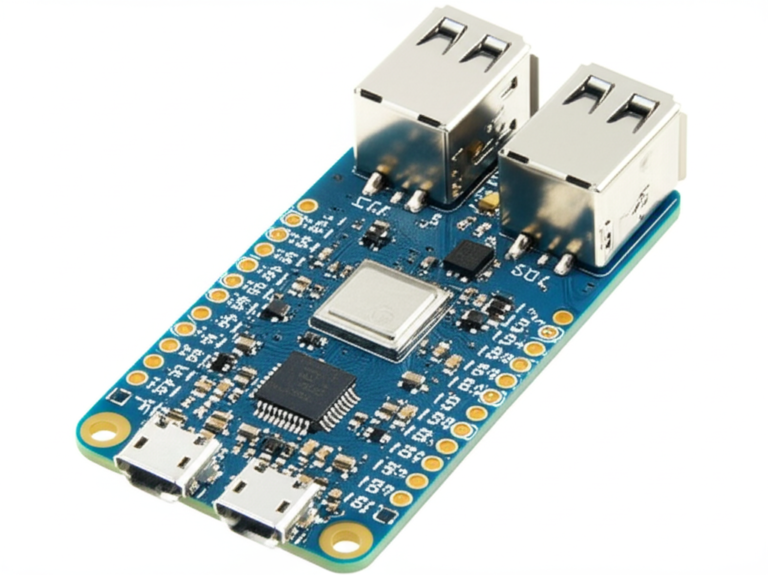
The core idea is right there in the name: single board. This means the microprocessor (the “brain”), memory (RAM), input/output (I/O) controllers, and other essential features are all integrated onto one printed circuit board (PCB). Unlike a desktop PC motherboard that relies on expansion slots for adding components like graphics cards or network adapters, many SBCs are designed
to provide all necessary I/O directly on the board, often without provision for plug-in cards. This high level of integration is precisely what makes them so compact, power-efficient, and often, more reliable due
to fewer connectors and bus driver circuits.
🔬 Anatomy of an SBC: Key Components Explained
So, what makes
these little wonders tick? Let’s dissect a typical SBC and peek at its vital organs:
- Processor (SoC – System on a Chip): This is the heart and brain of your SBC. Modern SBCs almost universally
use an SoC, which integrates the Central Processing Unit (CPU), Graphics Processing Unit (GPU), memory controller, and often other peripherals like USB controllers, Ethernet, and video encoders/decoders, all onto a single silicon die. This is a
huge reason for their compact size and efficiency. For example, the Raspberry Pi 5 uses a Broadcom BCM2712 SoC. - RAM (Random Access Memory): Just like a
desktop computer, an SBC needs RAM to temporarily store data and instructions for the CPU. This is typically LPDDR (Low-Power Double Data Rate) memory, soldered directly onto the board. The amount of RAM can vary wildly, from
512MB on older or very budget-focused boards to 32GB or more on high-end models like the Radxa Orion O6N. - Storage: While some SBCs have a
small amount of onboard eMMC (embedded MultiMediaCard) flash storage, most rely on external storage. This usually comes in the form of a microSD card slot (ubiquitous on Raspberry Pis), or increasingly, NVMe M.2 slots for
faster, more robust storage solutions. - Connectivity (I/O – Input/Output): This is where your SBC connects to the outside world. You’ll find a variety of ports:
- USB Ports
: For keyboards, mice, webcams, external storage, and other peripherals. - Ethernet Port: For wired network connectivity.
- Wi-Fi & Bluetooth: Often integrated directly onto the board
for wireless communication. - HDMI/DisplayPort: For connecting to monitors or TVs.
- Audio Jack: For headphones or speakers.
- CSI (Camera Serial Interface) & DSI (Display Serial Interface): Dedicated connectors for cameras and displays, common on Raspberry Pi.
- GPIO (General Purpose Input/Output) Pins: Ah, the magic pins! These are perhaps the most exciting feature for makers and engineers
. GPIO pins allow your SBC to interact directly with the physical world – controlling LEDs, reading sensor data, driving motors, and communicating with other microcontrollers. This is where the “embedded control systems” aspect truly shines. - Power
Input: A dedicated port (often USB-C or a barrel jack) to supply power to the board.
<a id=”form-factors-and-footprints-finding-the-right-size-for-your-
project”>📏 Form Factors and Footprints: Finding the Right Size for Your Project
One of the first things you’ll notice about SBCs is their incredible variety in size and shape. This isn’t just for aesthetics; different
form factors are designed to meet specific needs, from tiny embedded applications to more robust industrial uses.
Here’s a quick rundown of some common SBC form factors you might encounter:
-
Credit Card Sized (e.g., Raspberry Pi, Orange Pi): These are perhaps the most recognizable, popularized by the Raspberry Pi. They’re incredibly compact, making them ideal for projects where space is at a premium, like robotics, media centers, or smart home devices.
-
Mini-ITX / Pico-ITX: These are slightly larger but still very compact, often found in industrial PCs or small-form-factor desktop replacements. Mini-ITX boards are 170x170mm
, while Pico-ITX are even smaller at 100x72mm. They often offer more robust connectivity and sometimes even standard PC expansion slots. -
PC/104 and
Derivatives (PC/104-Plus, PCI-104): These are fascinating! Instead of a traditional backplane, PC/104 boards are designed to stack on top of each other using pin connectors. This makes
them incredibly modular and rugged, perfect for embedded control systems in harsh environments where vibration and shock are concerns. We’ve used these in some pretty wild industrial automation projects! -
96Boards (CE, EE, EETV, IE): This is an open hardware specification that aims to standardize the layout of SBCs, making it easier to develop accessories and software across different manufacturers. You’ll find various “flavors” like
Consumer Edition (CE) for general use, and Enterprise Edition (EE) for more powerful applications. -
Compute Modules (e.g., Raspberry Pi Compute Module, ArmSoM CM5): These
are SBCs designed to be integrated into custom carrier boards. They pack the core SoC, RAM, and flash storage into a compact module, leaving the I/O and specific connectors to the carrier board designer. This is fantastic for industrial applications or
products that need a highly customized interface. The ArmSoM CM5, for instance, is a Rockchip RK3576 SoC in a Jetson Nano-compatible compute module form factor.
Choosing
the right form factor is crucial. Are you building a tiny wearable? A robust industrial controller? A desktop replacement? The size and layout of your SBC will dictate your project’s physical constraints and expansion possibilities.
💡 Why Choose an SBC? The Advantages Over Traditional PCs
So, you might be thinking, “Why bother with a tiny single
board computer when I have a perfectly good desktop PC or laptop?” That’s a fair question! But here at Why Pi™, we’ve seen firsthand how SBCs aren’t just alternatives; they’re often the superior choice for
a vast array of applications. It’s not about replacing your gaming rig; it’s about unlocking new possibilities where traditional PCs simply can’t compete.
Let’s break down the compelling advantages that make SBCs shine:
✅ Cost-Effectiveness: This is often the first thing that grabs people’s attention. A single board configuration significantly reduces the overall system cost. How? By minimizing the number of circuit boards, eliminating expensive connectors, and cutting down on bus
driver circuits that would be necessary in a multi-board system. While a high-end SBC might approach the cost of a budget desktop, for many projects, the entry barrier is incredibly low.
✅ Compact Size & Weight:** This is a no-brainer. SBCs are, by definition, small. This makes them perfect for embedded applications where space is at a premium, like smart home devices, drones, robotics, or even wearable
tech. Try fitting a full ATX motherboard into a drone!
- ✅ Power Efficiency: With fewer components and highly integrated SoCs, SBCs consume significantly less power than traditional PCs. This is crucial for battery-powered projects,
always-on servers (like a home automation hub), or applications in remote locations where power sources are limited. Imagine running a full desktop PC 24/7 just to monitor your garden’s soil moisture – overkill!
✅ Enhanced Reliability: Fewer components mean fewer points of failure. The elimination of multiple connectors and bus interfaces, combined with high levels of integration, makes SBCs inherently more robust and reliable than comparable multi-board computers. This
is a huge plus for industrial applications or devices deployed in challenging environments.
- ✅ Dedicated I/O for Embedded Control: This is where SBCs truly differentiate themselves for makers and engineers. The presence of General Purpose Input/Output
(GPIO) pins allows direct interaction with sensors, actuators, and other electronic components. You can’t easily do that with a standard desktop PC! This makes them ideal for process control, automation, and IoT prototyping. - ✅ Silent
Operation: Most SBCs are passively cooled or use very small, quiet fans, meaning they operate silently. No whirring desktop fans here! This is fantastic for media centers in your living room or sensitive laboratory environments. - ✅ Learning
& Development Platform: For students, hobbyists, and professional developers, SBCs offer an accessible and affordable platform for learning programming, electronics, and operating systems like Linux. They’re a fantastic sandbox for experimentation without the fear of bricking an
expensive piece of hardware.
Now, let’s be fair. We’re not saying traditional ATX motherboards are obsolete. Far from it! They have their own distinct advantages, primarily driven by sheer scale. The “primary advantage of
an ATX motherboard as compared to an SBC is cost” when it comes to mass production for consumer markets. Economies of scale mean that while an SBC might be cheaper for a specific embedded task, a general-purpose ATX
motherboard can be incredibly inexpensive for the raw computing power it offers. However, for specialized, compact, or power-constrained applications, the SBC reigns supreme. It’s all about choosing the right tool for the job!
🔍 Exploring the SBC Ecosystem: Diverse Types and Architectures
The world of single board computers is a vibrant, ever-expanding ecosystem,
teeming with diverse architectures and specialized designs. It’s like a digital jungle, with each species evolving to fill a particular niche. From the ubiquitous ARM-based boards that power countless hobby projects to the more robust x86 and specialized AI
-focused SBCs, there’s a perfect fit for almost any endeavor you can imagine. Let’s trek through this fascinating landscape!
ARM-based Powerhouses: The Raspberry Pi and Beyond
When most people think of an SBC, they immediately picture a Raspberry Pi. And for good reason! The Raspberry Pi, powered by ARM architecture, has become a household
name, synonymous with accessible computing and DIY innovation. Initially designed to promote computer science education, it quickly transcended its academic roots to become a favorite among hobbyists for everything from home automation to media streaming. Its
success lies in its fantastic balance of performance, power efficiency, affordability, and, crucially, an enormous, supportive community.
However, the Raspberry Pi isn’t the only ARM game in town. The market is rich with competitors, each bringing
its own strengths to the table:
- BeagleBoard: Known for its open-source philosophy and robust industrial applications. The BeagleBoard BeagleBone Green Eco, for example, is a reliable choice for embedded applications, offering excellent
documentation and community support. We’ve seen these deployed in some seriously tough environments! - Orange Pi: A strong contender offering a wide range of boards, often at competitive prices. They’re known
for pushing the envelope with new SoCs and form factors. The Orange Pi RV and RV2 are examples of their investment in the RISC-V architecture, keeping things “fresh and fun.”
Banana Pi: Another prolific manufacturer with a diverse lineup, often focusing on specific use cases like network appliances. The Banana Pi R4, with its MediaTek MT7988A SoC, is a prime example, ideal for custom
routers and OpenWrt projects.
- ODROID: Produced by Hardkernel, ODROID boards are often lauded for their raw power and premium components, catering to users who need more oomph for
tasks like gaming emulation or more demanding server applications. - PINE64: A community-driven project offering a variety of open-source hardware, including SBCs, laptops, and smart devices. They focus on user freedom
and customization. - Nano Pi: FriendlyELEC’s line of compact and often very affordable SBCs, popular for small-scale projects and embedded systems.
- Radxa: A rising star in the SBC
space, consistently delivering high-performance boards. The Radxa Cubie A7A was highlighted as a standout budget board in 2025, offering “the best bang for your buck.” Their **
Radxa Dragon Q6A** also made waves with its Qualcomm QCS6490 SoC, delivering “Raspberry Pi 5 territory” single-core performance at a very attractive price point.
Now
, a quick word about the elephant in the room: Raspberry Pi pricing. We’ve been hearing a lot about this, and it’s a real concern for many hobbyists. As noted in a recent YouTube video, there
have been “significant price hikes on Raspberry Pi devices, particularly the Raspberry Pi 5, due to soaring DRAM costs.” The video mentions a 16GB Raspberry Pi 5 being priced at $299.9
9, a 150% increase! This “RAMageddon,” as some call it, is attributed to a sevenfold increase in DRAM pricing, driven by factors like AI demand and supply chain issues.
This has unfortunately made many SBC projects less accessible.
However, it’s not all doom and gloom! The video also highlights alternatives like the Radxa Dragon Q6A as a good
value, and mentions that older models like the Raspberry Pi 3 and 02W “are still a great value.” It’s a dynamic market, and while Raspberry Pi continues to iterate (like the refined Pi 500+), the competition is definitely heating up, pushing innovation across the board.
<a id=”x86-mini-marvels-when-you-need-desktop-
compatibility”>x86 Mini-Marvels: When You Need Desktop Compatibility
While ARM-based SBCs dominate the hobbyist and embedded space due to their power efficiency, there are times when you simply need the full compatibility and raw
processing power of an x86 architecture. This is where x86 mini-marvels come into play. These SBCs, often featuring Intel Atom, Celeron, or even Core series processors, bridge the gap between traditional desktop PCs and the
compact world of SBCs.
Why choose x86?
- Software Compatibility: If your project absolutely requires Windows, or specific Linux distributions and applications that are heavily optimized for x86 architecture, then these boards are your go
-to. - Legacy Support: For industrial applications or specialized equipment that relies on older x86-based software, these SBCs provide a modern, compact platform.
- Higher Performance (often): While ARM
is catching up rapidly, x86 processors often still offer superior single-core performance and broader compatibility with high-performance desktop software.
Brands like LattePanda are excellent examples of x86 SBCs, offering a full
Windows experience on a tiny board, complete with Arduino co-processors for GPIO control. We’ve used these for compact industrial control panels where a full Windows environment was a non-negotiable requirement. They might consume a bit more power and
generate more heat than their ARM counterparts, but for specific tasks, they are indispensable.
Specialized SBCs: AI, Robotics, and
Industrial Applications
Beyond the general-purpose ARM and x86 boards, there’s a fascinating realm of specialized SBCs designed for very specific, demanding tasks. These are the workhorses of the future, powering everything from smart factories to autonomous vehicles
.
- AI/Machine Learning Edge Devices: The demand for AI at the “edge” – processing data locally rather than sending it to the cloud – has spurred the development of powerful AI-focused SBCs. These often feature dedicated Neural
Processing Units (NPUs) or powerful GPUs for accelerating machine learning inference. - NVIDIA Jetson Series: While technically a System-on-Module (SOM) that requires a carrier board, the Jetson Nano, Xavier
NX, and Orin Nano are incredibly popular for AI and robotics, offering serious GPU horsepower for computer vision and deep learning. - Qualcomm’s Entry: Qualcomm has made a significant splash in the SBC market, particularly with its
focus on AI. The Radxa Dragon Q6A, featuring a Qualcomm QCS6490, delivers impressive performance, and the high-end Radxa Fogwise Airbox Q900 (with a Qualcomm IQ-9075 and 36GB LPDDR5) is explicitly designed for “Qualcomm AI stack and edge deployment use cases.” As one reviewer put it, “Qualcomm entering the SBC
market is one of the bigger stories of 2025.” - CIX P1: This new SoC from CIX is a breakout star, offering “monster multi-core numbers”
. Boards like the Radxa Orion O6N and Orange Pi 6 Plus (both featuring the CIX P1 with 32GB LPDDR5) show incredible potential for demanding
multi-threaded applications. If the software ecosystem matures, CIX could become a serious player in the high-performance SBC space. - Industrial Control and Automation: These SBCs are built to withstand
harsh environments, often featuring wider operating temperature ranges, robust power inputs, and specialized I/O for industrial sensors and actuators. They are frequently embedded within other devices, performing critical process control tasks. Think factory automation
, smart agriculture, or remote monitoring stations. - Robotics and Drones: For autonomous systems, SBCs are the brains, processing sensor data, executing navigation algorithms, and controlling motors. They need to be compact, lightweight, and
capable of real-time processing.
The evolution of these specialized SBCs is truly exciting. They’re pushing the boundaries of what’s possible in compact computing, enabling innovations that were once confined to science fiction.
💻 Your SBC’s Brain: Choosing the Right Operating System (OS)
So you’ve picked out your shiny new Single
Board Computer – congratulations! But what’s a brain without a mind? Just like your desktop PC needs Windows, macOS, or Linux, your SBC needs an Operating System (OS) to bring it to life. Choosing the right OS is
a critical step, as it dictates what software you can run, how you interact with your hardware, and ultimately, what projects you can tackle.
At Why Pi™, we’ve flashed more OS images than we care to count, and
we can tell you, the experience can range from seamless to hair-pullingly frustrating! The good news is, the SBC ecosystem offers a fantastic variety of OS options, each with its own strengths and ideal use cases.
Here are the main
contenders you’ll encounter:
- Linux Distributions (The Reigning Champion 👑):
- Why it’s popular: Linux is the undisputed king of the SBC world. It’s open-source,
highly customizable, lightweight, and boasts an enormous community. Most SBC manufacturers provide optimized Linux distributions for their boards. - Raspberry Pi OS (formerly Raspbian): If you have a Raspberry Pi, this is often your first
stop. It’s a Debian-based distribution specifically optimized for the Pi’s ARM architecture, offering a familiar desktop environment and easy access to development tools. - Ubuntu (and flavors like Ubuntu MATE, Ubuntu Server): A very popular choice for many ARM-based SBCs. Ubuntu offers a robust, well-supported environment, and its server variants are excellent for headless (no monitor) applications like home servers or IoT gateways.
- Arm
bian: This is a fantastic community-driven project that provides highly optimized Debian and Ubuntu images for a vast array of ARM-based SBCs beyond the Raspberry Pi. If you’re struggling to find good software support for a lesser-known board,
“Armbian is a good alternative”. We’ve personally relied on Armbian countless times to get tricky boards up and running smoothly. - Other Niche Distros: Depending on your project,
you might explore specialized Linux distributions like: - RetroPie/Lakka: For turning your SBC into a retro gaming console.
- OpenWrt: For creating custom routers and network appliances. The Banana
Pi R4, for instance, is “ideal for OpenWrt, router, and network appliance use cases.” - DietPi: A super-lightweight, optimized Debian-based OS
for minimal resource consumption. - Pros: Huge software repository, excellent command-line tools, highly configurable, strong community support, free.
- Cons: Can have a steeper learning curve for beginners compared to desktop
OSes, some hardware acceleration might require proprietary drivers.
- Android (For Media and Mobile-like Experiences 📱):
- Many SBCs, especially those with powerful GPUs, offer Android images. This is ideal
if you want to build a custom media player, a digital signage solution, or an embedded device with a touch-screen interface that mimics a tablet or smartphone. - Pros: Familiar touch-friendly interface, access to Android
app ecosystem (though compatibility can vary), good for multimedia. - Cons: Less control over the underlying system compared to Linux, often less optimized for GPIO access, updates can be sporadic.
- Windows IoT
Core (For Microsoft Ecosystem Enthusiasts 🪟):
- Microsoft offers Windows IoT Core, a stripped-down version of Windows designed for embedded devices and SBCs. It’s primarily used for developing IoT solutions
within the Microsoft ecosystem, leveraging Universal Windows Platform (UWP) apps. - Pros: Familiar development environment for Windows developers, integration with Azure IoT services.
- Cons: Limited hardware support compared to Linux
, not a full desktop Windows experience, generally less performant than Linux on the same hardware.
- Specialized Real-Time Operating Systems (RTOS) (For Precision Control ⏱️):
- For
highly critical applications requiring precise timing and deterministic behavior (e.g., industrial control, robotics), an RTOS might be necessary. These are not general-purpose OSes but rather lightweight kernels designed for specific real-time tasks.
Pros: Predictable performance, low latency, crucial for safety-critical systems.
- Cons: Much more complex to develop for, not suitable for general computing tasks.
Our Expert Tip: For beginners, we
almost always recommend starting with the officially supported Linux distribution for your chosen SBC (e.g., Raspberry Pi OS for a Raspberry Pi). Once you’re comfortable, then you can branch out and experiment! The beauty of SBCs is that you can easily
re-flash your storage and try a different OS whenever you like. Just remember to back up your data!
🚀 16+ Incredible Applications for Single Board Computers: Unleash Your Creativity!
Alright, we’ve talked about what SBCs are and why they’re so cool. Now for the fun
part: what can you do with them? This is where the magic truly happens! At Why Pi™, we’ve witnessed (and participated in!) countless projects that transform these unassuming circuit boards into powerful tools, playful gadgets, and ingenious
solutions. Prepare to have your mind blown by the sheer versatility of single board computers!
Here are 16+ incredible ways you can unleash your creativity with an SBC:
1. <a id=”home-automation-h
ubs-and-smart-devices”>Home Automation Hubs and Smart Devices
Tired of subscription fees and closed ecosystems? An SBC can be the brain of your smart home!
- What you can do: Run open
-source home automation software like Home Assistant or OpenHAB to control lights, thermostats, smart plugs, and sensors. Create custom routines and dashboards. - Why it’s great: Complete privacy, local control, and endless customization.
We’ve built systems that automatically adjust lighting based on natural light levels and even brew coffee when our alarm goes off! - SBCs to consider: Raspberry Pi (any model with Wi-Fi/Ethernet), OD
ROID, Home Assistant Green.
2. Retro Gaming Consoles and Emulators
Relive your childhood! Turn your SBC into a dedicated retro gaming machine.
- What you can do: Emulate classic consoles like NES, SNES, Sega Genesis, PlayStation 1, and even arcade cabinets.
- Why it’s great: Compact, portable, and a fantastic
way to enjoy thousands of classic games. We’ve spent countless hours battling Bowser on our Pi-powered arcade cabinet. - SBCs to consider: Raspberry Pi (especially Pi 4/5 for better performance), ODROID
, Orange Pi.
3. Personal Media Centers (Plex, Kodi)
Say goodbye to streaming service hopping! Build your own media server.
*
What you can do: Run Plex Media Server or Kodi to organize and stream your personal collection of movies, TV shows, and music to any device in your home.
- Why it’s great: Centralized media, no
internet required for playback, and a sleek user interface. - SBCs to consider: Raspberry Pi 4/5, ODROID N2+, NVIDIA Jetson Nano (for 4K transcoding).
4. <a
id=”diy-robotics-and-drones”>DIY Robotics and Drones
Give your robots a brain! SBCs are perfect for controlling complex robotic systems.
- What you can do: Build autonomous robots, remote
-controlled vehicles, or even custom drones. Process sensor data, execute navigation algorithms, and control motors. - Why it’s great: The GPIO pins allow direct interaction with motors, servos, and sensors, making it an
ideal platform for learning robotics. - SBCs to consider: Raspberry Pi, NVIDIA Jetson (for AI-powered vision), BeagleBone Black.
5. <a id=”network-attached-storage-
nas-servers”>Network-Attached Storage (NAS) Servers
Create your own private cloud storage.
- What you can do: Set up a low-power NAS to store and share files across your home network, back up devices
, and even host personal cloud services. - Why it’s great: Data privacy, cost-effective, and accessible from anywhere. We use ours to store all our project files and family photos.
- SBCs to
consider: Raspberry Pi 4/5 (with USB 3.0 for external drives or NVMe), ODROID HC4, Radxa ROCK 4D.
6. <a id=”web-servers-and
-development-environments”>Web Servers and Development Environments
Host your own websites or test your code locally.
- What you can do: Run a lightweight web server (Apache, Nginx), host a personal blog, or
create a portable development environment for coding on the go. - Why it’s great: Learn server administration, test web applications, and have a dedicated, always-on development box.
- SBCs to consider: Any
Raspberry Pi, Orange Pi, Radxa boards.
7. Educational Tools and Coding Platforms
Learn to code and explore computer science hands-on.
- What you can do: Use SBCs in classrooms or at home to teach programming languages like Python, Scratch, and C++. Experiment with electronics and physical computing.
- Why it’s great: Affordable, engaging, and
provides a tangible way to understand computing concepts. This is, after all, why the Raspberry Pi was invented! - SBCs to consider: Raspberry Pi (especially the Pi 400 for a complete keyboard computer), Arduino UNO Q (for a unique blend of SBC and microcontroller).
8. IoT Prototyp
ing and Sensor Networks
Bring your Internet of Things ideas to life.
- What you can do: Connect various sensors (temperature, humidity, motion, light) to your SBC, collect data, and send it to cloud platforms
or local databases. Build smart garden systems, environmental monitors, or security systems. - Why it’s great: Rapid prototyping, low power consumption, and direct interaction with the physical world via GPIO.
- SBC
s to consider: Raspberry Pi Zero W, ESP32-based boards, BeagleBone Green Eco.
9.
Digital Signage and Kiosks
Create dynamic displays for businesses or public spaces.
- What you can do: Drive informational displays, interactive kiosks, or menu boards.
- Why it’s great: Cost
-effective, reliable, and easy to update content remotely. - SBCs to consider: Raspberry Pi, Orange Pi, any SBC with good video output.
10. <a id=”portable-computing
-and-laptops”>Portable Computing and Laptops
Build your own custom laptop or portable workstation.
- What you can do: Combine an SBC with a screen, keyboard, and battery to create a lightweight, low
-power laptop for basic tasks, coding, or field work. The Raspberry Pi 500+ is a prime example, integrating a keyboard and SBC into one refined product. - Why
it’s great: Ultimate portability, customization, and a unique learning experience. - SBCs to consider: Raspberry Pi 400/500+, LattePanda (for x86 compatibility).
Set up your own private, local surveillance.
- What you can do: Connect USB or CSI cameras to your SBC
, record footage, detect motion, and send alerts. - Why it’s great: Avoid cloud subscriptions, maintain privacy, and customize detection logic.
- SBCs to consider: Raspberry Pi (with official camera module), NVIDIA Jetson (for advanced object detection).
12. Industrial Control and Automation
The unsung heroes of factories and infrastructure.
*
What you can do: Control machinery, monitor industrial processes, collect data from sensors in harsh environments, and implement automation logic. SBCs are frequently “embedded within other devices” for these critical tasks.
*
Why it’s great: Robustness, reliability, and cost-effectiveness for specialized industrial I/O.
- SBCs to consider: BeagleBone Black, industrial-grade x86 SBCs, PC/1
04 stackable systems.
13. AI/Machine Learning Edge Devices
Bring intelligence closer to the data source.
*
What you can do: Run machine learning inference models for tasks like object recognition, predictive maintenance, or natural language processing directly on the device, reducing latency and bandwidth.
- Why it’s great: Real-time decision
-making, enhanced privacy, and reduced reliance on cloud computing. - SBCs to consider: NVIDIA Jetson series, Radxa Fogwise Airbox Q900 (for its Qualcomm AI stack), ArmSoM AIM
7 (Jetson Nano replacement).
14. Weather Stations and Environmental Monitoring
Track your local environment with precision.
*
What you can do: Connect various environmental sensors (temperature, humidity, pressure, air quality, UV) to collect data, log it, and even upload it to online weather services.
- Why it’s great:
Hyper-local data, educational, and a fun way to learn about sensor interfacing. - SBCs to consider: Raspberry Pi Zero W, any SBC with GPIO.
15. <a id=”am
ateur-radio-and-sdr-projects”>Amateur Radio and SDR Projects
Explore the airwaves with Software Defined Radio.
- What you can do: Use an SBC with an SDR dongle to receive and decode various radio
signals, from aircraft transponders (ADS-B) to weather satellites and amateur radio communications. - Why it’s great: A fascinating entry point into radio technology, highly customizable, and a powerful learning tool.
SBCs to consider: Raspberry Pi, Orange Pi.
16. VPN Servers and Network Security Tools
Enhance your network privacy
and security.
-
What you can do: Set up your own Virtual Private Network (VPN) server to securely access your home network from anywhere, or deploy network-wide ad blockers (like Pi-hole) and intrusion detection systems.
-
Why it’s great: Control your own data, protect your privacy, and learn about network administration.
-
SBCs to consider: Raspberry Pi, Banana Pi R4 (designed for networking).
And that’s just the tip of the iceberg! The beauty of SBCs lies in their open-ended nature. With a little imagination and some elbow grease, you can truly build almost anything. What will you create
?
🛒 How to Choose Your Perfect SBC: A Buyer’s Guide
Choosing the right Single Board Computer can
feel like navigating a labyrinth of specifications, brands, and buzzwords. With so many fantastic options out there, how do you pick the one that’s perfect for your project? Don’t worry, fellow enthusiast, we’ve
been there! At Why Pi™, we’ve learned that the “best” SBC isn’t a universal truth; it’s the one that best fits your specific needs, budget, and technical comfort level.
Let’s break down
the key factors to consider, so you can make an informed decision and avoid buyer’s remorse.
Performance vs. Power Efficiency: Finding
Your Balance
This is often the first fork in the road. Are you building a high-performance media server that needs to transcode 4K video, or a battery-powered sensor node that needs to run for months on end?
High Performance: If your project demands serious processing power (e.g., AI/ML, complex robotics, desktop replacement, heavy emulation), you’ll want to look for SBCs with:
- Faster clock speeds and
more CPU cores: Boards like the Raspberry Pi 5, Radxa Dragon Q6A, or those with the CIX P1 SoC (like the Radxa Orion O6N or Orange Pi 6 Plus) offer impressive multi-core performance
. The CIX P1, in particular, boasts “monster multi-core numbers.” - More RAM: 4GB, 8GB, or even
16GB+ of LPDDR4/LPDDR5 memory will be crucial for demanding applications. Remember, “RAMageddon” has impacted prices, so keep an eye on current availability and cost. - Dedicated NPUs/GPUs: For AI workloads, look for boards like the NVIDIA Jetson series or Qualcomm-based SBCs (e.g., Radxa Fogwise Airbox Q900) that have
specialized hardware for accelerating AI inference. - Power Efficiency: For battery-powered devices, IoT sensors, or always-on home automation hubs where minimal power draw is paramount, prioritize:
Lower power ARM processors: Often found in boards like the Raspberry Pi Zero W or the BeagleBone Green Eco.
- Less RAM: 512MB or 1GB might
be perfectly sufficient for lightweight tasks. - Consider microcontrollers: For extremely low-power, simple tasks, a microcontroller (like an ESP32 or Arduino) might even be a better fit than a full SBC, a
trend we’ve seen emerge due to rising SBC costs.
Our Take: Don’t overbuy! A Raspberry Pi Zero W is fantastic for a simple sensor, but it will struggle as a desktop
replacement. Conversely, a high-end SBC is overkill (and power-hungry) for blinking an LED. Match the power to the purpose.
<a id=”connectivity-and-io-what-ports-do-you
-need”>Connectivity and I/O: What Ports Do You Need?
This is where your project physically connects to the world. Map out all the peripherals and connections your project requires before you buy.
- USB Ports:
How many? What speed (USB 2.0, 3.0, 3.2)? Do you need Type-A, Type-C, or both? - Networking:
- Ethernet: Do
you need Gigabit Ethernet for fast network transfers (e.g., NAS)? Some boards, like the Banana Pi R4, are specifically designed for robust networking. - Wi-Fi & Bluetooth
: Essential for wireless projects. Check for the latest standards (Wi-Fi 5/6, Bluetooth 5.0+). - Display Output: HDMI, DisplayPort, DSI (for dedicated displays)? What resolution and refresh
rate do you need? - Storage:
- microSD card slot: Standard for most hobbyist SBCs.
- eMMC: Faster and more reliable than microSD for some boards.
NVMe M.2 slot: The gold standard for fast, high-capacity storage, increasingly common on newer, higher-performance SBCs like the Raspberry Pi 500+.
GPIO Pins:** Absolutely crucial for interacting with electronics. How many do you need? Do you require specific protocols like I2C, SPI, UART?
- Camera/Display Interfaces: CSI (Camera Serial Interface) and DSI (Display Serial Interface) are common on Raspberry Pi and similar boards for connecting official camera modules and touchscreens.
- Specialized I/O: Some industrial SBCs offer unique I/O like CAN bus, RS-232/
485, or multiple Gigabit Ethernet ports. Remember, some embedded SBCs provide all required I/O without expansion slots, while others support stacking form factors like PC/104 for modular expansion.
Community Support and Documentation: Don’t Go It Alone!
This is often overlooked but is paramount for a
smooth SBC journey, especially for beginners.
- Active Community Forums: Can you find answers to common problems? Are there active users willing to help? The Raspberry Pi community is legendary for its size and helpfulness.
Comprehensive Documentation:** Are there clear guides, tutorials, and datasheets available? Good documentation from manufacturers like ArmSoM is highly praised.
- Operating System Support: Are there official or community-supported
OS images (like Armbian) available and regularly updated for your chosen board? “Armbian is a good alternative” for many Rockchip-based boards. - Third-Party Resources: Are there plenty
of YouTube videos, blog posts, and project examples using the board?
Our Anecdote: We once bought a super-cheap, powerful SBC from an obscure manufacturer. The specs looked amazing! But the documentation was sparse, the community
non-existent, and the OS images were buggy. We spent weeks troubleshooting basic issues that would have taken minutes on a well-supported board. Lesson learned: good support is worth its weight in gold!
<a id=”budget
-considerations-getting-the-most-bang-for-your-buck”>Budget Considerations: Getting the Most Bang for Your Buck
SBCs range from incredibly affordable to surprisingly expensive. Set a realistic budget, but also understand
what you’re getting for your money.
- The “Budget Boards” (Under $50): These are fantastic for getting started or for projects with minimal demands.
- BeagleBoard BeagleBone Green
Eco ($42): Reliable, well-documented, and great for embedded applications. - StarFive VisionFive 2 Lite ($43): A cheap entry into RISC-V
architecture, though don’t expect ARM-level performance yet. - Arduino UNO Q ($44): Arduino’s interesting entry into the SBC market, leveraging Qualcomm.
- Orange Pi RV/RV2 ($50/$46): Orange Pi’s RISC-V offerings.
- Radxa Cubie A7A ($45): A standout budget board with an Allwinner A733 and 6GB LPDDR5, offering “the best bang for your buck in 2025.”
The “Mid-Range” ($50 to $100):** This is a sweet spot for many hobbyists, offering a good balance of performance and features.
- **Radxa ROCK 4D ($60):
** A solid entry into Rockchip RK3576 territory with 8GB LPDDR5. - Radxa Dragon Q6A ($70): Impressive performance from a
Qualcomm QCS6490, with single-core scores “in Raspberry Pi 5 territory.” - ArmSoM CM5 ($95): A compute module with RK3576
, offering similar performance to the ROCK 4D but in a different form factor. - Banana Pi R4 ($99): Excellent for networking applications with its MediaTek MT798
8A. - The “High-End” ($100 and Up): These boards are for demanding applications, often featuring more RAM, faster storage, and specialized AI hardware.
Raspberry Pi 500+ ($200): A refined Raspberry Pi product with 16GB LPDDR4X and NVMe storage.
-
ArmSoM AIM
7 ($239): An RK3588 SoC in a Jetson Nano-compatible form factor, praised for documentation. -
Radxa Orion O6N ($199)
/ Orange Pi 6 Plus ($260): Both feature the powerful CIX P1 SoC with 32GB LPDDR5, offering “multi-core scores… in a completely different league.” -
Radxa Fogwise Airbox Q900 ($590): A high-end Qualcomm-based board for AI and edge deployment.
A Note on RAM Prices:
As we’ve discussed, LPDDR4 and LPDDR5 memory prices have seen significant increases, leading to higher SBC costs. This “RAMageddon” means that prices you see online might fluctuate
, and some boards might be harder to find. “The situation is supposedly temporary… but whether that means months or years is anyone’s guess at this point.” This makes it even more important to compare current prices
and availability.
Ultimately, choosing your perfect SBC is an exciting part of the journey. By carefully considering performance, I/O, community support, and your budget, you’ll be well on your way to bringing your next big idea
to life!
🛠️ Getting Started with Your SBC: First Steps to Success
You’ve done
it! You’ve chosen your Single Board Computer, and that little package has just arrived. The anticipation is palpable, right? That tiny circuit board holds so much potential! But before you dive headfirst into building your dream project, there are
a few essential first steps to get your SBC up and running. Think of this as your “SBC Launch Sequence” – follow these steps, and you’ll be off to a flying start!
<a id=”essential-accessories
-power-supplies-cases-and-storage”>Essential Accessories: Power Supplies, Cases, and Storage
An SBC rarely works straight out of the box. You’ll need a few crucial companions to bring it to life.
Don’t skimp on these; they can make or break your experience!
- ✅ Power Supply: This is non-negotiable. Your SBC needs stable, sufficient power.
-
Why it matters
: Underpowered SBCs can lead to instability, crashes, and even data corruption. Don’t just grab any old phone charger! -
What to look for: Check your SBC’s specifications for the recommended voltage (usually 5V) and amperage (often 2.5A, 3A, or even 5A for newer, more powerful boards). Many modern SBCs use USB-C for power, but some still use barrel jacks.
-
Our Tip: Always buy the official power supply if available, or a high-quality third-party alternative from a reputable brand like CanaKit or Vilros.
-
👉 Shop Power Supplies for Raspberry Pi on: Amazon | Walmart | Raspberry Pi Official
- ✅ Storage Medium (microSD Card or NVMe SSD): This is where your operating system and all
your files will live.
- microSD Card: The most common choice for many SBCs, especially Raspberry Pis.
- Why it matters: Speed and reliability are key. A slow card will make your SBC feel sluggish
. - What to look for: Class 10 or higher, U1 or U3 speed rating. We recommend reputable brands like SanDisk Extreme or Samsung EVO Select. Aim for at least 16GB,
but 32GB or 64GB is often a good starting point. - 👉 Shop microSD Cards on: Amazon | Walmart
- NVMe SSD: For
higher-performance SBCs that support it (like Raspberry Pi 5), an NVMe SSD offers significantly faster boot times and application loading. You’ll likely need an M.2 HAT or adapter. - 👉 Shop NVMe SSDs
on: Amazon | Walmart
✅ Case (Optional, but Recommended): Protect your investment!
- Why it matters: Prevents accidental shorts, protects against dust and minor bumps, and often aids in cooling.
- What to look for
: Passive cooling cases (with heatsinks) are great for silent operation. Active cooling cases (with fans) are essential for higher-performance boards under heavy load. - Our Tip: Consider cases that offer easy access to GPIO pins
if your project will use them. - 👉 Shop Raspberry Pi Cases on: Amazon | Etsy
- ✅ HDMI Cable (if using a display): For connecting to a monitor or TV.
- Why it matters: Some SBCs use mini
-HDMI or micro-HDMI ports, so ensure you have the correct adapter or cable. - 👉 Shop HDMI Cables on: Amazon
| Walmart
- ✅ Keyboard and Mouse (for initial setup): Unless you’re going headless from the start.
- Why it matters: You’ll need these to navigate the OS and perform initial configurations.
- Our Tip: A wireless keyboard/mouse combo with a single USB dongle is often convenient.
👉 Shop USB Keyboard and Mouse on: Amazon | Walmart
Flashing Your OS: From Download to Boot
This is the digital heart transplant for your SBC. You
‘re essentially installing its brain!
- Download the OS Image:
-
Go to the official website of your SBC (e.g., Raspberry Pi Foundation for Raspberry Pi OS, Armbian for other boards).
-
Download the recommended OS image. It will usually be a
.imgor.zipfile. -
Our Tip: Always use the official source to avoid corrupted or malicious images.
- Choose Your Flashing
Software:
- Raspberry Pi Imager: The easiest and most recommended tool for Raspberry Pi users. It can download and flash OS images in one go.
- BalenaEtcher: A popular, user
-friendly, cross-platform tool for flashing images to SD cards or USB drives. - Rufus (Windows only): Another good option for Windows users.
- Flash the Image to Your Storage:
- Insert your microSD card (or connect your NVMe SSD via an adapter) into your computer.
- Open your chosen flashing software.
- Select the downloaded OS image.
- Select your storage device (be absolutely sure you select the correct drive, or you could wipe your computer’s hard drive!).
- Click “Flash” or “Write” and wait for the process to complete. This can take a few minutes.
- Eject and Insert:
- Safely eject the storage device from your computer.
- Insert the flashed microSD card or NVMe SSD into your SBC’s designated slot.
<a
id=”initial-setup-and-configuration-connecting-to-the-world”>Initial Setup and Configuration: Connecting to the World
Now for the moment of truth!
- Connect Peripherals:
- Plug in
your HDMI cable to a monitor. - Connect your keyboard and mouse to USB ports.
- (Optional) Connect an Ethernet cable for wired internet.
- Power On:
- Plug in your power
supply. Your SBC should boot up! You’ll typically see a splash screen, then the OS loading.
- First Boot Wizard:
-
Most user-friendly OSes (like Raspberry Pi OS) will guide
you through an initial setup wizard. This usually includes: -
Setting your country, language, and timezone.
-
Changing the default password: CRITICAL SECURITY STEP! Do this immediately.
-
Connecting to Wi-Fi: If you’re not using Ethernet.
-
Updating software: Always a good idea to update your OS and packages after the first boot.
- Explore and Experiment
:
- Once configured, you’re ready to explore! Open a web browser, try out the terminal, and start installing software.
- Our Tip: Don’t be afraid to experiment. If you mess
something up, you can always re-flash your OS and start fresh. That’s the beauty of SBCs!
Congratulations! You’ve successfully launched your SBC. The world of possibilities now awaits!
⚙️ Diving Deeper: Advanced SBC Concepts and Projects
You’ve mastered the basics, your SBC is humming along, and you’re ready to push
the boundaries. Excellent! At Why Pi™, we believe the real fun begins when you start to truly understand and manipulate the deeper functionalities of these incredible devices. This is where your projects transform from simple setups to truly custom, powerful creations. Let
‘s dive into some advanced concepts that will elevate your SBC game!
GPIO Pinout and Interfacing: Talking to
the Real World
This is arguably the most exciting aspect of SBCs for makers and engineers: the General Purpose Input/Output (GPIO) pins. These aren’t just random holes; they’re your SBC’s direct line of
communication with the physical world!
-
What are GPIO Pins? Imagine tiny switches and sensors that your SBC can read from or write to. Each pin can be configured as either an input (to read data from a sensor, button, etc.) or an output (to control an LED, relay, motor, etc.). They operate at low voltages (typically 3.3V or 5V), so you’ll often need level shifters or driver boards for higher
voltage/current devices. -
Understanding the Pinout: Every SBC has a specific GPIO pinout diagram. This diagram is your map! It tells you:
-
Which pins are GPIO.
-
Which pins provide
power (3.3V, 5V) or ground (GND). -
Which pins are dedicated to specific communication protocols like I2C, SPI, or UART.
-
Common Protocols:
-
I2C (Inter-Integrated Circuit): A two-wire serial protocol (SDA for data, SCL for clock) commonly used for communicating with sensors (temperature, humidity, accelerometers) and small displays.
SPI (Serial Peripheral Interface): A faster, four-wire serial protocol often used for displays, SD card readers, and certain sensors.
- UART (Universal Asynchronous Receiver/Transmitter): A simple
two-wire serial communication (TX for transmit, RX for receive) for connecting to other microcontrollers or serial devices. - Interfacing with Components:
- LEDs and Buttons: The classic “Hello World
” of physical computing. Use a GPIO output to light an LED and a GPIO input to read a button press. - Sensors: Connect environmental sensors (DHT11/22 for temp/humidity, BMP280 for pressure), motion sensors (PIR), or light sensors (LDR) to gather data.
- Actuators: Control relays to switch AC devices, drive motors (with a motor driver board), or control servos
for robotic movements. - Programming GPIO: You’ll typically use libraries in languages like Python (e.g.,
RPi.GPIOfor Raspberry Pi,gpiozerofor a more user-friendly approach) or
C/C++ to control these pins.
Our Anecdote: One of our engineers, fresh out of college, tried to connect a 12V motor directly to a Raspberry Pi’s GPIO pin. Poof!
A small puff of smoke and a dead Pi. Lesson learned the hard way: always use appropriate driver circuits (like motor drivers or relays) when interfacing high-power components! Protect your precious SBC!
<a id=”
hats-shields-and-expansion-boards-supercharging-your-sbc”>HATs, Shields, and Expansion Boards: Supercharging Your SBC
Think of these as plug-and-play superpowers for your SBC.
They extend functionality without requiring complex wiring or custom PCB design.
- HATs (Hardware Attached on Top): Specifically designed for Raspberry Pi, HATs are boards that sit directly on top of the Pi’s GPIO header.
They often include an EEPROM that allows the Pi to automatically identify the HAT and configure its GPIO pins. - Examples: PoE HATs (Power over Ethernet), DAC HATs (Digital-to-Analog Converters for audio),
motor driver HATs, display HATs. - Shields: A term more commonly associated with Arduino, but the concept is similar – boards that stack on top to add functionality.
- Expansion Boards/Breakout
Boards: These are generic terms for boards that add specific features or break out complex chips into an easier-to-use format. They connect via GPIO, USB, or other interfaces. - Examples: Sensor breakout boards, prototyping
boards, NVMe M.2 HATs for adding fast storage (like those used with the Raspberry Pi 5). - Why use them?
- Simplification: Avoid complex wiring and soldering.
Added Functionality: Easily add Wi-Fi, GPS, cellular connectivity, advanced audio, motor control, or specialized sensors.
- Prototyping Speed: Quickly test ideas without designing custom hardware.
CHECK
OUT Raspberry Pi HATs on: Amazon | Adafruit | Pimoroni
Programming Your
SBC: Languages and Development Tools
Your SBC is a blank canvas, and programming is your brush. The choice of language and tools depends on your project and comfort level.
-
**Python (The Beginner’s Best Friend 🐍):
** -
Why it’s popular: Easy to learn, vast libraries for everything from web development to machine learning and, crucially, excellent libraries for GPIO control. It’s often pre-installed on SBC OSes.
-
Tools: Thonny IDE (beginner-friendly), VS Code, Jupyter Notebooks.
-
C/C++ (For Performance and Low-Level Control 🚀):
-
Why
it’s popular: If your project demands maximum performance, real-time processing, or direct hardware interaction, C/C++ is the way to go. -
Tools: GCC compiler (standard on Linux), VS Code
with C/C++ extensions, PlatformIO. -
Node.js (For Web-Connected Projects 🌐):
-
Why it’s popular: If you’re building web servers, IoT dashboards
, or applications that heavily interact with web services, Node.js (JavaScript) is a powerful choice. -
Tools: npm (Node Package Manager), VS Code.
-
Go (For Concurrency and Efficiency ⚡):
-
Why it’s popular: Gaining traction for its performance, concurrency features, and ease of deployment, especially for server-side applications and microservices on SBCs.
-
Shell
Scripting (For Automation ⚙️): -
Why it’s popular: Essential for automating tasks, managing your system, and writing simple scripts to glue different programs together.
Our Tip: Start with Python for GPIO
projects. Its simplicity allows you to focus on the hardware interaction without getting bogged down in complex syntax. Once you need more speed or lower-level control, then explore C/C++.
<a id=”power-management-and-
optimization-keeping-your-project-running”>Power Management and Optimization: Keeping Your Project Running
This is crucial for long-term, reliable SBC deployments, especially for battery-powered or always-on projects.
-
Understanding Power Draw
: Different SBCs and their peripherals consume varying amounts of power. A Raspberry Pi Zero W might draw less than 1W, while a Raspberry Pi 5 under load with an NVMe drive could easily hit 15W or more. -
Cooling Solutions:
-
Passive Cooling: Heatsinks are essential for most SBCs, even under moderate load, to prevent thermal throttling (where the CPU slows down to prevent overheating).
-
Active
Cooling: Small fans are often necessary for high-performance SBCs (like the Raspberry Pi 4/5) when running demanding tasks, especially if enclosed in a case. -
Software Optimization:
-
Disable
Unused Services: If your SBC is a dedicated media server, you probably don’t need a desktop environment or Bluetooth running. Disable unnecessary services to save CPU cycles and power. -
Underclocking/Overclocking:
You can sometimes underclock your CPU to reduce power consumption (and heat) for less demanding tasks, or overclock for more performance (at the cost of more power and heat). -
Battery Management: For portable projects, consider dedicated
battery management HATs or modules that can safely charge and discharge LiPo batteries, provide voltage regulation, and monitor battery levels. -
“Headless” Operation: Running your SBC without a monitor, keyboard, or mouse (accessed via SSH) significantly reduces power consumption and is common for servers or embedded systems.
By mastering these advanced concepts, you’re not just using an SBC; you’re truly engineering with it. The possibilities are truly limitless when
you understand how to harness its full power!
⚠️ Common Pitfalls and Troubleshooting Tips for SBC Enthusi
asts
Even the most seasoned SBC veterans occasionally run into head-scratching problems. It’s part of the journey! But don’t let a few bumps in the road derail your enthusiasm. At Why Pi™, we’ve encountered
(and overcome!) almost every imaginable SBC hiccup. Here’s our expert advice on common pitfalls and how to troubleshoot your way back to success.
❌ Pitfall #1: The Dreaded “Underpowering” Issue
- The Symptom: Your SBC randomly reboots, freezes, shows a rainbow square (on Raspberry Pi), or peripherals (like USB drives) disconnect unexpectedly.
- Why it happens: You’re using a power supply that can
‘t deliver enough current (amperage) for your SBC and its connected devices. - ✅ Troubleshooting Tip:
- Always use the recommended power supply. Check the voltage (usually 5V) and amperage (e.g., 3A, 5A) specified by the manufacturer.
- Avoid cheap, generic phone chargers. They often can’t deliver their advertised current consistently.
- Disconnect unnecessary peripherals. If you
have many USB devices, try removing some to see if the problem resolves. Consider a powered USB hub. - Check your cable. A poor-quality USB-C or micro-USB cable can also restrict current flow.
❌ Pitfall #2: SD Card Corruption
- The Symptom: Your SBC fails to boot, shows filesystem errors, or data seems to disappear.
- Why it happens: Cheap SD cards, improper
shutdowns (pulling power without shutting down), or underpowering can corrupt the filesystem. - ✅ Troubleshooting Tip:
- Invest in high-quality SD cards. Brands like SanDisk Extreme or Samsung EVO Select are worth
the extra cost. - Always perform a proper shutdown. Use the
sudo shutdown -h nowcommand or the GUI shutdown option before unplugging power. - Backup regularly! Seriously, make backups
of your SD card images. Tools like Raspberry Pi Imager can also create backups. - Try a new SD card. If you suspect corruption, flashing a fresh OS image to a new card is often the quickest way to rule
out hardware issues.
❌ Pitfall #3: Overheating and Thermal Throttling
- The Symptom: Your SBC feels sluggish, performance drops significantly under load, or it unexpectedly shuts down.
- Why it
happens: The CPU gets too hot, and the system automatically reduces its clock speed to prevent damage. This is especially common with powerful SBCs like the Raspberry Pi 4/5. - ✅ Troubleshooting Tip:
Add heatsinks. These are essential for dissipating heat.
-
Use a fan. For sustained heavy loads, an active cooling fan (even a small one) is often necessary. Many cases come with integrated fans.
-
Ensure good airflow. Don’t enclose your SBC in a sealed, unventilated box.
-
Check CPU temperature. Use commands like
vcgencmd measure_temp(on Raspberry Pi) or
sensorsto monitor your CPU’s temperature.
❌ Pitfall #4: Network Connectivity Issues
- The Symptom: Can’t connect to Wi-Fi, no internet, or SSH connection drops.
Why it happens: Incorrect Wi-Fi credentials, network configuration errors, or poor signal strength.
-
✅ Troubleshooting Tip:
-
Double-check Wi-Fi password. It’s often a simple typo!
-
Verify network settings. Use
ifconfigorip ato check IP address, subnet mask, and gateway. -
Ping your router.
ping 192.168. 1.1(or your router’s IP) to check local network connectivity. -
Ping a public website.
ping google.comto check internet connectivity. -
Move closer to your Wi
-Fi router. Or consider a better antenna. -
Try an Ethernet cable. If Wi-Fi is problematic, a wired connection can help isolate the issue.
**❌ Pitfall #5: GPIO Pin Wiring Mistakes
**
- The Symptom: Your connected component doesn’t work, or your SBC behaves erratically. In the worst case, a puff of smoke!
- Why it happens: Incorrect wiring, wrong voltage levels
, or trying to draw too much current directly from a GPIO pin. - ✅ Troubleshooting Tip:
- Always consult the pinout diagram. Verify every connection before applying power.
- Use a
multimeter. Check voltages and continuity. - Never connect high-power devices directly to GPIO. Use relays, motor drivers, or transistors to switch higher voltages/currents.
- Use current-limiting resistors for
LEDs. This prevents burning out the LED and damaging the GPIO pin. - Double-check your code. Ensure your GPIO library calls match your physical wiring.
❌ Pitfall #6: Software Dependency Hell
*
The Symptom: A program won’t run, throws “module not found” errors, or conflicts with other installed software.
- Why it happens: Missing libraries, incorrect versions of dependencies, or conflicts between different Python environments
. - ✅ Troubleshooting Tip:
- Read installation instructions carefully. Pay attention to required dependencies.
- Use
piporaptcorrectly.sudo apt update && sudo apt upgradeis your friend for system updates.pip install <package>for Python. - Consider virtual environments. For Python projects,
venvorcondacan isolate project dependencies and prevent conflicts.
Search error messages.** Copy-paste the exact error message into Google. Chances are, someone else has encountered it!
Remember, every problem is an opportunity to learn. Don’t get discouraged! With a methodical approach and these troubleshooting tips, you
‘ll be solving SBC mysteries like a pro in no time.
🔮 The Future of Single Board Computing: What’s Next?
The world of single board computers is a relentless march of innovation, constantly pushing the boundaries of what’s possible in a compact form factor. Here at Why Pi™, we’re always looking ahead, trying to predict the next big wave. What exciting
developments can we expect in the coming years? Based on current trends and the incredible pace of technological advancement, we see a few key areas that will define the future of SBCs.
- The Rise of RISC-V:
A True Open-Source Challenger?
- We’ve seen early RISC-V boards like the StarFive VisionFive 2 Lite and Orange Pi RV/RV2 emerge, offering a glimpse into an
open-source processor architecture. While currently, “performance gap to ARM remains significant” and we’re “not at the point where I’d recommend one over an ARM board for anything other than architecture-
specific interest”, the potential is immense. As the software ecosystem matures and more powerful RISC-V SoCs hit the market, we could see a genuine open-source alternative to ARM and x86, fostering
even greater innovation and reducing reliance on proprietary licenses. Imagine a future where the entire computing stack, from hardware to software, is truly open!
- AI at the Edge: More Power, Smaller Footprint
- The demand
for Artificial Intelligence and Machine Learning inference at the “edge” – directly on the device, rather than in the cloud – is exploding. This means SBCs will continue to integrate more powerful Neural Processing Units (NPUs) and specialized AI accelerators. Qualcomm
‘s strong entry into the SBC market, with boards like the Radxa Fogwise Airbox Q900 explicitly targeting AI edge deployment, is a clear indicator of this trend. We’ll see SBC
s capable of complex computer vision, natural language processing, and predictive analytics in ever-smaller, more power-efficient packages. This will revolutionize everything from smart cities to personalized health monitoring.
- Qualcomm and Other Big Players: Intens
ifying Competition
- Qualcomm’s aggressive entry into the general-purpose SBC market is “one of the bigger stories of 2025”. Their SoCs are delivering impressive performance-
per-dollar, challenging established players like Broadcom (Raspberry Pi’s SoC provider) and Rockchip. This increased competition is fantastic for consumers, driving down costs and accelerating innovation. We expect more major semiconductor companies to enter this lucrative
market, leading to a wider array of choices and specialized boards.
- Modular and Compute Module Dominance for Industrial Use
- For industrial applications, the trend towards compute modules (like the Raspberry Pi Compute Module or ArmSoM CM5) will likely continue. These modules offer the core computing power, allowing manufacturers to design custom carrier boards with specific I/O and form factors tailored to their exact needs. This modularity improves
design flexibility, simplifies upgrades, and enhances reliability in demanding environments.
- Addressing “RAMageddon” and Supply Chain Resilience
- The recent “RAMageddon” highlighted
the vulnerability of the SBC market to supply chain disruptions and volatile component pricing. While “the situation is supposedly temporary”, manufacturers are likely to invest more in supply chain resilience, potentially by diversifying component suppliers or designing boards that
can accommodate different memory configurations (like Raspberry Pi’s use of dual DRAM chips). This could lead to more stable pricing and availability in the long run.
- Sustainability and Repairability Concerns
As more smart devices integrate SBCs with advanced SoCs, there’s a growing concern about repairability and modification. The future might see a greater emphasis on modular designs, open schematics, and easier
access to components to combat electronic waste and empower users to extend the life of their devices. This aligns perfectly with the DIY spirit that many SBC enthusiasts embody.
The future of single board computing isn’t just about faster processors or more RAM
; it’s about making powerful, intelligent computing accessible to everyone, everywhere. It’s about enabling a new generation of innovators to build the solutions of tomorrow, one tiny, mighty board at a time. What an exciting time to be
an SBC enthusiast!